 Easy Profit Calculator - Shopify profit tracking
See your real profit, not just revenue
Your ad account says the campaign returned 3x. Your bank balance disagrees.
Easy Profit Calculator takes every Shopify order, subtracts what it actually cost you, and shows the profit left over - per order, per product, per campaign. It is for store owners who can read their sales just fine and still cannot say which of those sales made money.
Profit dashboard
Net profit
$7,840
16.3% margin
Revenue
$48,200
Profit / order
$12.81
Where the money goes
Revenue is not profit
The campaign hit 3x. The month still lost money.
A 3x ROAS means $3 of revenue for every $1 of ad spend. On its own, that tells you nothing about the month.
What decides it is how much of those $3 survives before the ad is even paid for:
- What the goods cost you
- What your payment provider took
- The shipping you absorbed
- The parcels that came back
Keep 40 cents on the revenue dollar and 3x turns $1 of spend into $1.20 of margin. You are 20 cents up.
Run that same 3x on a product with a 25-cent margin and your $1 buys 75 cents. You are a quarter down on every ad dollar, and the ad account still reports 3x.
This is how a store scales into a loss with nothing visibly breaking. Shopify reports sales, Google reports revenue, and neither knows what your costs were.
Easy Profit Calculator does the subtraction on every order, so the ones losing money show up on a list of their own instead of averaging away.
Revenue
$48,200
what Shopify shows
Net profit
$7,840
what you actually keep
Every order, every cost
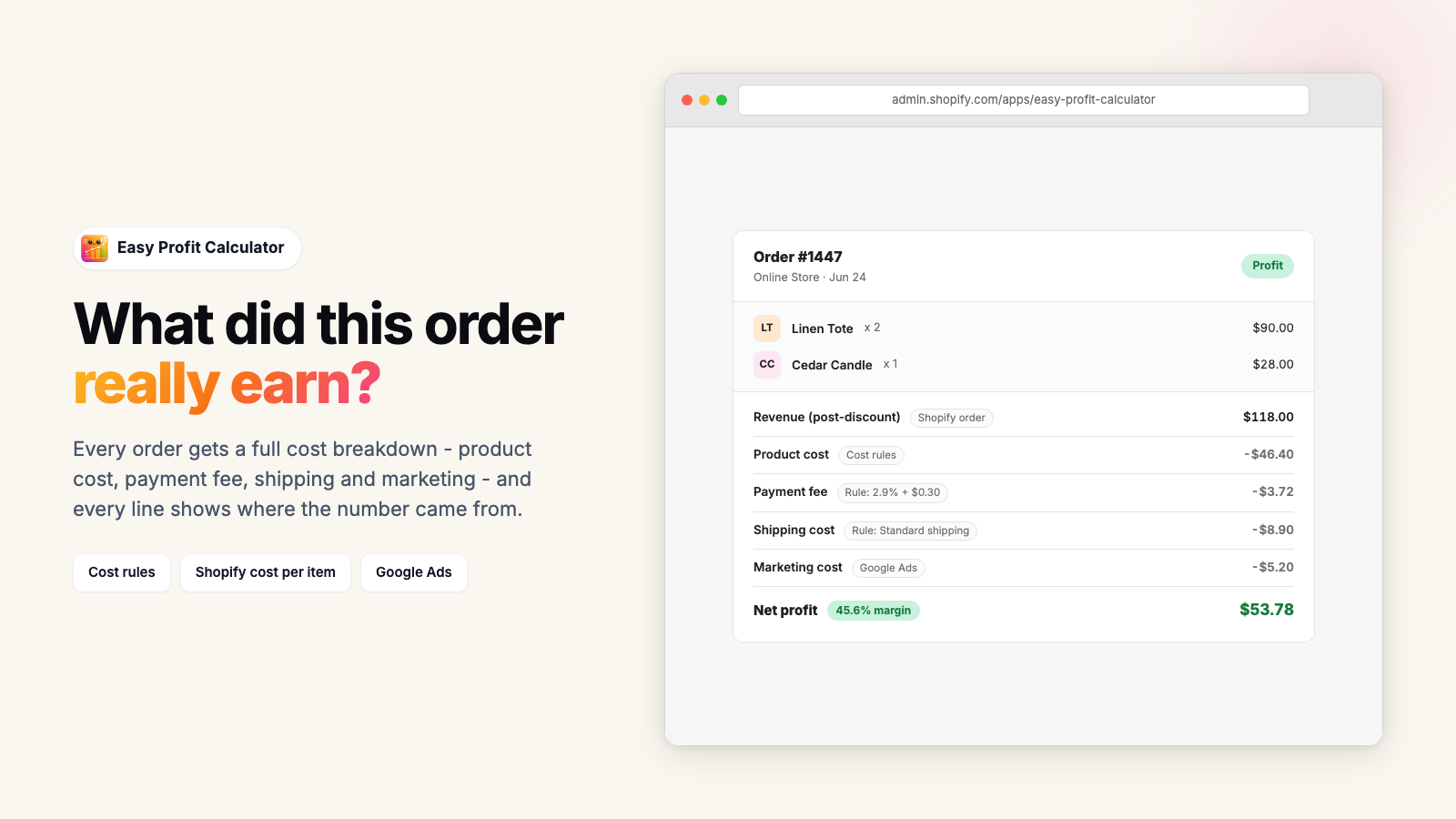
Every line tells you where its number came from
This is the part most profit dashboards skip. When a cost is missing they substitute an assumption, show one confident-looking total, and let you price off it.
Here every cost line says where its figure came from:
- Exact - the real measured amount, such as the fee Shopify Payments actually charged on that order.
- Read from Shopify - the Cost per item sitting on the variant, including anything you filled in by spreadsheet.
- From one of your rules - a pattern you set up matched this order, so it is only as right as the rule.
- Estimated - an assumption, like ad spend matched to a campaign rather than to this exact sale.
- Missing - nothing is known yet, and the app says so instead of inventing a figure.
Where several costs of the same kind land on one order, the least precise label wins. A single estimated or missing line drops the whole order to low confidence.
Across the store, a data quality score out of 100 weights each gap by the profit it puts at risk, then lists the products worth fixing first.
Setting the costs is a one-off
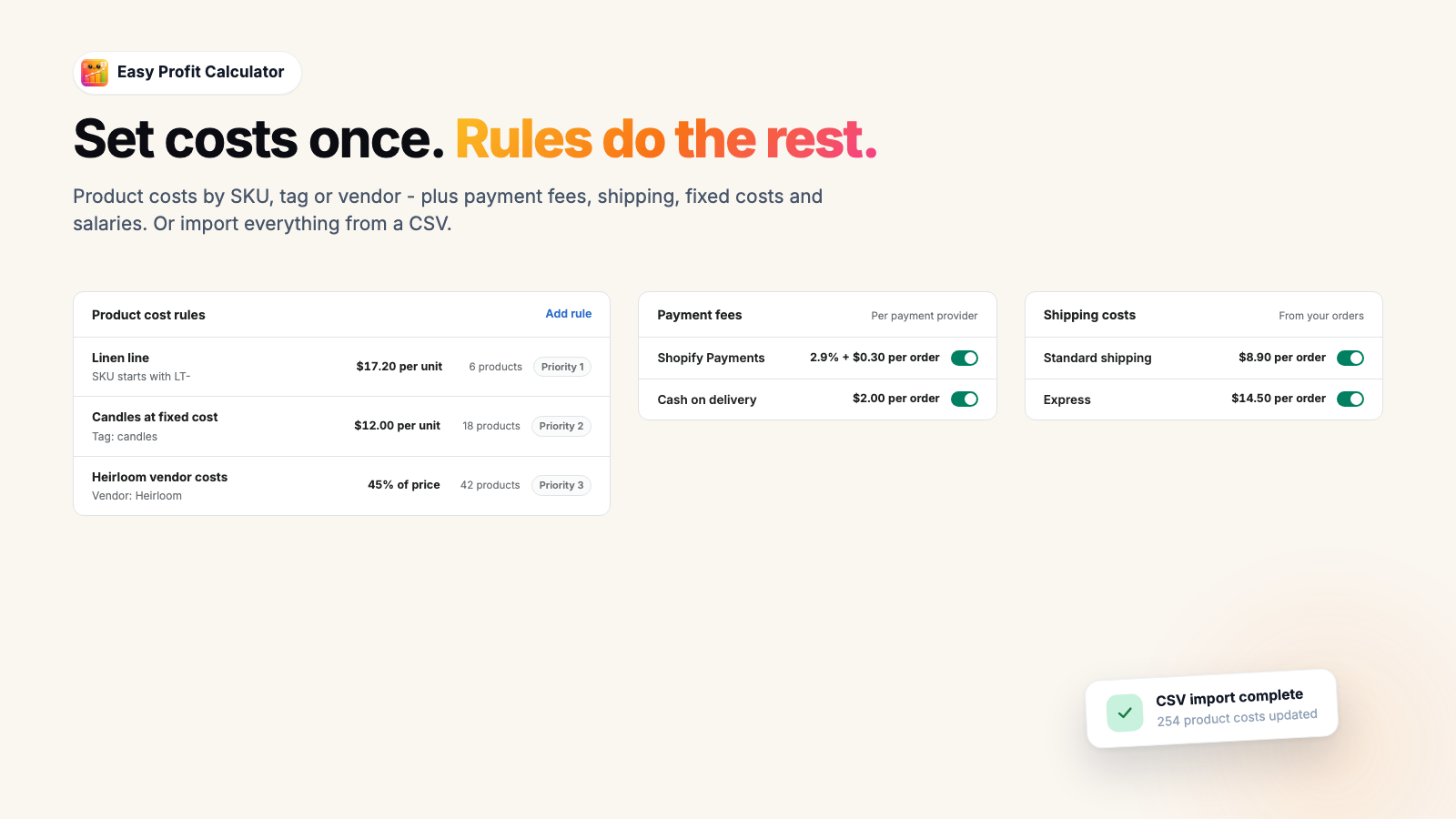
You never fill these in order by order. There are three ways to get a product cost in:
- Read the Cost per item already sitting on your Shopify variants.
- Import a spreadsheet.
- Write a rule that matches on vendor, SKU, product type or tag.
Payment fees and shipping work the same way. Every order already imported recalculates behind the scenes.
What you get
What the app does once your costs are in
It reads your Online Store and your Shopify POS orders together.
Profit dashboard
Net profit, margin and a waterfall that names every cost between your sales and what is left. Compare any period against the one before it, or the same period last year.
Costs applied automatically
Product cost, payment fee, shipping, returns, ad spend and affiliate payouts all come off each order. Set the rules once and they apply to everything after that.
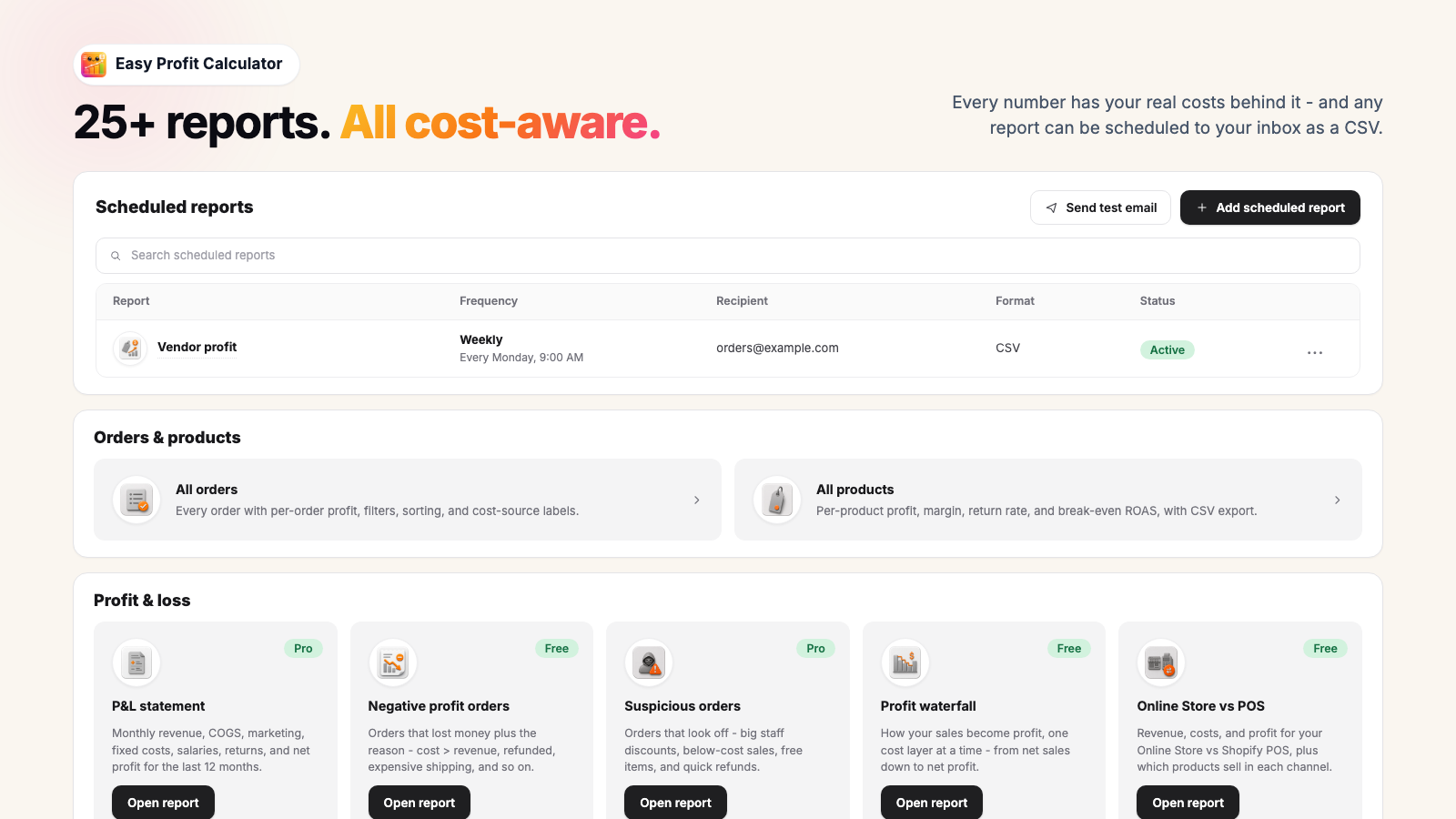
25 profit reports
Profit sliced by product, vendor, category and customer, plus a P&L, discount erosion, returns and inventory value. Eleven of the 25 are on the free plan.
Profit ROAS per campaign
Connect Google Ads and each campaign gets a ROAS calculated on margin instead of revenue, next to the break-even ROAS your own products actually need.
VAT taken out of revenue
If your prices include VAT, that money belongs to the tax office. The app strips it out of revenue by default, using each order’s own tax lines, so your margins are not flattered by 20 to 25 percent.
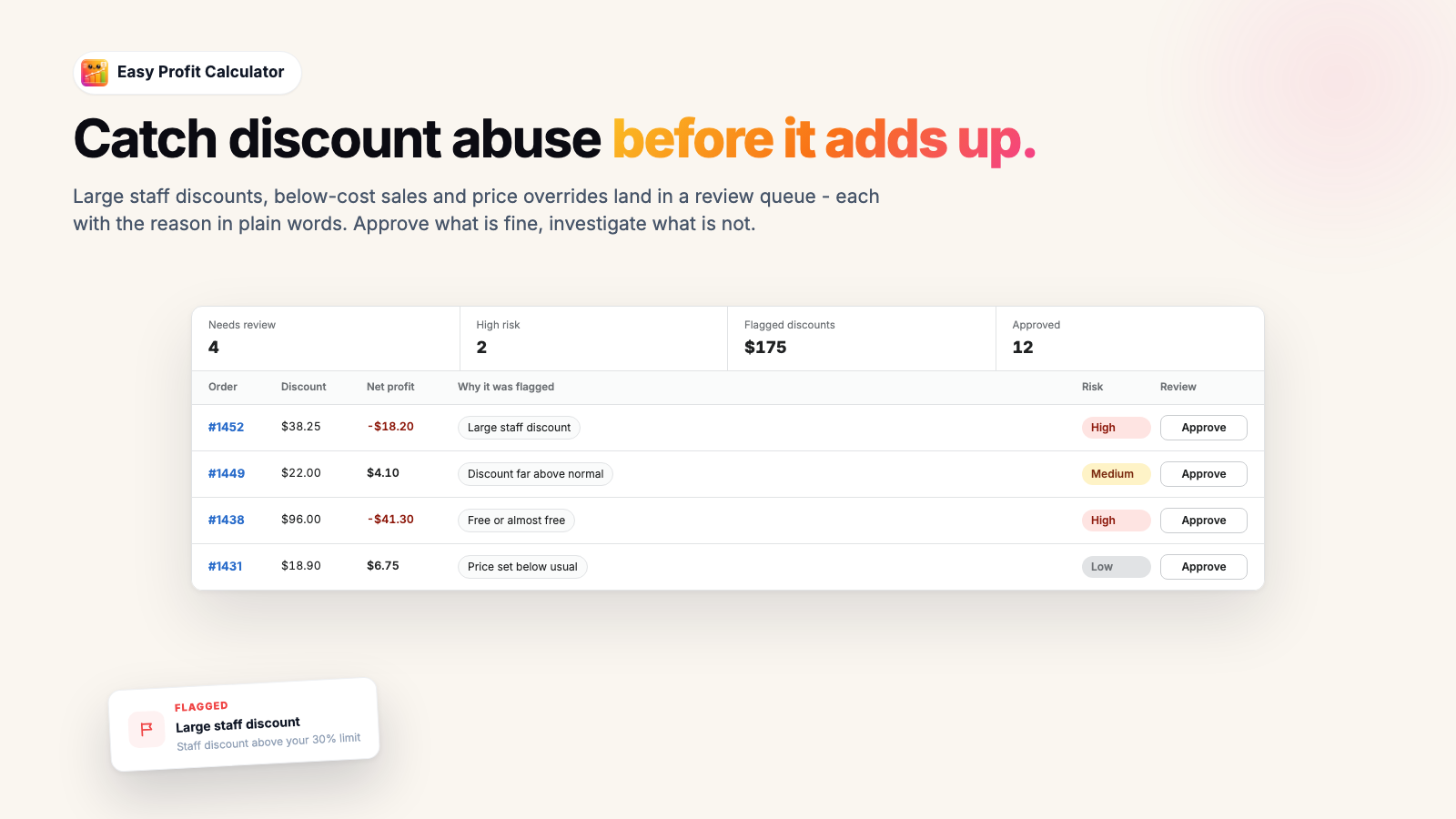
Suspicious order queue
Flags staff discounts over your threshold, items sold below cost, orders that go out free, price overrides and quick refunds, with a per-staff breakdown you clear order by order.
On every plan, including free
An advisor that reads your own numbers
Ask it why last month was down, or which product to drop. It answers from your own orders and costs rather than from general advice.
Every plan gets a monthly message allowance, from 25 on Free up to 600, so you can try it before deciding whether it earns a paid plan.
The findings sitting beside the chat are worth separating out, because those are calculated by the app rather than written by a model. Each one is arithmetic on your own data:
- A campaign clearing its revenue target while losing money after costs.
- A free shipping threshold sitting below what shipping actually costs you.
- Stock that has stopped turning.
The AI is the part you talk to, and you can see exactly what it was given.
Profit advisor
How can I increase my profit?
Google Ads is losing money
The Summer Sale campaign returns 2.1x on revenue but 0.8x after product cost, fees, and shipping. You are losing about $1,240 a month on it.
Raise free shipping to $75
Orders between $50 and $75 lose money on shipping. Lifting the threshold adds about $610 a month.
Why Easy Profit Calculator
Honest about what it does not know
Every cost line says where its number came from, and whether it was measured or assumed.
A data quality score out of 100 for the whole store, weighted by how much profit each gap puts at risk.
Read-only. All 13 permissions it asks for are read permissions, so it cannot change anything in your store.
It does not store customer names, emails, addresses or phone numbers, so the AI advisor cannot see them either.
The free plan has no expiry date. 100 orders a month, for as long as you want it.
One flat monthly price per plan, and no per-order surcharge when a busy month runs over the allowance.
Catches money leaking through staff discounts, below-cost sales, price overrides and quick refunds.
Built by a Shopify merchant doing around $5M a year, who needed it in his own stores first.
Built by a merchant
Two features that exist because of one merchant’s own books
Gustav runs Shopify stores doing around $5M a year in boat equipment, clothing and design. Easy Profit Calculator started as the spreadsheet he kept beside the admin, because no dashboard he tried would tell him which of his own orders had lost money.
VAT is the first. He sells tax-inclusive, the way most of Europe does, and tools that counted the VAT sitting inside his prices as revenue made every margin look 20 to 25 percent better than it was. This app takes the tax back out by default.
The source label on every cost line is the second. A dashboard that silently guesses at a missing cost is worse than no dashboard, because it is confidently wrong and you set prices off it. So the app says when a number is missing instead.
Pricing
Start free, upgrade when the order count says so
Every plan shows real profit per order. Plans are flat monthly amounts in USD, billed by Shopify on your normal store invoice, and there is no per-order surcharge on top.
Free
100 orders / month
- Real profit per order, gross and net
- Dashboard with cost charts and the profit waterfall
- 11 of the 25 reports, negative profit orders included
- 25 AI advisor messages a month
Pro
2,000 orders / month
- Everything in Free
- Product cost rules, spreadsheet import and purchase discounts
- Shipping, returns and fixed cost rules
- Google Ads sync with profit ROAS per campaign
- Suspicious orders, scheduled emails, 150 AI messages
Business
5,000 orders / month
- Everything in Pro
- Inventory profit health and benchmark scorecard
- Per-location and Online Store against POS reporting
- CSV export on every report
- 300 AI messages plus the deeper findings
Unlimited
25,000 orders / month
- Everything in Business
- 600 AI advisor messages a month
Shopify handles the billing, so the amount on the install screen is the one that counts. What each plan includes, or see how the field prices in our roundup of 10 Shopify profit trackers.
FAQ
Questions merchants ask before installing
Costs, ad spend, history and what happens on the way out.
How is this different from Shopify's own profit report?
Where do the costs come from - do I have to type them all in?
What is the difference between an exact cost and an estimated one?
How does ad spend get matched to individual orders?
How far back does it import my orders?
Is the free plan really free, and what if I go over 100 orders?
What can the app actually see and change in my store?
What happens to my data if I uninstall?
Find out what last month actually earned
Install it, add your product costs, and the dashboard drops to a realistic number within the hour. That drop is the whole point. Free for the first 100 orders a month.
No trial clock, no card for the free plan.
Related
More on Shopify profit
Where Shopify keeps your product cost, what belongs in it, and how to fill hundreds of variants at once.
How to turn a ROAS number into something readable by anchoring it to your own margin.
The checks to run on your own numbers, from a merchant doing $5M a year.
Price, free plans, order caps and ad sync across the field, ours included.
Order caps, overage charges and how each one handles a missing cost.
One price, one cost, and the ROAS that product has to clear. No install.