 Easy Textile Labels - EU fibre composition
Show what it is made of. Right next to your price.
A shopper in Berlin opens your linen shirt, reads the price, and finds nothing about what the shirt is made of. EU law asks for that to be there before they buy, in their language.
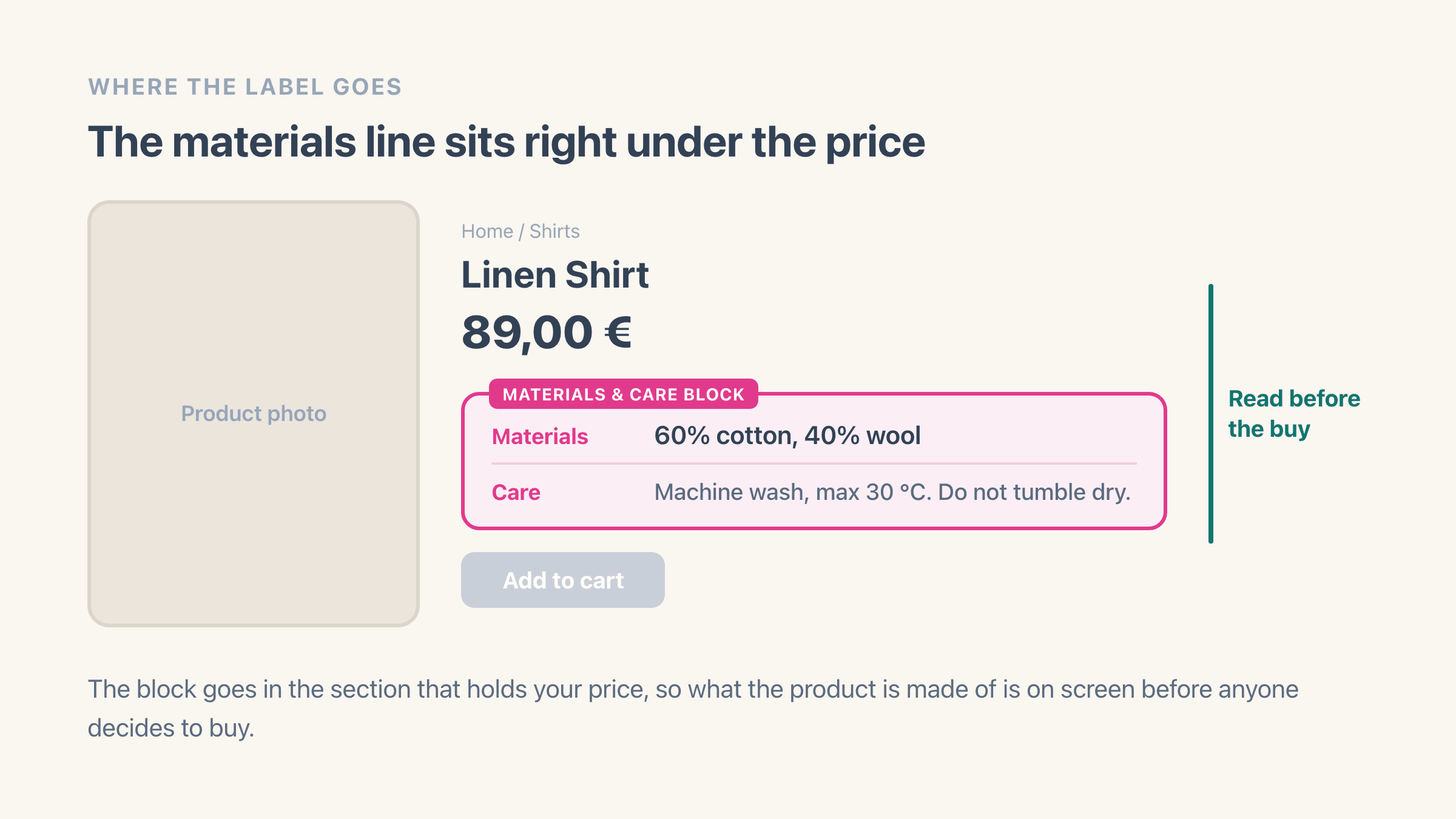
Easy Textile Labels puts it there. You type the materials once and select Save, and the Materials & Care block writes them under your price in the official EU wording.
Home / Shirts
Linen Shirt
89,00 €
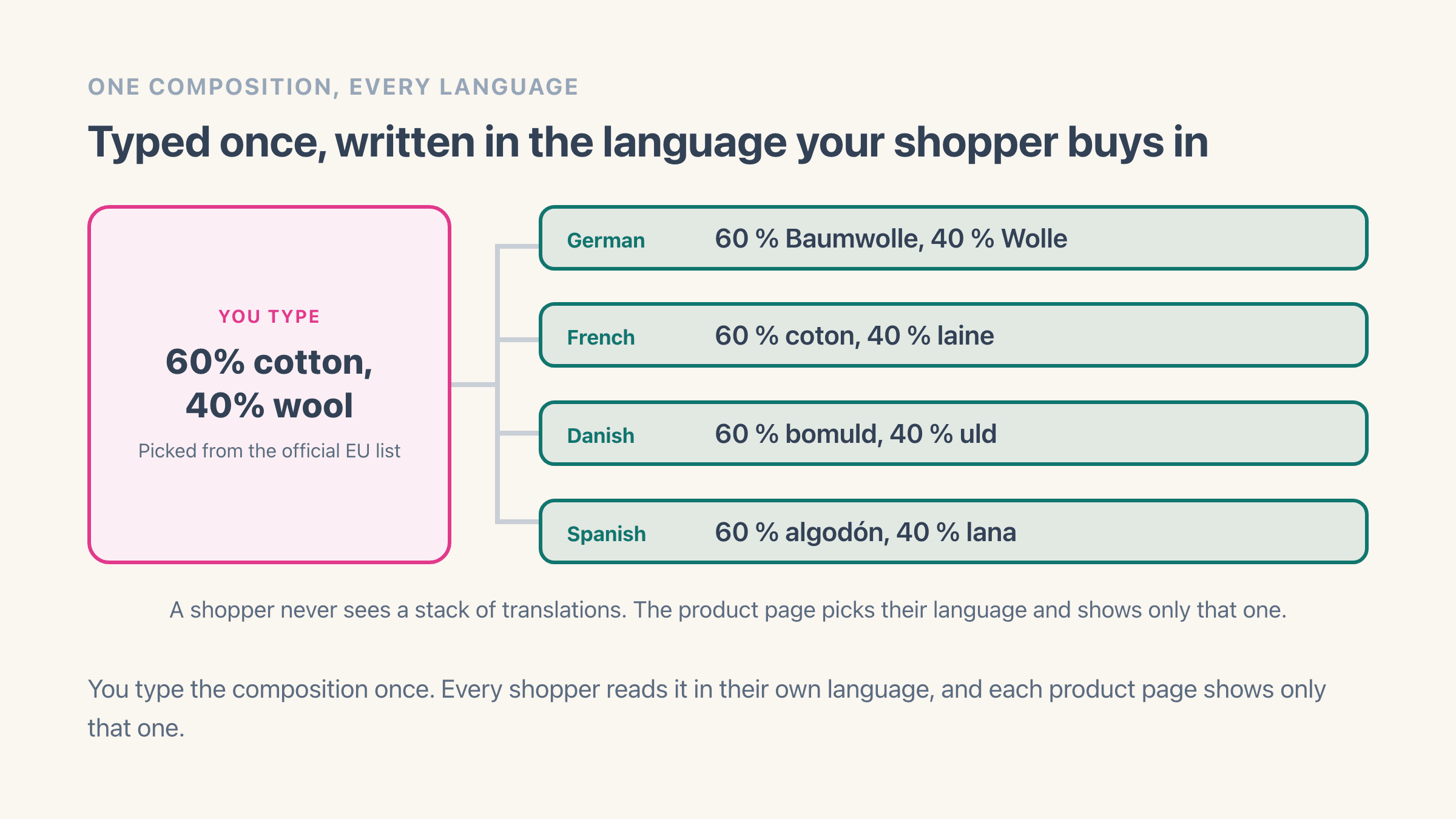
What a German shopper reads
60 % Baumwolle, 40 % Wolle
How it works
Three steps, and saving is the last one
Bring your products in
On Products, select Bring in products. The app reads your product list and shows you which ones still need their materials. Nothing on your store changes yet.
Add the Materials & Care block
In your theme editor, open a product page, select Add block in the section that holds your price, and pick Materials & Care. Drag it under the price and save. One minute, once, no code.
Type the materials and save
Open a product, type what it is made of, select Save. Shoppers see it on the product page from that moment. There is no second button to go looking for.
Description vs the block
Why not just type it in the description?
You can, and plenty of shops do. It works until you have 300 products, four languages and a material word the regulation does not allow. Nothing checks any of that for you, and nobody scrolls to the description before they decide.
| Feature | In your product descriptionTyped by hand, per product | This appEasy Textile LabelsMaterials & Care block |
|---|---|---|
| Works with no app installed | Yes | No |
| Sits next to the price on every product | Wherever you pasted it | Yes |
| Checks the wording against the official EU list | No | Yes |
| Checks the percentages add up to 100 | No | Yes |
| Written again in each language you sell inArticle 16(3) ties the label to the language of the country you sell into | You write every one | Yes |
| Filling in a whole catalogue | One product at a time | From a spreadsheet file (Pro) |
Features
What else is in there
The wording EU law allows
Type three or four letters and the official EU material names appear. Percentages have to total 100. If you need a word the list does not have, Add anyway keeps it and marks the product Not EU wording so you can see which ones are which.
Written in your shopper’s language
Your store’s language on every plan, and any of the 24 official EU languages on Pro. Each product page shows one of them, the shopper’s, so nobody reads a stack of translations.
Care instructions in plain words
Washing, bleaching, drying, ironing and professional care, each picked from a list so it writes itself in every language you sell in. Plus one free line for what the list cannot say.
A whole catalogue from one file
On Pro, upload a spreadsheet with a SKU column and a composition column and the app fills in every product it matches. Rows that do not work come back with the row number and the reason.
Product safety details
On Pro, the maker and the EU contact for your products. Fill them in once and every product uses them, or give one product its own when it comes from somewhere else.
A care page and a QR code
On Pro, every product gets a plain page on your own web address with its materials, care and safety details, plus a QR code you can print on the sewn-in label. No tracking on it of any kind.
Pricing
Free on 20 products, $10 for every product
The free plan is a real plan, not a trial. The 20 counts what shoppers see, so you can fill in your whole catalogue on Free and nothing you type is ever refused.
Free
For a small rail of products.
- Materials on 20 products
- Shown next to your price
- Care instructions in plain words
- Your store’s language
- Official EU material names offered
Pro
For a full catalogue. 7-day free trial.
Shopify handles the billing, so the amount you pay is the one on the install screen. The full plan comparison lives in the help docs.
FAQ
Easy Textile Labels FAQ
What shop owners ask before putting EU material labels on their product pages.
What does EU Regulation 1007/2011 ask for?
Are care instructions required by law?
Which language does the label appear in?
Do I have to touch my theme code?
Why can I only pick certain material names?
What does the free plan cover?
What are product safety details?
Is Easy Textile Labels on the App Store?
Put the materials next to your price today
The help docs cover the three setup steps, the wording EU law allows, the languages, the file import and what each plan shows. Read them first if you like, but the install itself is ten minutes.
Easy Textile Labels
Live on the Shopify App Store
Related
More on EU textile labelling
Setup, materials, care, languages, the file import and what each plan shows.
Composition is required and has to be visible before the buy. Care is not.
The names the regulation reserves, the everyday words that map to them, and “other fibres”.
Where it goes in the theme editor, and what to check when the setup step stays red.
The two columns you need, the optional ones, and how rows are matched to products.
A page on your own web address for one product, made to survive a sewn-in label.