 Easy Stock Buffer - Shopify safety stock
Stop overselling. Keep a safety stock buffer.
A two-hour flash sale sells 40 of a shirt you had 32 of. Monday morning is eight refund emails and an apology.
Easy Stock Buffer lets you set a floor, say 5 units, and Shopify stops taking orders for that variant once stock reaches it. The check runs at checkout, so a Shop Pay tap cannot slip past it.
5.0 on the Shopify App Store, from 2 reviews. Checked September 24, 2026.
Linen Shirt - Sand / M
SKU LIN-SND-M
What the shopper sees
Only 5 of "Linen Shirt" can be ordered right now.
How it works
Three things to do, then it runs on its own
Pick a number for each product
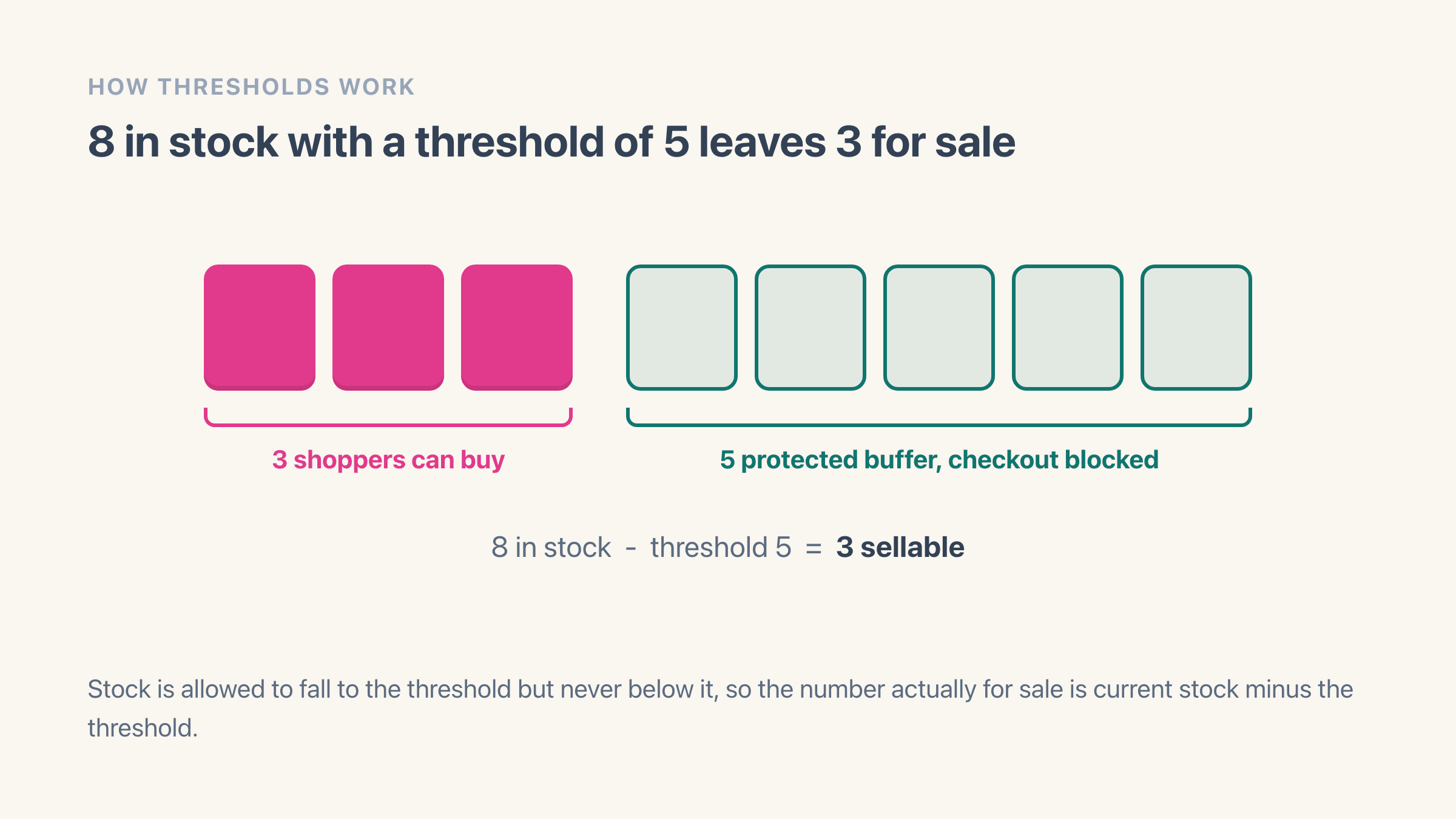
Set a floor on the variants you care about, or one default for the whole shop. Most people use roughly what they sell while a restock is in transit. Your Shopify inventory count is left alone.
Switch the checkout rule on
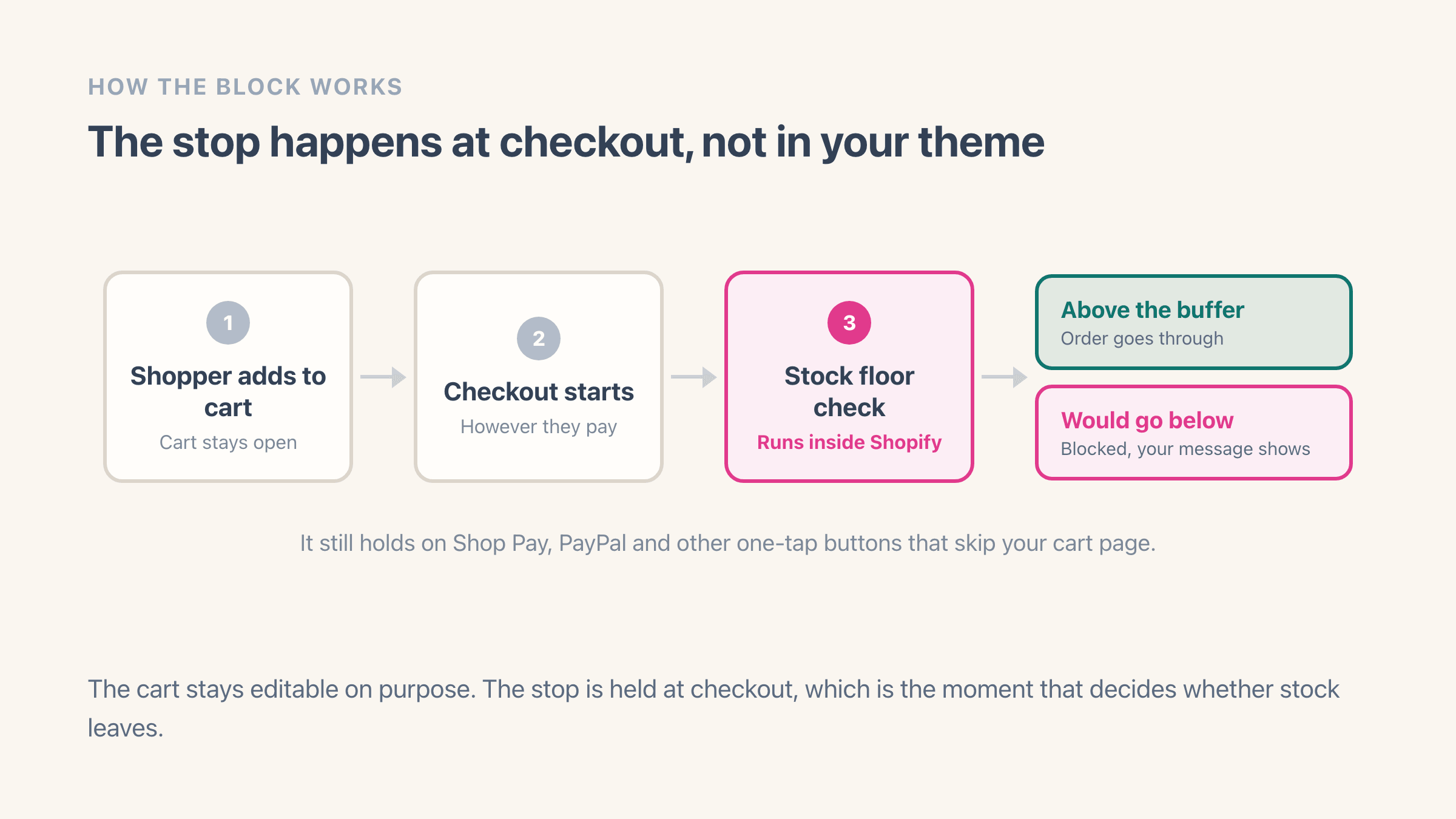
Shopify does not turn an app checkout rule on by itself. There is a button in the app that does it, or you add it by hand under Settings > Checkout > Checkout rules. About 30 seconds, once.
Shopify stops the order at checkout
After that, any order that would take stock below your floor is stopped at checkout with a message you wrote. The cart stays open, so a shopper can drop the quantity and finish the rest of their order.
Safety stock vs order limits
A different job from an order-limit app
Order-limit apps cap how many units one customer can buy, which is handy against resellers and does nothing about overselling. Easy Stock Buffer works the other way round: once stock reaches your floor, the variant stops selling to everybody. Shopify has no built-in setting for that.
| Feature | Order-limit appsCap units per customer | This appEasy Stock BufferSafety-stock floor |
|---|---|---|
| Caps how many units one customer can buy | Yes | No |
| Stops selling to everyone once stock hits your floor | No | Yes |
| Leaves a buffer for returns, damages and miscounts | No | Yes |
| Where the rule is enforcedCheckout is the only point every payment path goes through | Varies by app | Shopify checkout |
| Built for | Resellers, wholesale minimums | Never overselling |
Features
What else is in there
It holds on Shop Pay
The check runs inside Shopify at checkout instead of as a script in your theme, so express wallets and pasted checkout links go through it too.
One number, or one per product
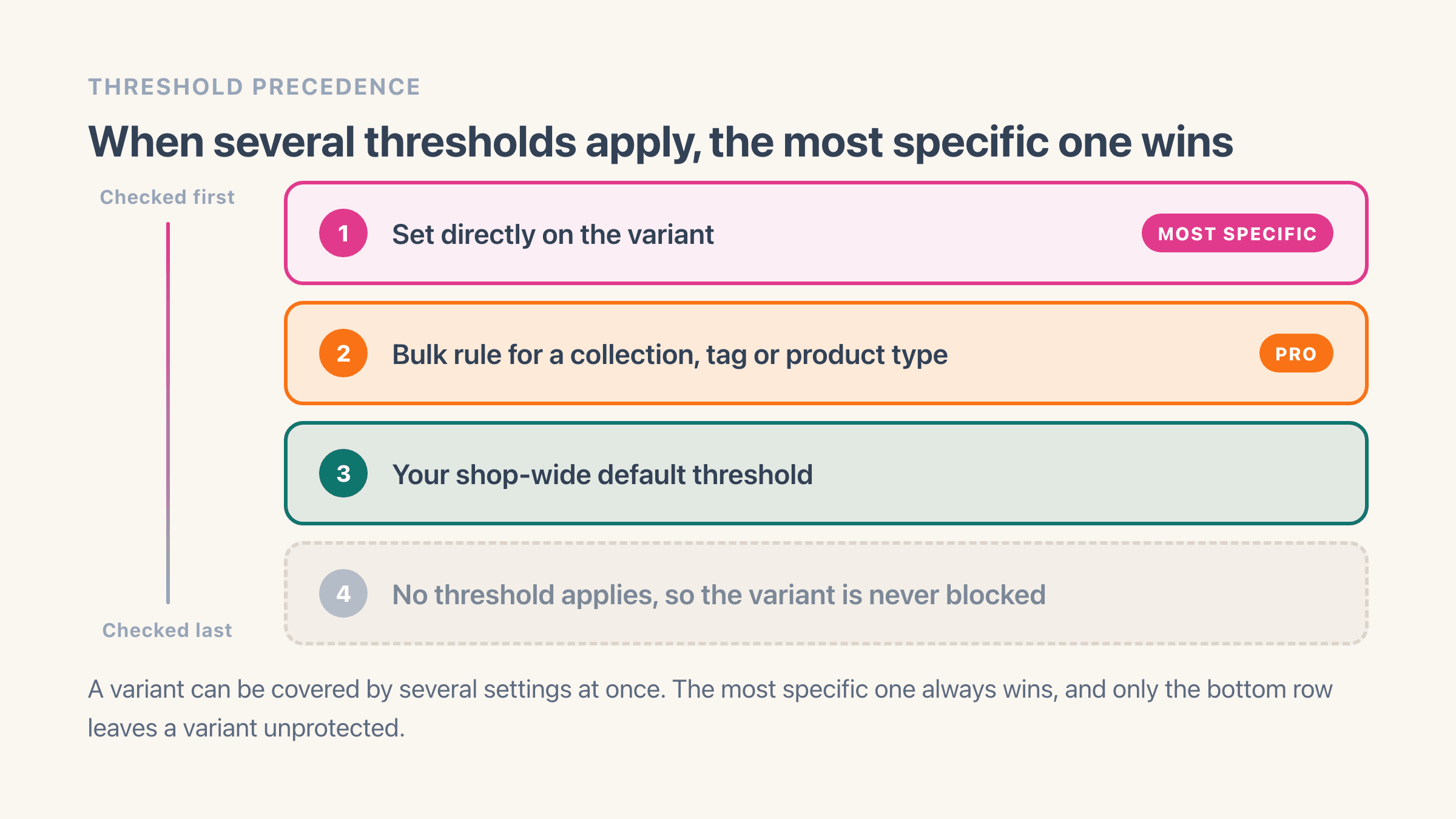
A floor per variant, with a shop-wide default underneath for everything else. On Pro you can set them in bulk, by collection, tag or product type.
A floor per location
On Pro, your warehouse and your shop floor each hold back their own reserve. The app adds them up into the single number Shopify checks at checkout.
An email before you get there
Ten alerts a month on the free plan, unlimited on Pro. On Pro you can also roll them into a daily or weekly digest instead of one email per product.
Sold-out products go to draft
On Pro, a product that runs out moves to draft on its own and returns to its old status when stock comes back. You can point the old URL somewhere useful in the meantime.
A suggested number to start from
On Pro, the app watches how fast each variant has been moving and proposes a floor. It wants at least three sales in the window before it will guess.
Pricing
Free for 10 products, $7 for the whole catalogue
The free plan is a real plan, not a trial. Ten variants get their own floor, and one shop-wide default covers every other variant in the store.
Free
For your first few products.
- Ten variants with their own floor
- One shop-wide default for everything else
- Blocking at checkout, every payment path
- Blocks Add to cart at your floor
- 10 stock alerts a month
Pro
For a full catalogue. 7-day free trial.
Shopify handles the billing, so the amount you actually pay is the one on the install screen. The full plan comparison lives in the help docs.
FAQ
Easy Stock Buffer FAQ
What merchants ask before adding a safety-stock buffer to their Shopify store.
How long does Easy Stock Buffer take to set up?
Does it change my Shopify inventory numbers?
What does a shopper see when an order is blocked?
Does it work with Shop Pay and express checkout buttons?
Do I have to edit my theme?
What happens to my store if I uninstall?
What does the free plan actually cover?
Can I set different floors for different products?
Stop selling before you run out
Pick a number, switch on the checkout rule, and your next promotion stops itself at the floor you chose. Start on the free plan and see it block one order before you pay anything.
Install on ShopifyFree plan, no card needed.
Easy Stock Buffer
Free plan on the Shopify App Store
Related
More on keeping stock back
Why Shopify lets an order through when the stock is already gone, and the five usual causes.
Lead time, daily sales rate, and the arithmetic behind the number you end up typing in.
Which of the two you actually need, and when a store wants both running together.
Stocky retires on 31 August 2026. What moves to native Shopify and what does not.
The definition, both formulas, and how it differs from a reorder point.
Setup, thresholds, alerts, and what to check when a product is still selling.