 Easy Image Organizer - bulk image editing for Shopify
Reorder, rename and clean up product images in bulk
The same beach-tote photo is on six products, half your files are still called IMG_2841.jpg, and none of them have alt text. Easy Image Organizer is an admin app for Shopify merchants with more products than patience: drag images into the right order across the catalogue, find the photo you uploaded six times, and write alt text and filenames from your product titles in one pass.
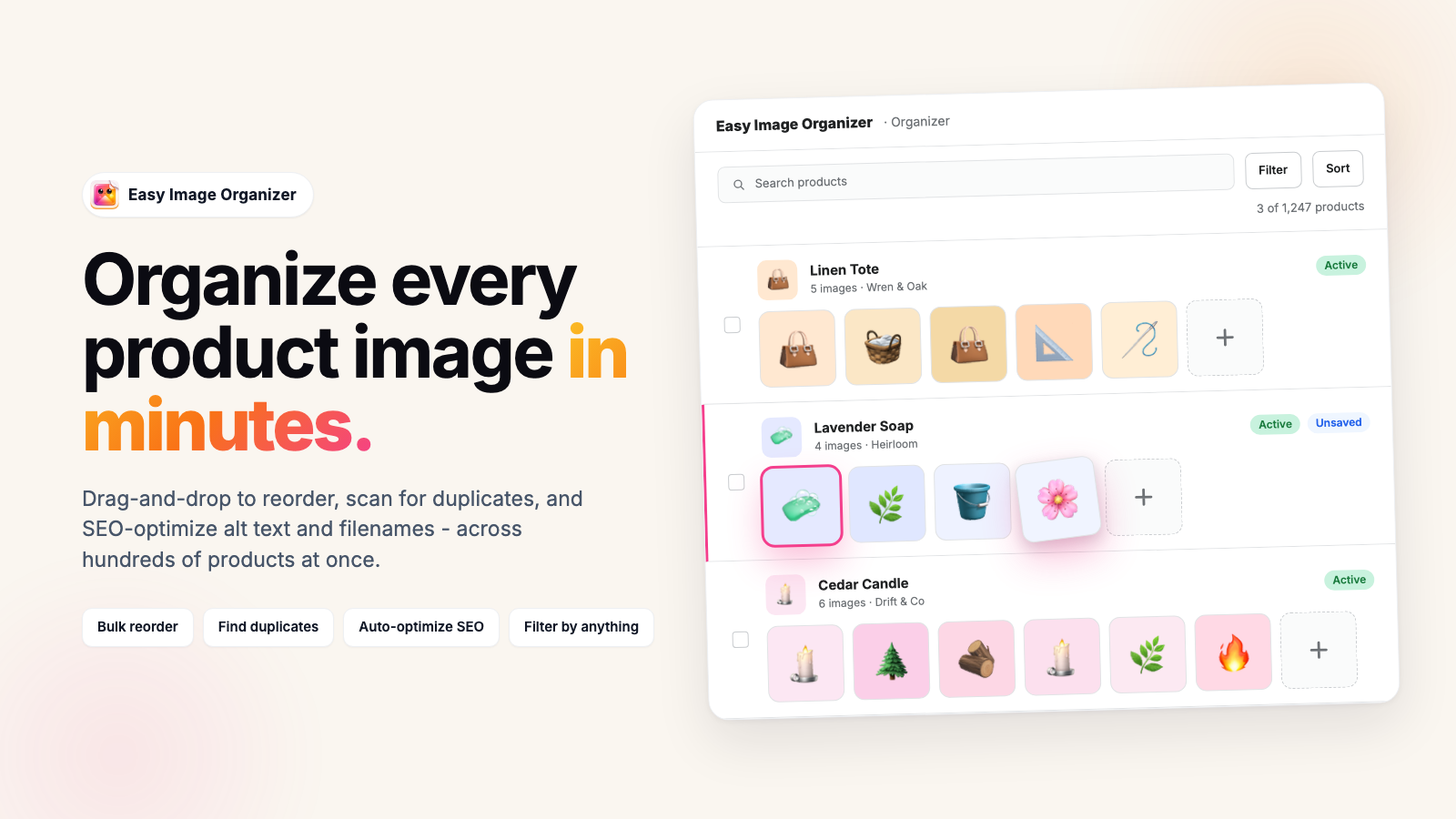
Inside the app
Three screens, one job each
Organizer for the order images sit in. Find Duplicates for the photos that got used twice. Image SEO for alt text and filenames.
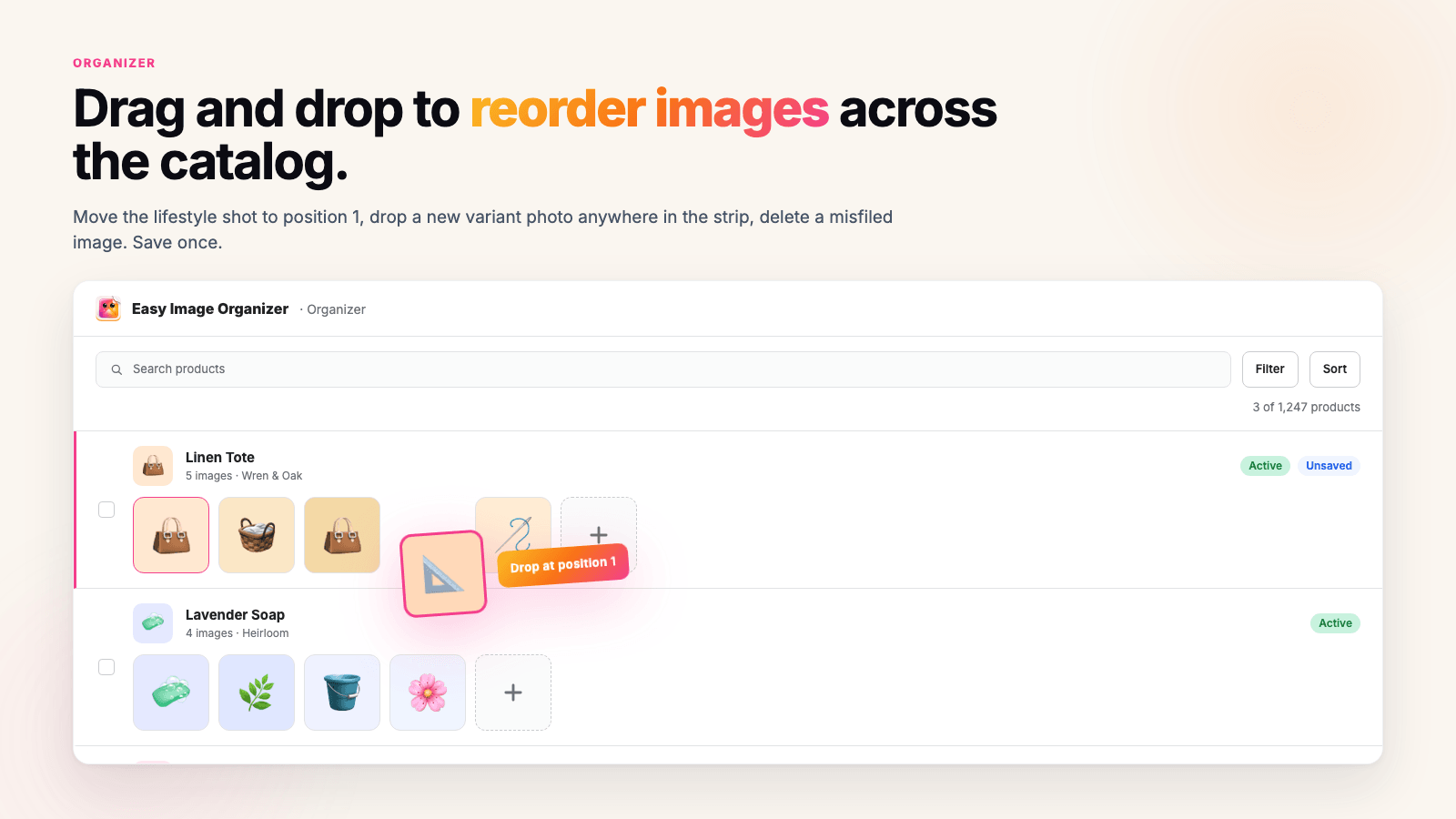
Organizer: drag an image to a new position, on one product or on many
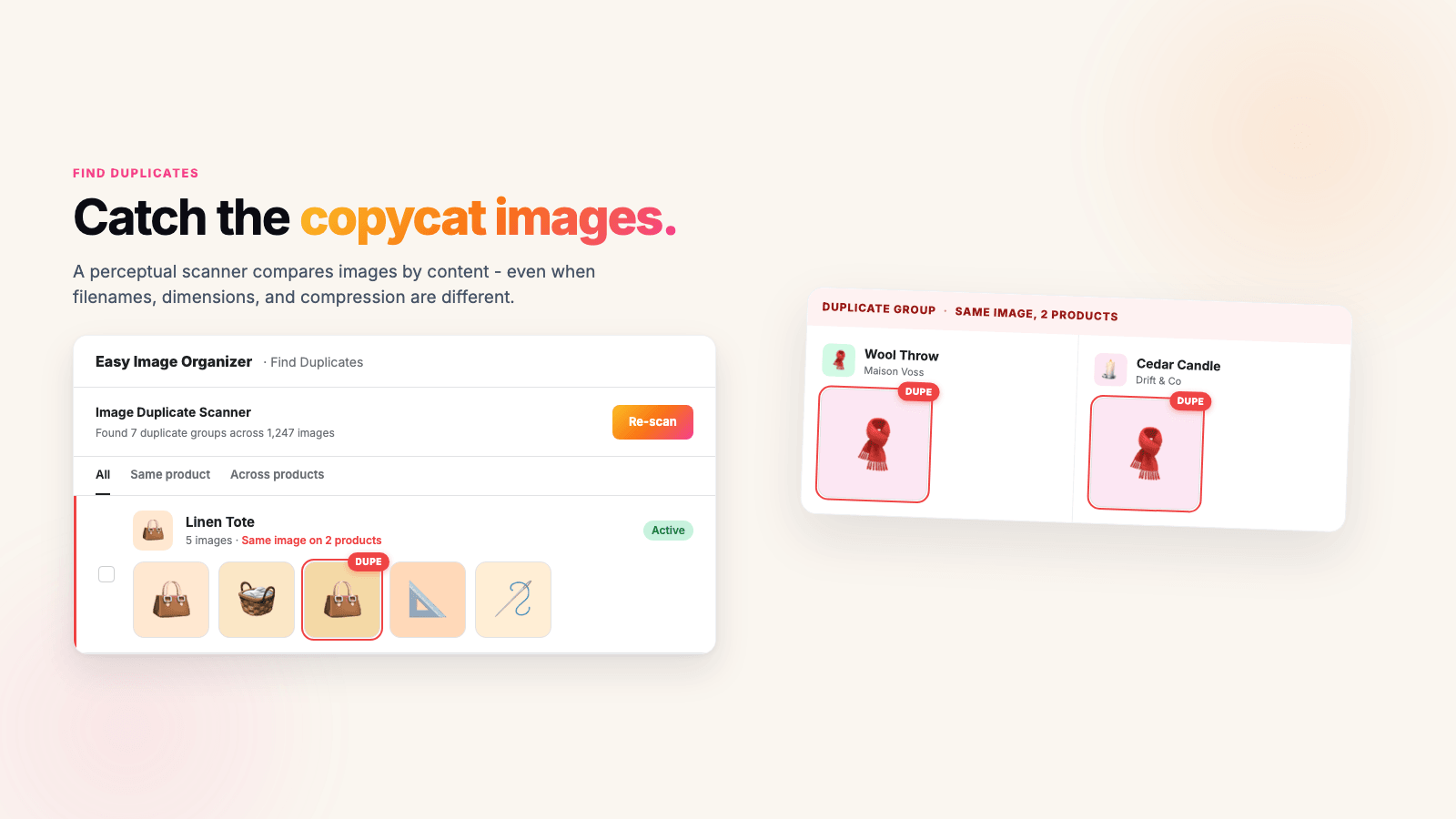
Find Duplicates: groups sorted into "same product" and "across products"
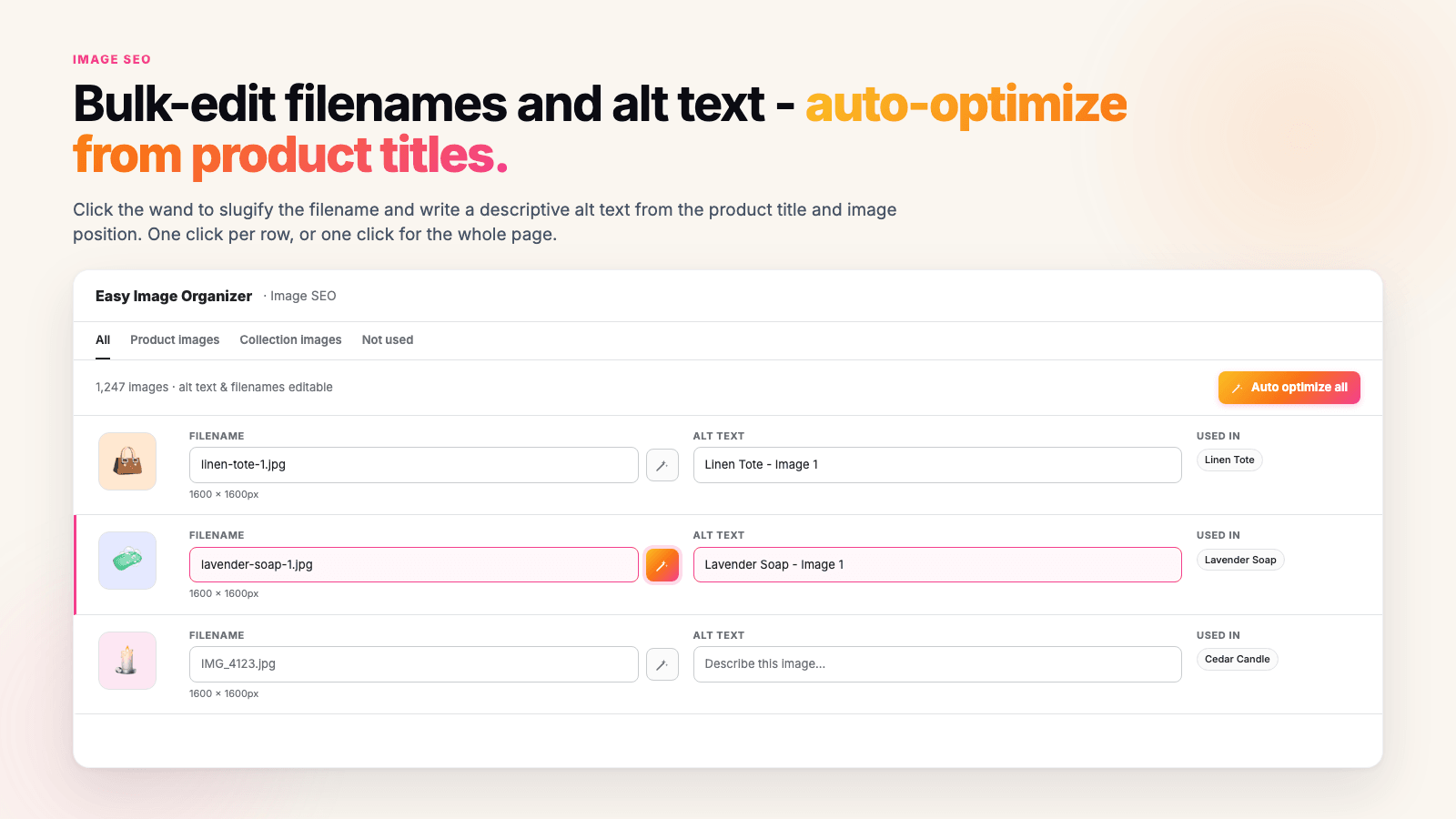
Image SEO: filename, alt text, image size and where the file is used, per row
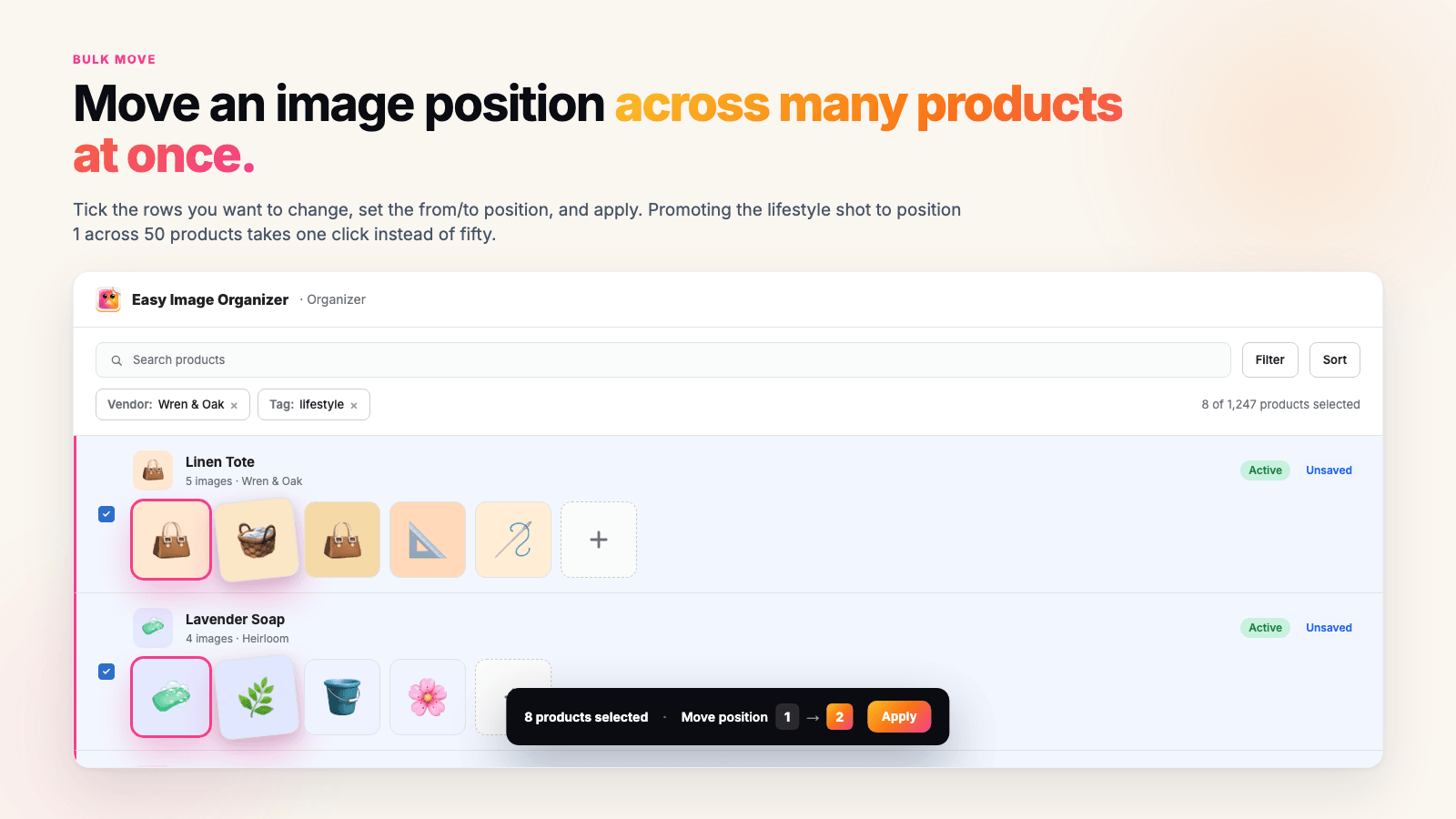
The bulk bar: move a position across every product you ticked
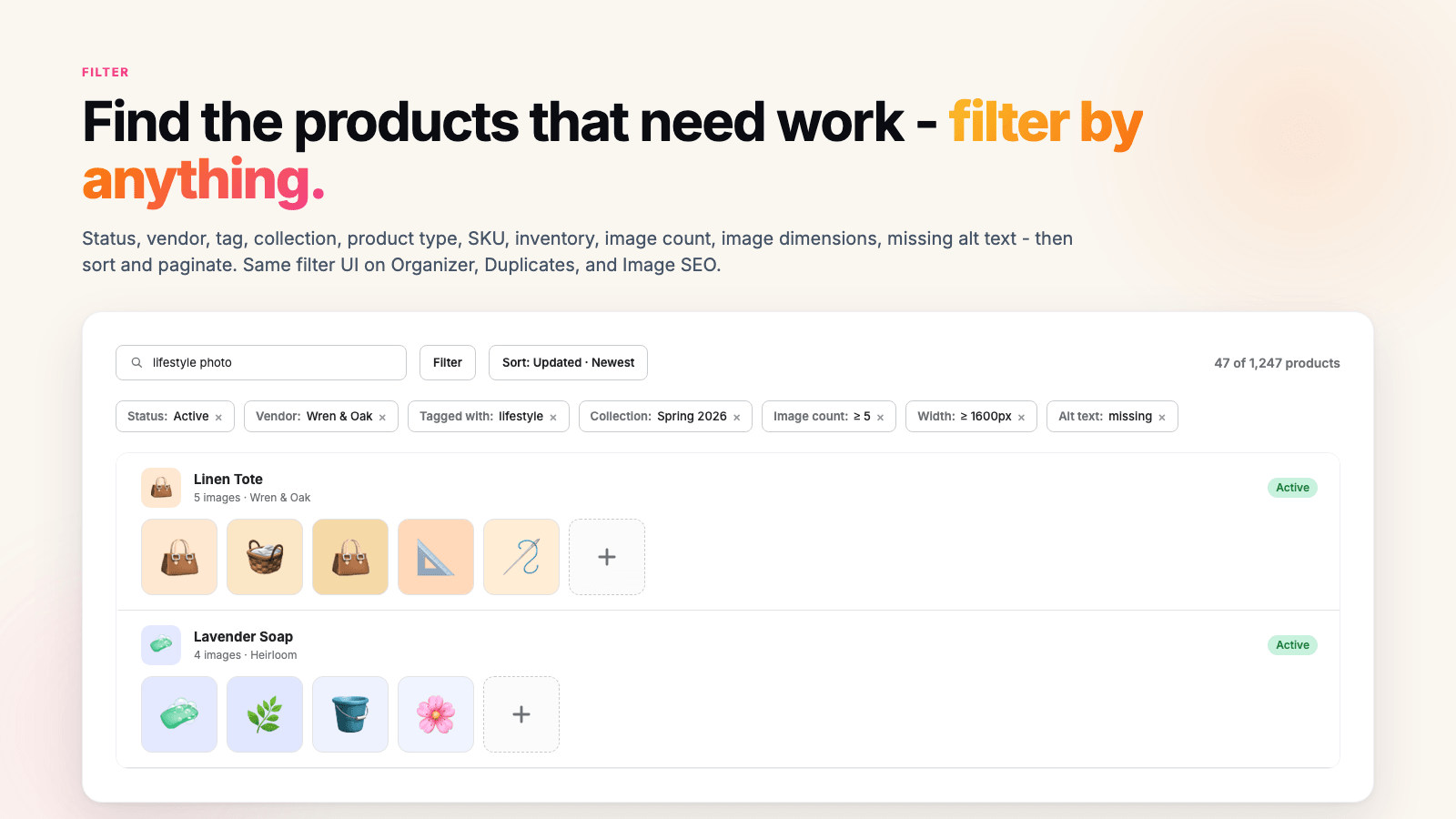
Filters stack, so "active products, missing alt text, under 1600px" is one view
See it in action
Watch a pass through the catalogue
Drag, scan and rewrite, all inside your Shopify admin.
The Organizer
Set the order across hundreds of products
Every product row carries its images as a strip you can drag. Move the lifestyle shot to the front on one product, or tick fifty rows and apply the same move to all of them. Shopify pulls the first image into search results and social previews, so position 1 is the one that earns the click.
- Drag thumbnails into a new order in the strip on each product row
- Tick rows and apply "move position N to position M" to all of them at once
- Drag image files straight onto a product row to upload them
- Videos and 3D models sit in the same strip and reorder the same way
- Undo a row while it is still unsaved, or discard everything unsaved at once
- Nothing reaches Shopify until you click Save all changes
Find Duplicates
The same photo, re-saved and renamed, still gets caught
Feed apps, CSV imports and a busy week all end the same way: one supplier photo attached to products it has nothing to do with. The scanner compares images by how they look rather than by file name, so a smaller re-save of the same photo lands in the same group.
- Compares images by how they look, so the same photo re-saved smaller or renamed is still caught
- "Same product" finds the repeat sitting twice on one product
- "Across products" finds one photo spread over many products, and lists them
- Progress counter as it scans, and a resume button if you close the tab
- A second scan skips images that have not changed, so it runs much faster
- Free and unlimited on both plans, up to 500 duplicate groups per scan
Not sure you have duplicates yet?
Check before you install anything. Our free duplicate image scanner reads the product images on your public storefront, covers up to 500 products, and emails you the groups it finds. No install, no card, and it tells you in a few minutes whether this is a real problem in your catalogue or not.
Run the free scanImage SEO
Alt text and filenames, written from your product titles
Click the wand on a row and the filename becomes a slug of the product title while the alt text becomes the title plus the image number. Click Auto optimize all and the whole page follows the same pattern. Rewrite the hero shots properly by hand afterwards, because a title is a starting point and not a description.
- Edit the filename and the alt text for an image side by side
- The wand fills alt text as "Product Title - Image 2" and slugifies the filename
- "Auto optimize all" applies the same pattern to every row on the page
- A "Used in" column shows which products and collections use the file
- Tabs for All, Product images, Collection images, and files no product uses
- Renaming happens in place, so the product keeps using the same file
Filters
Get to the products that actually need work
Stack filters until you are looking at only the mess: active products, tagged sale, missing alt text, images under 1600px wide. Then bulk-edit what is on the screen instead of paging through a catalogue looking for the bad ones.
- Status, vendor, tag, collection and product type
- Image count, as more than / less than / equal to a number you set
- Image width and height in pixels, for finding the photos that are too small
- Alt text: missing or exists
- SKU, stock status and inventory count, plus twelve sort orders
Use cases
Four jobs merchants open it for
The supplier drop before a launch
Sixty new products land and every file is called IMG_2841.jpg with the alt text blank. Auto optimize writes a filename and an alt text from each product title in one pass, and none of it counts against the free monthly limit.
The packshot is leading, the lifestyle shot should be
Tick the products on the page, set "move position 4 to position 1", apply. Shopify shows the first image in search results and social previews, so that one move changes what shoppers see before they click.
One supplier photo, thirty products
It happens with feed apps and CSV imports: the same photo gets attached everywhere. The scanner groups it under "Across products" and lists every product it landed on, so you can see the damage before you touch anything.
Alt text you have been putting off
Filter to "alt text: missing", work down the list, save. The Image SEO tab covers product images, collection banner images, and the files in Content > Files that no product uses any more.
Pricing
Free for a small clean-up, $8.99 when you outgrow it
The free limit counts saves that change images: reorder, delete, upload. Alt text, filenames and duplicate scans are unlimited on both plans.
Free
Enough to clean up a small catalogue end to end.
- 100 saved product edits a month
- Unlimited alt text editing
- Unlimited filename editing
- Unlimited duplicate scanning
- Drag-and-drop reorder and the bulk move bar
- Every filter and sort option
Pro
For a catalogue you are working through week after week.
Billing runs through Shopify, so it lands on your normal Shopify invoice. The exact amount is on Shopify's own charge screen before you approve anything.
FAQ
Questions merchants ask before installing
What it changes, what it deletes, and where the limits are.
Will this change the images on my live store?
Does it delete images from my store?
Can I undo a change?
How do I reorder product images in bulk on Shopify?
How do I add alt text to all my Shopify images at once?
Can I rename image files, and will the URLs change?
What counts against the 100 free edits a month?
Is the duplicate scanner free?
Does it compress or resize my images?
How does it behave on a big catalogue?
Does it slow down my store?
What happens if I uninstall?
Stop opening 800 product pages to fix one image
Install it, run a duplicate scan and an Auto optimize pass, and see what your catalogue looks like on the other side. Both of those are free and unlimited, so the first afternoon costs you nothing.
Install on ShopifyFree plan, no card needed.
Related
Read before you start
Scan up to 500 products from your storefront and get the groups by email. No install.
Where they come from, when they are deliberate, and what they cost you.
The three routes: CSV import, a developer, or a bulk editor. With the exact clicks.
Set which photo leads across a whole catalogue, and why apps keep undoing it.
Sorted by job: compression, alt text, resizing, organizing. Ours does not compress.
Setup, the edit counter, every filter, and what to do when a save fails.