Short answer
How do you build a low stock alert in Shopify Flow?
Install the free Shopify Flow app
Flow does not come switched on. Shopify's help pages put it plainly: "To use Shopify Flow, you must first install the free Shopify Flow app from the Shopify App Store." Once it is installed it appears in your admin under Apps.
If it does not work
You cannot install it at all. Shopify documents Flow as "a free app available on the Basic, Grow, Advanced, and Plus plans", so a Starter store has no Flow route and has to use an app or the manual list instead.
This is the prerequisite that quietly ends the walkthrough for a chunk of readers, which is why it is step one rather than a footnote.
How to undo it
Uninstall the app from Apps in your admin. Workflows stop running the moment it goes.
Search the template library for the low stock template
You do not have to build the workflow from scratch. Flow ships a template library with a low stock notification template in it, alongside templates that hide and republish products by inventory level.
Shopify points you at the library's search bar rather than at any one template name, which is the right instinct: the names get reworded, and searching "inventory" surfaces whatever the current set is called.
If it does not work
The search returns nothing useful because you typed the wording from an article rather than the wording on the template. Search for "inventory" on its own and read the results, rather than pasting a template name you are not sure about.
How to undo it
Selecting a template creates a draft workflow. A draft has never run and never sent anything, so deleting it changes nothing in your store.
Check which trigger the workflow is using
The template arrives with its trigger already set, and it is worth opening because the name changed.
Shopify's trigger reference calls it "Product variant inventory quantity changed", and the same page notes it was "previously called Inventory quantity changed".
Guides written before the rename still use the short version, so if one tells you to pick "Inventory quantity changed" and you cannot find it, you are looking at the same trigger under its current name.
If it does not work
The workflow fires for products you never track. Shopify documents that this trigger "will start a workflow, even if the product has Inventory tracked deactivated", so a store full of made-to-order or digital items will generate noise until you add a condition that filters them out.
How to undo it
Swap the trigger from the workflow editor. Changing a trigger on a draft costs nothing; on a live workflow it stops running until you turn it back on.
Set the condition to the number you want to hear about
This is the low stock part, and it is a condition rather than a setting: the trigger fires on any inventory change, and your condition decides which of those changes deserves an email.
Shopify's workflow examples use the "Product variant inventory quantity" and "Product variant inventory quantity prior" conditions for exactly this.
Pick one number to start with. Five units is a reasonable opening guess for a mid-speed product, and the section below on catalogue speed explains why that same five is wrong for both your fastest and your slowest sellers.
If it does not work
You get an email every time anything moves, because the condition is missing or set on the wrong side. The trigger fires when inventory goes up as well as down, so a restock of 200 units satisfies a naive condition just as happily as a sale does.
How to undo it
Edit the condition and save. The workflow keeps its history, and nothing that already sent gets recalled.
Add the email action and turn the workflow on
Add a send-email action, put your own address in it, and switch the workflow on. Send yourself a test by adjusting one variant down past your number in Products > Inventory, then adjust it straight back up.
If it does not work
Nothing arrives. Check the workflow is on rather than draft, then check your spam folder, then check you have not run into Flow's own ceiling.
Shopify documents that stores get different usage limits in Flow depending on their plan, so a very busy store on a small plan is the one case where a correct workflow still goes quiet.
How to undo it
Turn the workflow off from the Flow app. It stops immediately and keeps its configuration, so you can switch it back on without rebuilding it.
Does Shopify have built-in low stock alerts?
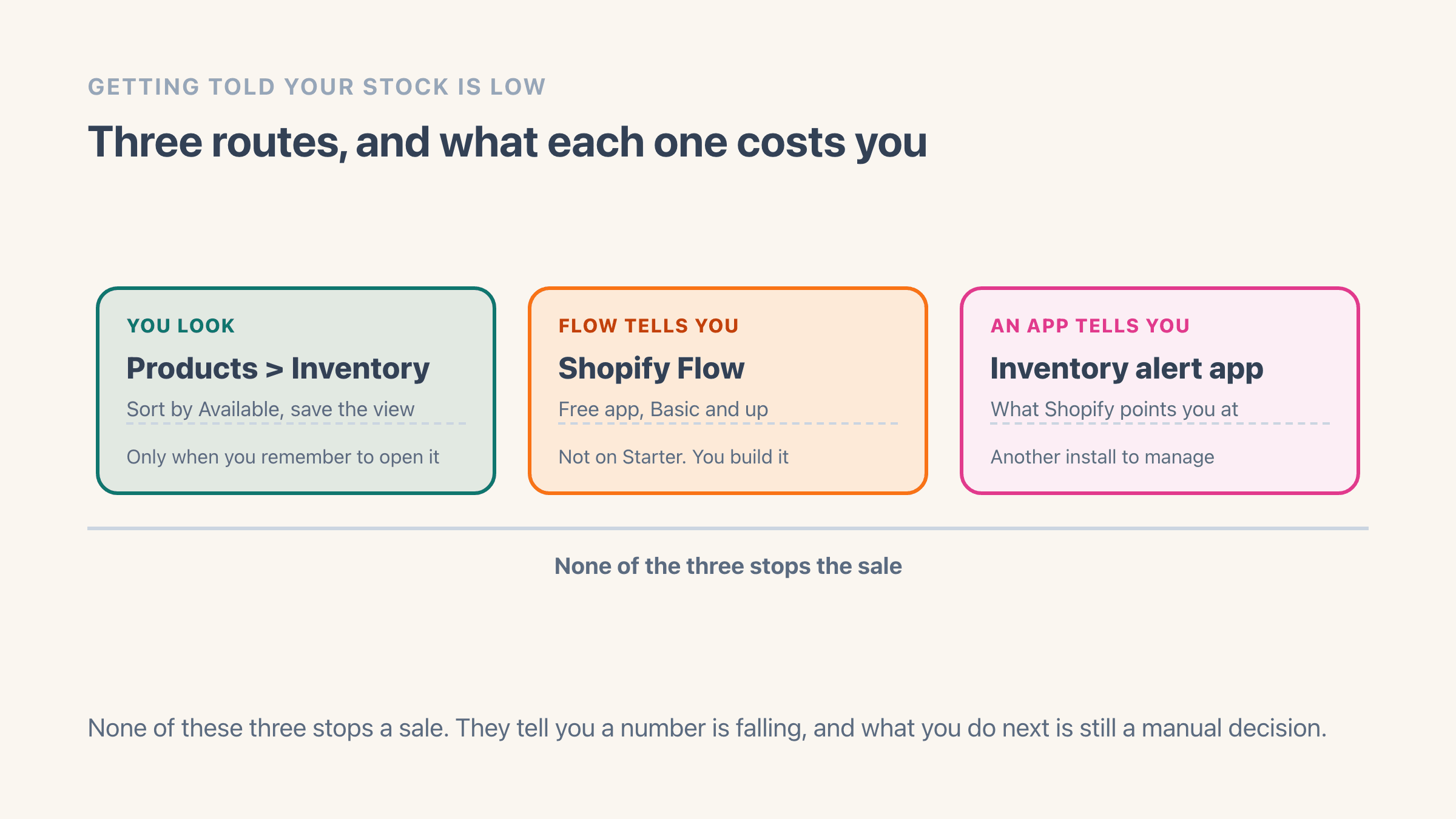
No, and Shopify says so itself rather than leaving you to work it out. The inventory section of the help centre carries one paragraph on the subject, and both of its sentences point away from the platform: "If you need to receive direct notifications of low stock levels, then install an inventory alert app from the Shopify App Store." and "You can also use Shopify Flow to set up low stock notifications."
That is the whole native position, checked on 8 August 2026. There is no low stock field on a product, no threshold box on a variant, and nothing in your notification settings that watches a stock count for you.
Read anything older than this month with one thing in mind. The page still sitting near the top of the results for this question is Shopify's own low stock help page, and it is a Stocky page, covering low stock products, low stock vendors and reorder points.
It now opens with a banner reading "The Stocky app will no longer be available after August 31st, 2026." Guides published as recently as last year still name Stocky as the answer here. It stops being one this month, and what moves to native Shopify when Stocky closes sets out what replaces each piece.
How do you find low stock products in the Shopify admin?
You sort for them. Products > Inventory lists every variant with columns for Product, SKU, Unavailable, Committed, Available, On hand, Incoming and Bin name, and Available is the one that matters here because Shopify defines it as the "quantity of inventory that's available for sale".
The list filters and sorts on that column. Add an Available filter, or open the display options and sort by Available from lowest to highest, and your thinnest stock rises to the top of the screen. A filtered list can then be saved as a named view, so the setup survives you closing the tab.
This is the route nobody writes up, and it is free on every plan with nothing to install. Its weakness is obvious and worth stating plainly: it only works on the days you remember to look, which is exactly the day a flash sale does not care about.
- Products > Inventory, then sort Available lowest to highest
- Filter on Available to cut the list down to what is nearly gone
- Save the filtered list as a named view so it is one click next time
- Free on every plan, and nothing to install
- No email, so it only helps when you open it
Which Shopify reports show low stock?
Several, and one of them answers the question better than a threshold does. Shopify's inventory reports include Month-end inventory snapshot, Month-end inventory value, Inventory sold daily by product, Products by percentage sold, ABC product analysis, Products by sell-through rate, Inventory remaining per product, Inventory adjustment changes and Inventory adjustments by count.
Inventory remaining per product is the one to open first, because it estimates the number of days until a variant runs out rather than the units left in it. That is the shape of the question you are actually asking when you ask about low stock.
On plans, be careful what you read. Shopify's analytics overview says only that "Shopify Analytics' main features are available to merchants on any Shopify subscription plan", and the inventory reports page I checked on 8 August 2026 carries no per-report plan table at all. So I can tell you the reports exist and what each one does, and I cannot tell you from Shopify's own documentation which tier each one lands on. Open Analytics > Reports on your own store and search the name; that is a thirty-second check and it beats any list on any blog, this one included.
One more limit belongs here because it bites during exactly this investigation. Shopify states that "You can view only the last 180 days of inventory adjustment history for a product or variant", which is fine for a stock discrepancy you noticed this quarter and useless for one that started a year ago. We wrote up the ways past that 180-day wall separately.
Why does one threshold stop working across a catalogue?
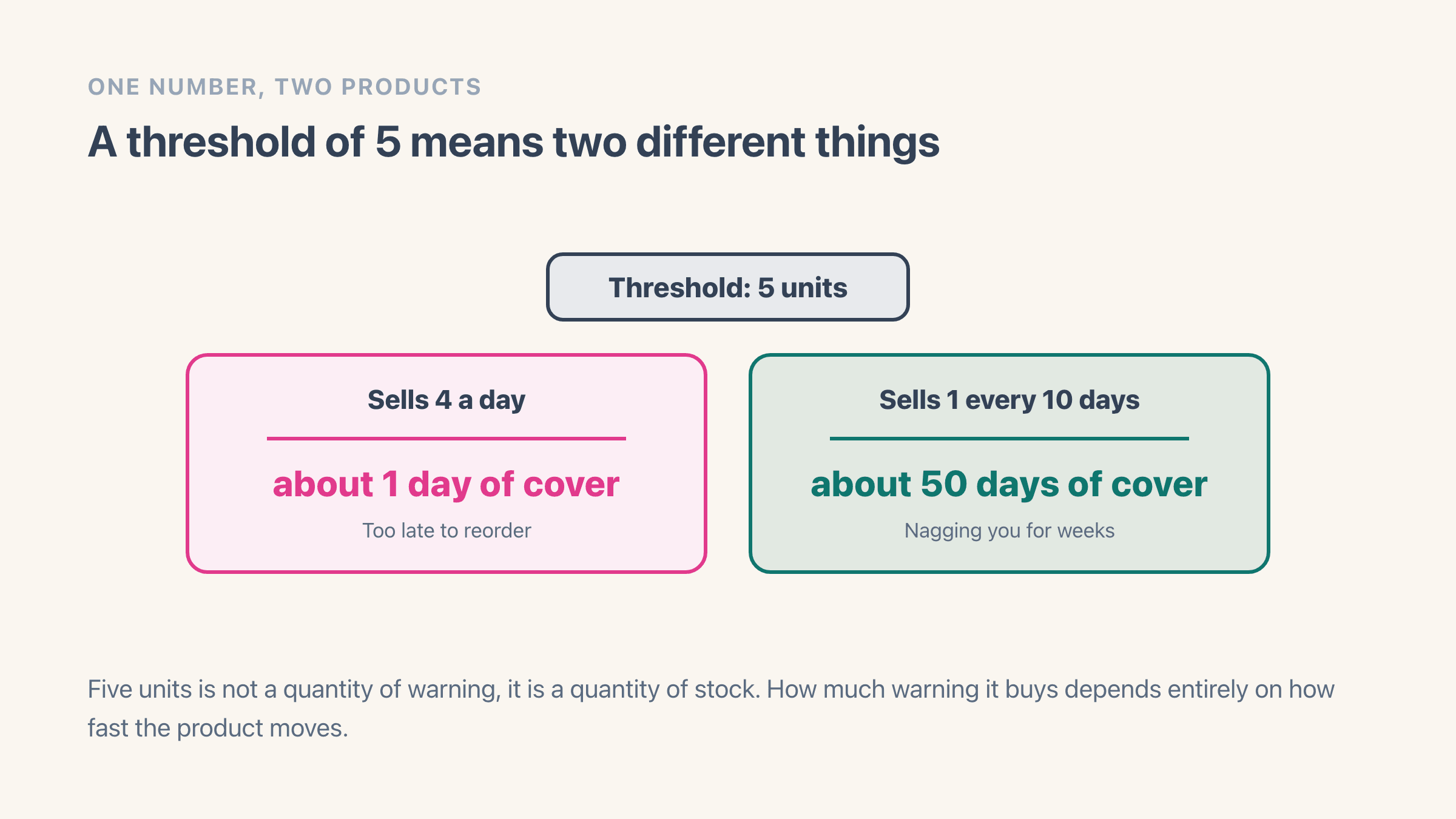
Because a threshold is a number of units and what you actually want is a number of days. Set five across the shop and it means something completely different on each product.
Take a variant that sells four a day. Five units is a bit over one day of cover, so the alert reaches you roughly a day before you sell out, which is later than any supplier can help you. Now take a variant that sells one every ten days. The same five units is about fifty days of cover, so that product starts emailing you seven weeks before it matters and keeps going.
The second case is the one that kills the whole setup. A merchant who gets fifty pointless emails stops reading the folder, and then the one email that mattered is sitting unread underneath them. I have watched this happen on our own store: the alerting was fine, the attention it was competing for was not.
The fix is per-product numbers sized to lead time, which is arithmetic rather than a setting. Working out a safety stock level takes a real product through it, and the safety stock definition carries the formulas underneath if you want them.
What can a low stock alert not do?
It cannot stop the sale. Every route on this page ends with an email in your inbox, and the store carries on selling the last four units while you read it. If your problem is running out, an alert is the right tool. If your problem is promising stock you no longer have, it is the wrong one, and preventing overselling on Shopify is the page for that.
It also cannot decide anything for you. Flow will tell you a number crossed a line; it will not tell you how many to order, and nothing native has replaced the demand forecasting and purchase suggestions that leave with Stocky at the end of this month.
Where the two problems overlap is where an app earns its place. A stock floor stops the store selling into your buffer, and the alert tells you the buffer is being eaten, which is the pair of behaviours a single threshold number can drive.
- An alert warns you; it never holds stock back
- Flow reports the crossing; the reorder decision stays yours
- Nothing native forecasts demand once Stocky closes
- A floor and an alert off one number covers both halves