Short answer
How they compare
| Feature | StockyRetires 31 Aug 2026 | Native ShopifyIncluded | This appEasy Stock BufferFree, then $7/mo |
|---|---|---|---|
| Inventory tracking and adjustments | Yes | Yes | No |
| Inventory transfers | Yes | Yes | No |
| Stock counts | Yes | Yes | No |
| Purchase orders | Yes | Yes | No |
| Supplier managementShopify documents purchase orders natively, not full supplier records | Yes | Limited | No |
| Demand forecastingNot listed in Shopify native inventory documentation | Yes | No | No |
| Purchase suggestionsStocky suggested what to reorder; nothing native does this | Yes | No | No |
| Direct low-stock notificationsShopify docs point to an inventory alert app for this | Yes | via Shopify Flow | Yes |
| Safety-stock floor per variantShopify has a Safety stock state you move units into by hand; it holds no floor as stock moves | No | manual only | Yes |
| Stops checkout before you hit zeroThe stop happens at checkout, so it holds on Shop Pay and the other one-tap buttons | No | No | Yes |
| Auto-hide products that sell out | No | No | Pro |
| Suggests floors from sales velocity | No | No | Pro |
What happens to Stocky on 31 August 2026
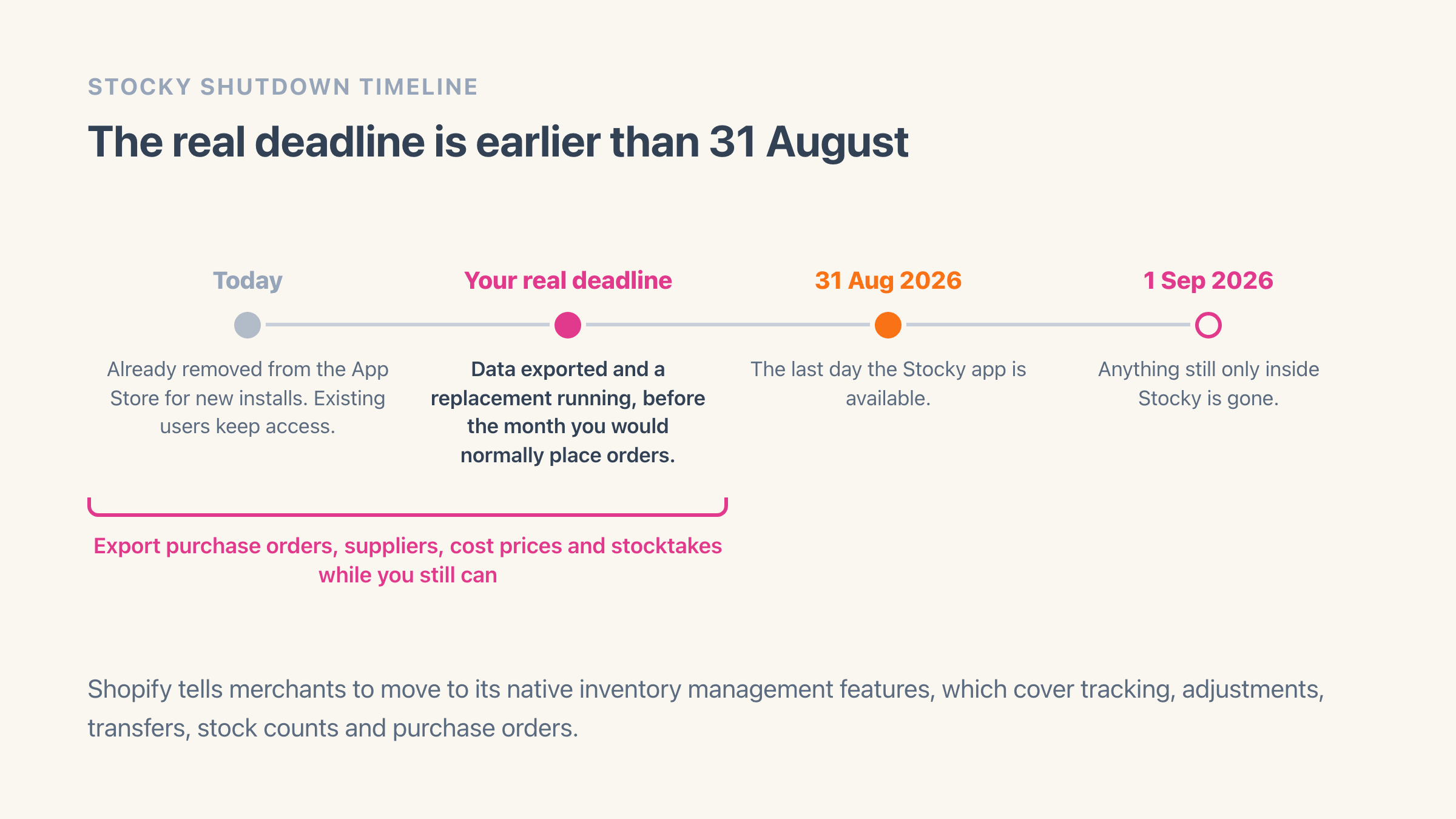
Shopify's own help documentation states plainly that "The Stocky app will no longer be available after August 31st, 2026", and that merchants should "transition to Shopify's Inventory management features to continue managing your inventory without interruption". Stocky has already been removed from the App Store for new installs; existing users keep access until the date.
Stocky came bundled with Shopify POS Pro, so the merchants affected are the ones who got it as part of that subscription and built a reordering routine around it. If that is you, the practical deadline is earlier than the announced one, because you want your data out and a replacement running before the month you would normally place orders.
What Stocky did that native Shopify replaces
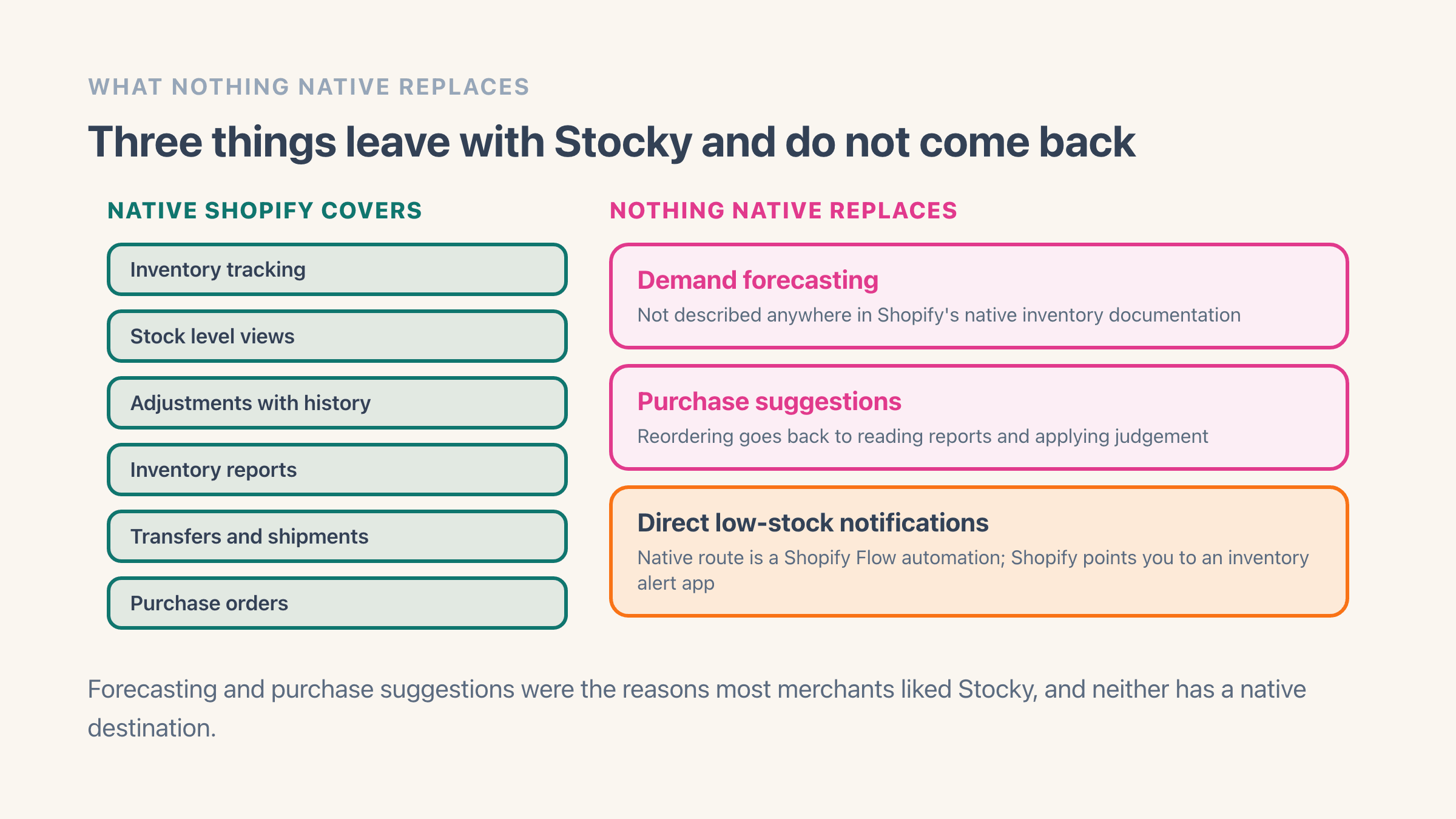
Most of it, and this is the reassuring half. Shopify documents native inventory tracking, stock level views, adjustments with history, inventory reports, transfers and shipments, and purchase orders. Those cover the day-to-day of counting stock, moving it between locations, and raising an order with a supplier.
If you used Stocky mainly to run stock counts and record what you received, the transition is genuinely mechanical. The screens differ, the capability is there.
What nothing native replaces
Three things, and they happen to be the reasons most people liked Stocky.
Demand forecasting is the big one. Stocky projected what you would need; Shopify's native inventory documentation does not describe a forecasting feature. Alongside it, purchase suggestions are gone, so deciding what to reorder goes back to reading reports and applying judgement.
Direct low-stock notifications are the third, and the gap here is documented by Shopify itself: the native route is a Shopify Flow automation, and Shopify's own inventory help page says that if you want direct notifications of low stock levels, you should install an inventory alert app. That is the platform telling you this one needs filling from outside.
How to get your Stocky data out before it goes
Do this first, before evaluating anything. Access ends with the app, so anything still only inside Stocky on 1 September is gone.
Export your purchase order history, your supplier list and contact details, your cost prices, and any stocktake records you might need for accounting. Cost prices matter more than people expect, because they feed margin reporting and what your stock on hand is worth, and they are tedious to reconstruct from invoices.
Put the exports somewhere durable rather than in a downloads folder, and check that the CSVs actually opened and contain rows. An export you never verified is not a backup.
What to use for low-stock alerts and overselling
This is the gap Easy Stock Buffer fills, and it is worth being precise about scope: it is not a Stocky replacement. It does not do purchase orders, forecasting, supplier records or stock counts, and it is not trying to. It is also not a cap on how much one customer can buy, which is a different tool again. Order limits and safety stock sets those two side by side if you are unsure which one your problem needs.
What it does is set a safety-stock floor per variant and stop the store selling below it. The stop happens inside Shopify's own checkout rather than in your theme, so it still holds when a shopper pays through Shop Pay or one of the other one-tap buttons that skip the cart page.
Low-stock email alerts tell you when a product is approaching its floor, which is the piece that replaces Stocky nudging you to reorder. If you would rather build that part yourself first, every native way to get a low stock warning covers the Shopify Flow route step by step. Picking the floor itself is a short job, and setting a safety stock level on Shopify walks through the number to start from.
The free plan covers 10 variants with 10 alerts a month, and the checkout stop is included on it. Pro at $7 a month adds bulk thresholds by collection, tag or product type, per-location floors, auto-hide for sold-out products, digests, and floors suggested from sales velocity.
- A safety-stock floor per variant, or one shop-wide default
- A stop at checkout that holds on every way of paying
- Low-stock email alerts and digests so you reorder in time
- Per-location floors and bulk thresholds on Pro
- No theme code, and six admin languages
Do you need to do anything if you only used Stocky for stock counts?
Export your history, then learn the native screens. Shopify covers counting and adjusting natively, so there is no gap to fill and no app to buy.
The one thing worth adding regardless of how you used Stocky is a low-stock alert, because that capability leaves with Stocky and Shopify points you off-platform for it. Everything else can wait until you have lived with the native tools for a few weeks and can see what you actually miss.
Add Easy Stock Buffer if
the part of Stocky you relied on was knowing before you ran out, and you want the store to stop selling at a floor you set rather than at zero. It starts free.
Stay on native Shopify alone if
you used Stocky for counts, transfers and purchase orders. Shopify covers all three natively, and adding an app for them would be paying for something you already have.