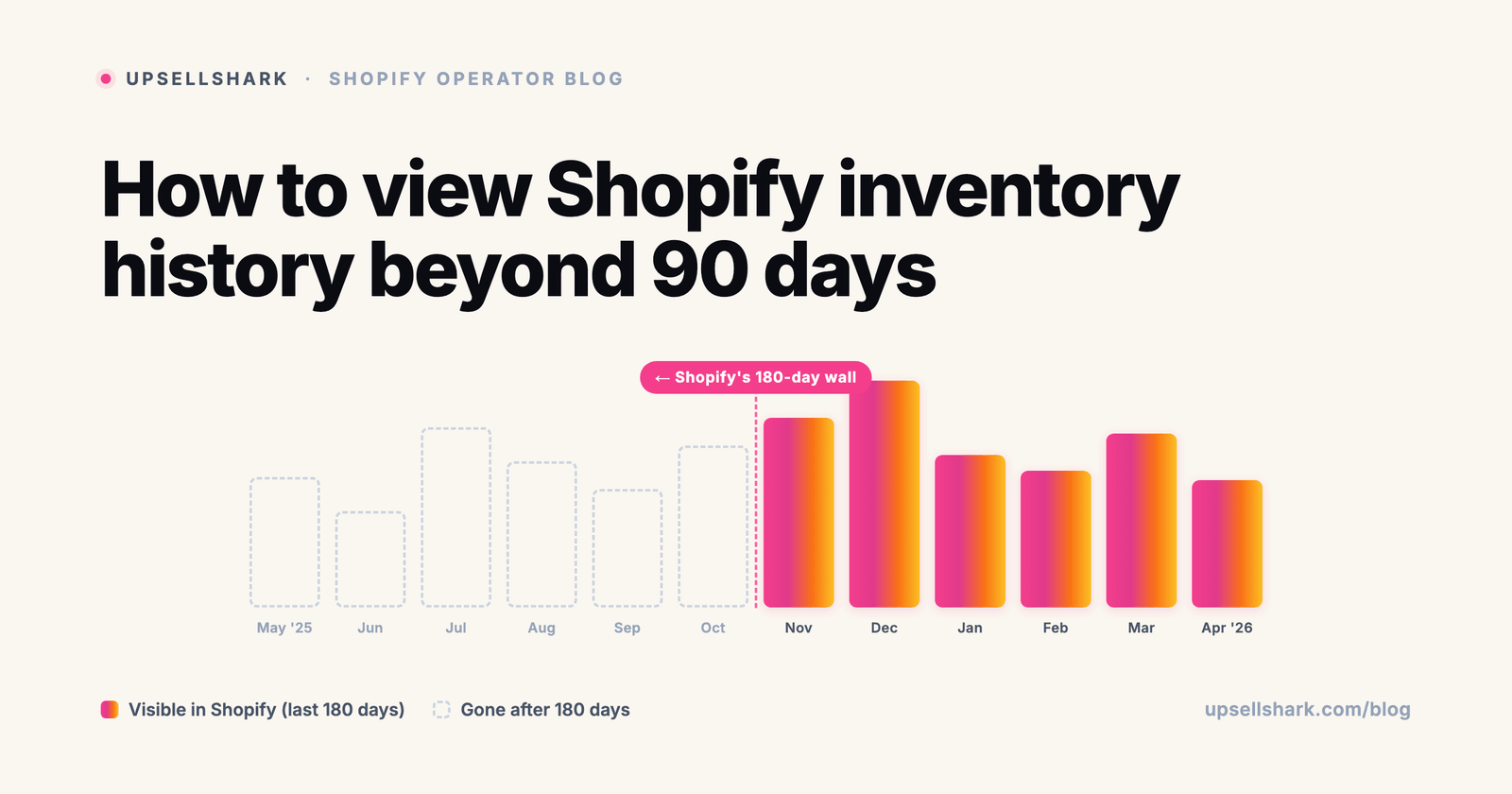
You spot a 47-unit gap between what Shopify shows and what's physically on the shelf. You open the product, click View adjustment history, and the trail ends 180 days ago. The discrepancy started somewhere before that. Now what?
This is the inventory-history wall every Shopify merchant hits eventually. The good news: Shopify retains more data than the per-variant page shows, and there's a report most merchants don't know about that goes further back. The better news: with one webhook, you can keep your own inventory history forever. This article walks through all four layers, when each one is the right tool, and how to stop needing history searches in the first place.
What Shopify actually keeps
Shopify retains inventory adjustment history at two distinct levels, and the difference matters when you're trying to find a multi-month-old change.
The per-variant View adjustment history page shows the last 180 days. Until late 2024 this was 90 days - Shopify announced the expansion on November 8, 2024, doubling the window. If you still see 90-day-old advice on Reddit or Shopify Community threads, it's pre-November-2024 content. The new floor is 180 days, applied to every store regardless of plan tier.
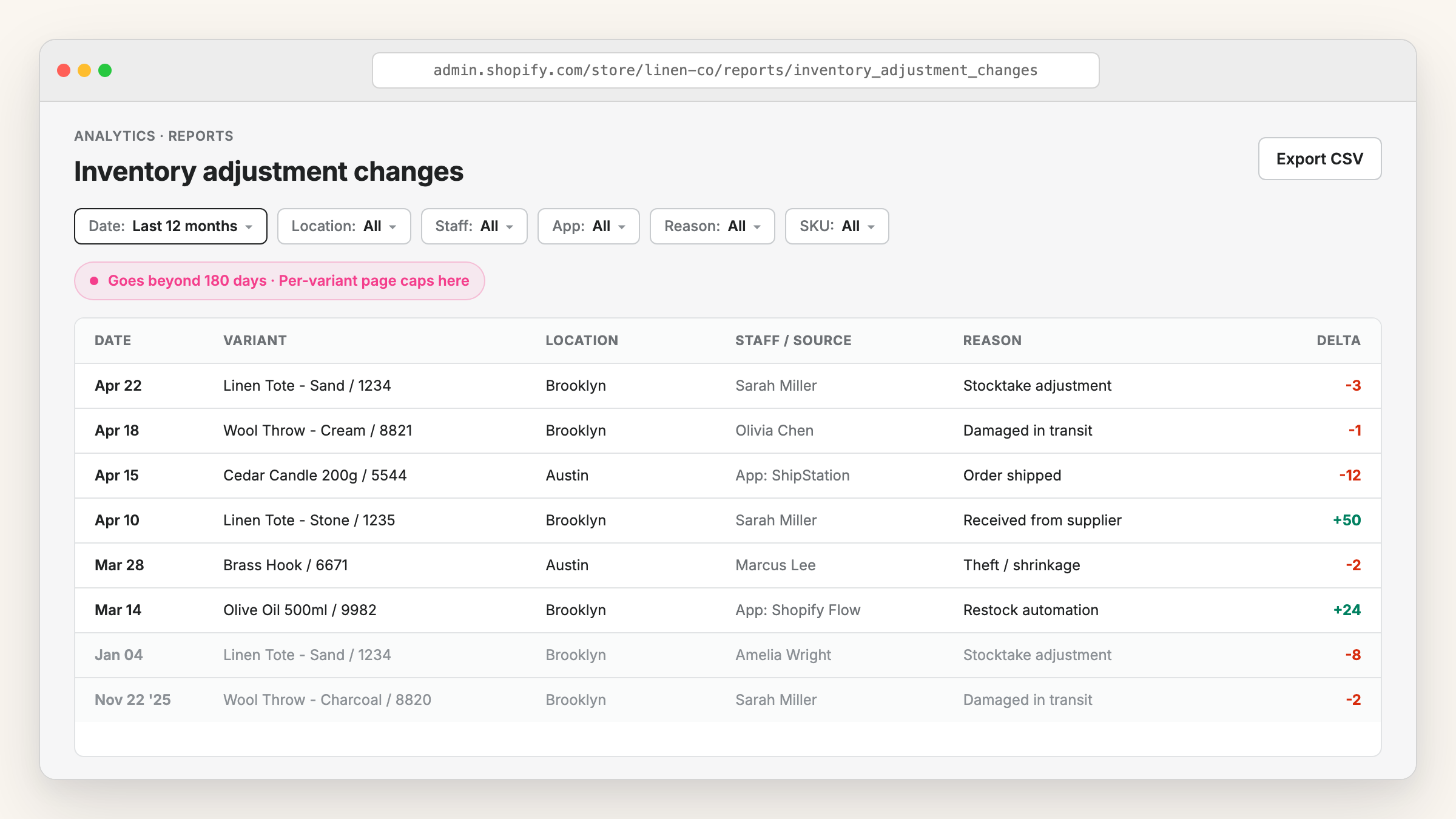
The Inventory adjustment changes report, hidden in your Analytics > Reports section, goes further back than 180 days. Shopify hasn't published an exact upper limit, but in practice merchants pull 12+ months of data routinely. This is the missing piece most merchants don't realize they have - it's filterable by SKU, location, staff member, app, and adjustment reason, and exports to CSV.
If neither gets you back far enough, or shows the granularity you need, three more options come into play: webhooks, scheduled exports, and dedicated audit-log apps. We'll walk through each one.
What's in the per-variant View adjustment history
The page lives at Products > [product] > [variant] > View adjustment history. It's the easiest place to look when you have one specific item to investigate.
The columns shown:
- Date - timestamp of the adjustment
- Activity - the event type plus staff member name if a person made the change
- Unavailable - quantity in unavailable state right after the adjustment
- Committed - units part of orders that haven't shipped yet
- Available - uncommitted inventory ready to sell
- On hand - the total of committed plus unavailable plus available
This view is great for answering "what happened to this specific variant?" and almost nothing else. You can't filter across products, you can't see all theft adjustments site-wide, you can't slice by staff member or by app. For any of those questions, you need the report.
One caveat worth knowing: the per-variant page shows location-aware history when you have multiple warehouses. If the same variant exists at Brooklyn and Austin, the adjustment history is per-location, not summed. Pick the location at the top of the page to see its specific history.
The Inventory adjustment changes report (most merchants don't know about it)
Open Analytics > Reports in your Shopify admin and search for "Inventory adjustment changes". This report is unloved and undermarketed by Shopify itself, but it's the most useful inventory-history tool the platform ships natively.
How filtering changes the game
The report's filter panel covers:
- SKU - narrow to specific items or product lines
- Location - per-warehouse if you run more than one
- Staff member - who actually made the change
- App - which integration caused the adjustment (useful for spotting noisy third-party apps)
- Adjustment reason - theft, damage, count adjustment, return, restock, etc.
Combined, these answer questions like "show me every theft adjustment at the Brooklyn warehouse made by Sarah over the last year." That's a question the per-variant page literally cannot answer.
How far back it goes (the real answer)
Shopify hasn't published an exact retention limit for the report. From what merchants share on Shopify Community threads, 12 months is the typical practical depth, and some pull older data. If you need historical guarantees, don't rely on whatever Shopify happens to retain - export the CSV regularly. The export button is in the top right of the report.
What's still missing
The report shows the delta of each adjustment, not the inventory level at the time. So you'll see "stock went down by 5" but not "stock went from 47 to 42". For the absolute number, cross-reference the variant page (within its 180-day window) or capture it yourself via webhook.
How to capture inventory history forever
If 180 days plus the report still falls short, you have three real options. None requires a paid app, though one is easier with one.
Subscribe to the inventory_levels/update webhook
Shopify fires the inventory_levels/update webhook every time stock changes for any reason - orders, manual adjustments, returns, app actions. Store every event in your own database and you have a permanent log of every variant at every location.
The implementation is mechanical. Create an app or use a webhook receiver service, subscribe to inventory_levels/update, and write each event to a table with: variant ID, location ID, old quantity, new quantity, delta, source (app or admin or API), staff member when available, and timestamp. After 24 hours you have one day of full history. After a year, you have everything.
This is what dedicated audit-log apps do under the hood. The trade-off: you need someone who can write a small webhook receiver, host it somewhere, and keep it running. For technical merchants or small dev teams, it's a one-day build.
Schedule CSV exports from the report
The no-code alternative: open the Inventory adjustment changes report once a month, click Export to CSV, drop the file into Google Drive or Dropbox. Set a calendar reminder. Twelve months of monthly exports equals a complete annual history.
This is brittle - depends on you remembering, and Shopify has occasionally changed the CSV column layout - but it's miles better than nothing. If you're a one-person store and adding a webhook receiver isn't realistic, do this. Use Zapier or Make to automate the email-to-Drive part if you want to get fancy.
Install a dedicated audit-log app
If neither feels practical, an app like Inventory History Guardian by GhostApps captures the webhook events for you and surfaces them in a dashboard with filtering - it's the most direct app for this specific need, launched August 2024. Cost is typically $9-19/mo. Broader audit-log apps like Logify by Tabgraf, Adminlog by Be Digital, or Histora cover inventory plus other admin events (product edits, customer changes, order edits).
What to look for when comparing: per-location and per-staff attribution, CSV export, retention policy (some apps cap their own history), and whether the app captures events from third-party integrations or only admin-driven changes. If reviewers flag missing integrations, that's the strongest signal.
When you actually need history older than 180 days
Year-end audits hit the 180-day wall directly. If you're reconciling December 31 stock against your accounting books, you need every adjustment from January onwards - 365 days. The per-variant view only shows 180, and even the report can be incomplete if Shopify's retention quietly trimmed the early months. Without monthly CSV exports stored elsewhere, you're reconstructing the year in a pinch.
Theft and shrinkage investigations rarely surface fast. The pattern: an October stock count reveals 23 missing units, the discrepancy started somewhere in Q2, and now you need to identify when and how. Without an audit log going 6+ months back, you're guessing which staff member, which shift, which sales week.
Supplier disputes need proof of when stock arrived. If your supplier claims they shipped 500 units in March and your records show only 400 received, the inventory adjustment from receiving day is your evidence. Past 180 days, you need a fallback like the report or a webhook log.
Switching ERPs or accounting platforms is the most painful. Most migrations need at least 12 months of inventory movement to reconcile opening balances. If you're planning a switch, start exporting the report monthly six months before the cutover.
How to stop needing history searches in the first place
Inventory history is fundamentally a reactive tool. You go to history when something has already gone wrong - a count discrepancy, a stockout, a missing shipment. The trail tells you what happened, not how to fix it going forward.
The proactive answer is different. Most history searches start with a stockout that should have been prevented - either you ran out before reordering, or stock dropped silently because nobody was watching. Shopify sends no stock warning of its own, so that side has to be built: the native routes to a low stock alert covers the Shopify Flow build and the admin view that needs no app. Easy Stock Buffer sets velocity-aware thresholds per variant and alerts you when stock is about to drop below a safe level. You catch the problem when there's still time to reorder, not three months later when you're trying to figure out what happened.
History matters for audits and investigations. Alerts matter for actually keeping things in stock. The two together cover both sides.

Fix everything with Easy Stock Buffer
Free 7-day trialStop overselling with a safety stock level
Set a safety-stock floor per product and Easy Stock Buffer blocks checkout server-side before you run out - no theme edits, and it holds on every payment path including Shop Pay.
- Server-side checkout block at your stock floor
- Per-variant and bulk thresholds
- Low-stock alerts and auto-hide
What to do next
Two practical actions today:
Open the Inventory adjustment changes report and export it to CSV. If you've never done this before, you'll likely see 6-12 months of data you didn't know was available. Drop the CSV into a Drive folder and set a monthly reminder to re-export.
If you're already past the window for a specific investigation, install Easy Stock Buffer so the proactive side is covered going forward. Most inventory-history searches start with a stockout that better alerts would have prevented.
More Shopify operator guides like this one are in the Upsellshark blog. And if you spot duplicate product images while you're auditing inventory, our free duplicate image scanner catches those in 5 minutes.
Fix everything with Easy Stock Buffer
Free 7-day trialStop overselling with a safety stock level
Set a safety-stock floor per product and Easy Stock Buffer blocks checkout server-side before you run out - no theme edits, and it holds on every payment path including Shop Pay.
- Server-side checkout block at your stock floor
- Per-variant and bulk thresholds
- Low-stock alerts and auto-hide
Frequently asked questions
Why does Shopify only keep inventory history for 180 days on the per-variant page?
Shopify's compromise between storage cost and merchant need. Storing every inventory event indefinitely across 4+ million stores would be expensive, and the per-variant page is designed for recent troubleshooting, not auditing. The longer-history use case is what the Inventory adjustment changes report (and, for indefinite retention, webhooks) are meant to cover.
Is the 180-day limit different on Shopify Plus?
No. Shopify's documentation doesn't call out any plan-tier difference for inventory adjustment history retention. Plus stores get the same 180-day per-variant view as Basic and Shopify plans. Plus does include other audit-log features at the store level, but inventory history specifically follows the same rules.
Can I see inventory history for a specific warehouse location?
Yes, both views are location-aware. On the per-variant page, the location selector at the top filters the history to that warehouse. In the Inventory adjustment changes report, the Location filter narrows results across all variants. If you run multi-warehouse, always filter by location first, otherwise you're looking at adjustment totals that mix locations and don't tell you where stock actually moved.
Does the inventory history show who made each change?
Partially. The Activity column shows the staff member name when a person made the change in admin. For changes made by apps, third-party integrations, or the Shopify API, you'll see the app name instead. Changes from the storefront (orders, returns) don't have a named actor, they're attributed to "Order #1234" or similar. If staff attribution matters for audits, a dedicated audit-log app will capture this more reliably than the native view.
Can I export inventory history before it gets deleted?
Yes. The Inventory adjustment changes report has an Export CSV button in the top right. If you're concerned about retention, set a monthly calendar reminder to export and archive. The export captures whatever the report currently shows, so it's only as deep as Shopify's current retention. For guaranteed forever retention, subscribe to the inventory_levels/update webhook and store events yourself.