Short answer
How do you brand the ticket and the email?
Design the confirmation email
Edit the confirmation email with a visual editor, or drop into raw HTML for full control. Add your logo, colours and wording so it looks like it came from your brand, not a generic app.
If it does not work
In the raw HTML editor it is easy to restyle the template and take the ticket details or the QR code out with the old markup. The first you hear of it is a buyer asking where their ticket went. Place a cheap test order on your own store after any HTML edit and read what arrives.
How to undo it
The design is a template setting rather than a one-way change, so you can put the previous version back. Emails already sent keep the design they went out with.
Pick a PDF ticket layout
Pick one of six designs, from Classic to Sports, and it restyles the emails and the ticket page to match. On Classic you also choose a digital or a physical ticket. Every version carries the event details and a unique QR code that staff scan at the door.
If it does not work
You switch design halfway through selling, and tickets already sold change look the next time someone opens them. The PDF is made fresh each time it is opened, so there is no frozen copy of the old one.
How to undo it
Switch back whenever you like, and the earlier design returns exactly as you left it. Only a PDF you chose to attach to an email keeps the look it was sent with.
Set a reminder email
Switch on the reminder, which starts off, and pick when it goes before the event. Attendees then have their ticket to hand on the day, which cuts down on lost-ticket questions at the door.
If it does not work
Scheduled too close to the start, it arrives while people are already travelling, which is exactly when it cannot help. A day ahead is the one that clears the "I cannot find my ticket" queue at the entrance.
How to undo it
Turn the reminder off and nothing further goes out. Reminders already sent cannot be recalled, so change it before the send window rather than after.
Every order sends automatically
On purchase, the branded confirmation email goes out automatically, and the PDF ticket waits on the ticket page it links to. There is nothing to send by hand.
If it does not work
A buyer insists nothing arrived. Check spam first, and remember the from-address is a fixed sending address rather than your own domain, which is what makes some corporate filters suspicious. Resending from the admin is the fix while they are standing in front of you.
What you get
- Branded confirmation emails, edited visually or in raw HTML
- PDF tickets with event details and a unique QR code
- Reminder emails scheduled before the event
- Six ready-made designs, plus your logo, colours and wording throughout
- Automatic delivery on every order
What does the confirmation email actually contain?
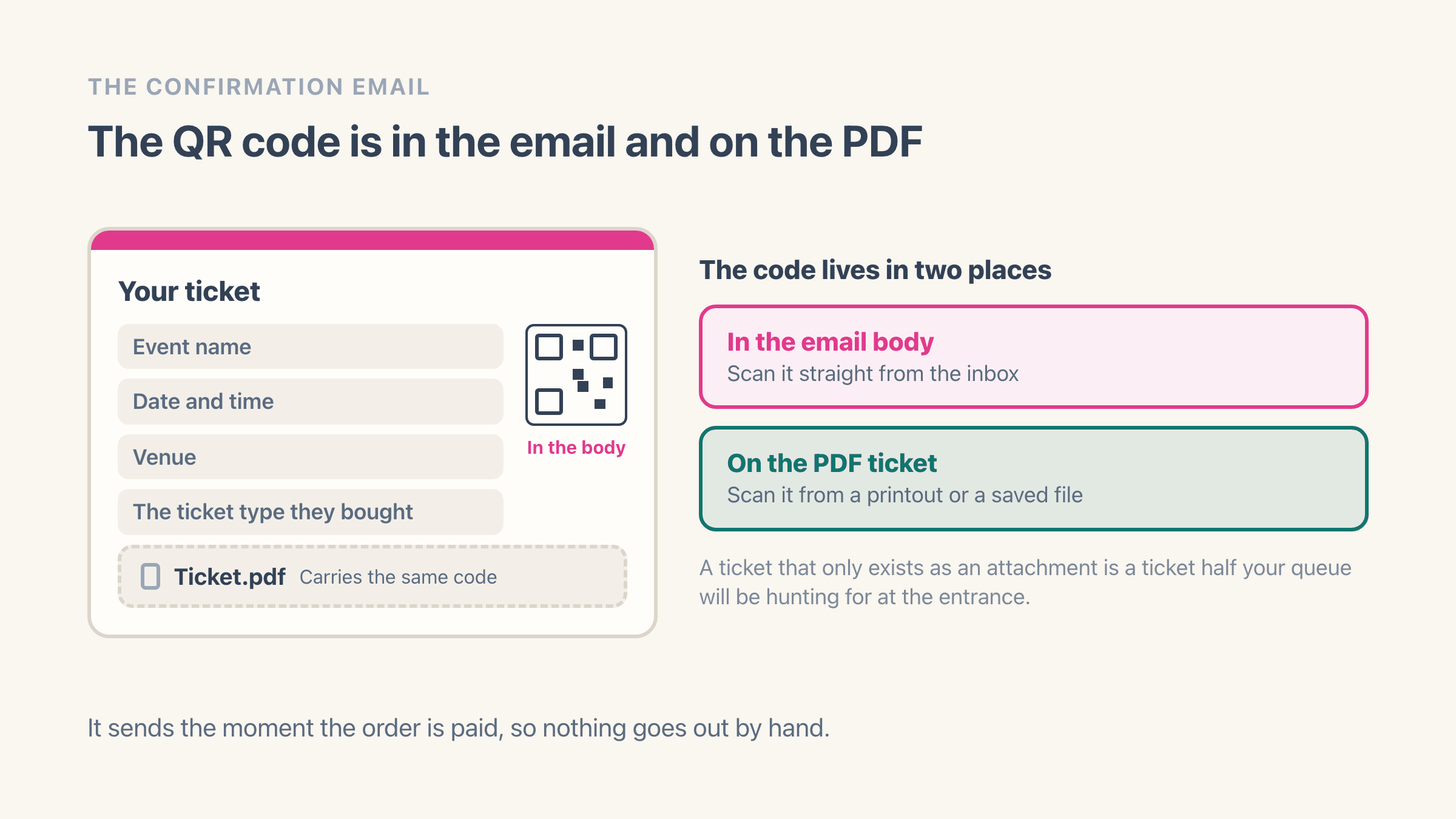
It goes out the moment the order is paid, and it carries the event name, date, venue, the ticket type they bought, and a link to their online ticket, where the PDF downloads. One switch attaches the PDF to the email as well.
In a one-ticket email the QR code sits in the email body, so an attendee can get through the door from their inbox without opening anything. An email carrying several tickets lists a link to each one instead.
The code in the inbox matters more than it sounds. A ticket that only exists as an attachment is a ticket half your queue will be hunting for at the entrance.
Can you edit the email design, or is it a fixed template?
Editable, at two levels. A visual editor covers logo, colours, wording and layout without touching code, which is enough for most events. If you want exact control, you can drop into the raw HTML and write the template yourself.
Or start from a ready-made design. Classic, Cinema, Workshop, Festival, Conference and Sports each restyle the four emails, the PDF and the ticket page together.
The reason to bother: the confirmation is often the last thing an attendee sees before the event and the first thing they show at the door. An unbranded email from an app they have never heard of reads as a mis-sent receipt at best and a scam at worst, and that lands in your inbox as "is this real?" the week of the event.
What do the PDF tickets look like?
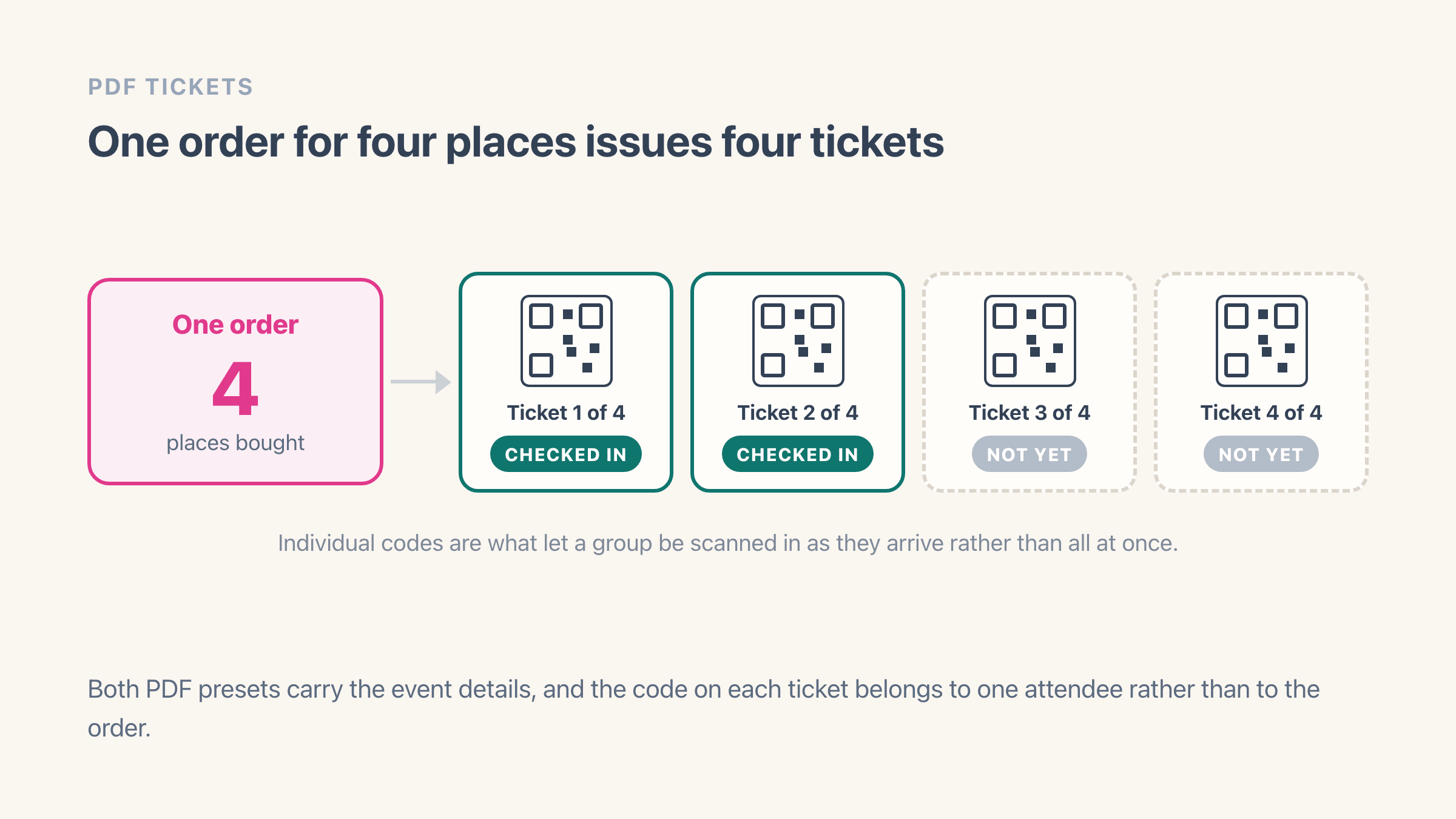
Every PDF carries the event details and a unique QR code per attendee. On the Classic design you choose a digital ticket laid out as an A4 page, or a physical one shaped like a paper ticket with a stub. The five other designs each have their own digital layout, and your pick applies to every ticket the event issues.
One ticket per attendee rather than one per order, so a buyer taking four places gets four codes. That is what lets you check people in individually when the group arrives at different times, which at most events they do.
Can you send a reminder before the event?
Yes, once you switch it on, because each event starts with the reminder off. Pick a time from 1 hour to a week before the start. The reminder then brings the ticket back to the top of an inbox buried under three weeks of other mail.
This is the cheapest reduction in door friction available. Most "I cannot find my ticket" conversations at check-in are people scrolling for a confirmation from a month ago, and a reminder sent the day before removes a good share of them before anyone reaches the entrance.
Will the emails actually reach the inbox?
Delivery runs through a managed sending service rather than your own mail server, so you do not set up a sending domain, configure DNS records, or pay for a separate email tool. For most merchants that is the whole story and it simply works.
The trade-off is the address. The sender name is yours to set, and the from-address is not, because emails go out from a fixed address rather than from your own domain. If sending from your own domain is a requirement, for a large conference or anything where procurement checks the header, weigh this before you commit.
Set that sender name before your first sale. Left blank, the emails go out as “Easy Tickets”.
What if an attendee loses their ticket?
Resend it from the admin. Find the attendee by name or email, resend, and it arrives at the address on the order. You can do this while they are standing in front of you at the door, which is usually faster than working out which of their three email addresses they used.
If they turn up with nothing at all, staff can also search the attendee list and check them in without a code, so a lost email is never a blocked entry. That flow is covered in selling and scanning tickets with Shopify POS.
Does this work for online events too?
Yes, and the email does more work there because there is no door to fall back on. For an online event the join link and passcode sit in the confirmation alongside the ticket, so the email is the entry.
See how to sell webinar tickets on Shopify for that setup, and how to sell event tickets on Shopify for the full flow from creating an event to checking attendees in.