Definition
What does a QR code ticket actually contain?
A web address, and nothing more. A QR code is a way of printing a short piece of text so a camera can read it, and on a ticket that text is almost always a link back to the organiser with a long random code on the end. Easy Tickets puts 32 random characters on every one. That random code is the entire ticket - whoever holds it can be checked in, which is why it is the part worth protecting.
So the code carries no personal details. Scan a stranger's ticket out of curiosity and all you get is a link. Their name, their email address and the thing that actually matters at the door, whether they have already walked in, sit in the organiser's own guest list, and the code just points at the right line of it.
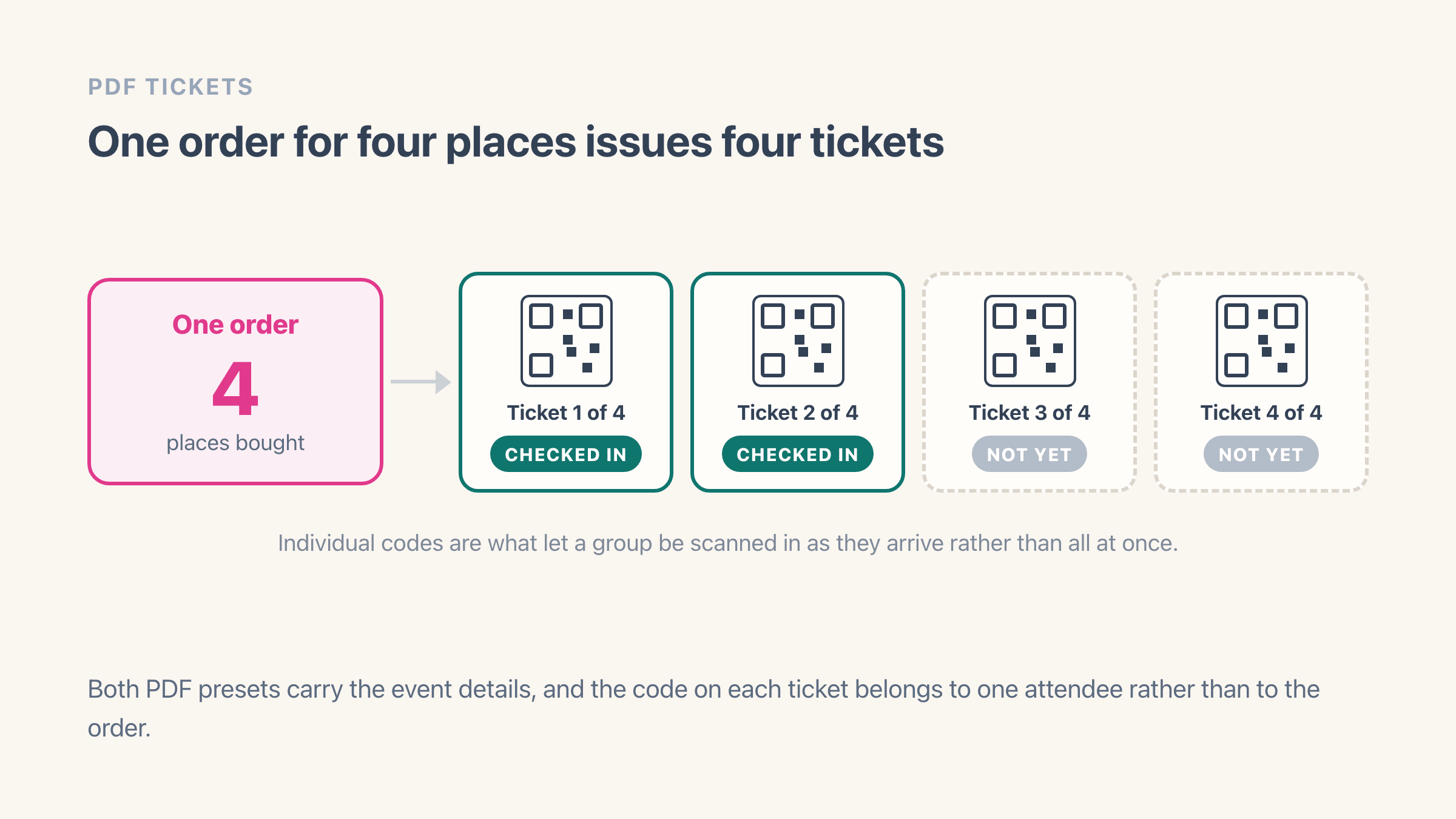
That code works for whoever is holding it, which is why it belongs to one attendee rather than to the whole order. Buy four places and you get four codes and four PDF tickets, so a group is scanned in one person at a time. Easy Tickets prints a plain number beside each code as well, starting at 1001, so staff have something to type when a camera refuses to read the picture.
Can the same QR code ticket be scanned twice?
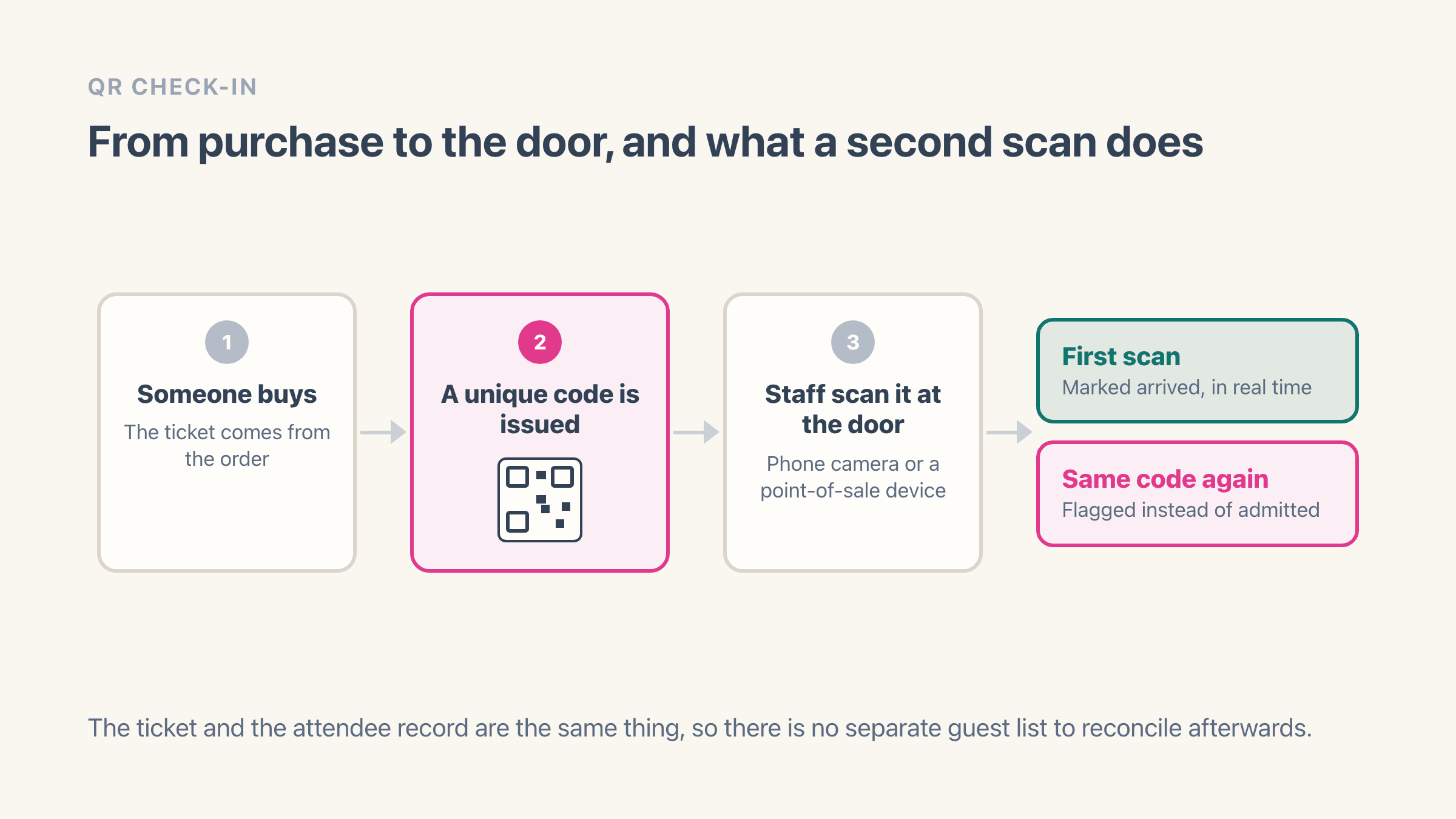
By default no, and the reason is a number you control rather than anything built into QR itself. Each ticket type carries an entrance limit, meaning how many successful scans that ticket allows. Easy Tickets ships with a limit of 1, so a second scan is refused and the scanner shows you the count it refused on, reading "Check-in limit reached (1/1)".
Raise the limit and you get re-entry, which is what a conference with a lunch break or a festival with in-and-out wristbands needs. Multi-day events are where that setting goes wrong. Give someone one code with a limit of three and nothing stops them spending all three on Friday. One code per day is the pattern that holds, so in Easy Tickets each date is its own event instance with its own attendee list.
Opening your own ticket link on your own phone does not use the ticket up. Looking at it changes nothing; only the staff scanner records an arrival. Buyers test their codes the night before constantly. Every check-in can also be undone from the scanner, which matters when one phone gets handed round a group of four.
What happens if someone screenshots or forwards a ticket?
It scans. A screenshot of a QR code is the same code, and nothing in the image records where it came from or how many copies exist. So forwarding works, and the rule at the door is first scan wins.
For a free community night that is fine. For a sold-out show it is what causes the argument at the entrance, because the second person to arrive holds a code that looks perfect and gets refused. When a ticket genuinely changes hands, use the transfer link rather than forwarding the image. Easy Tickets swaps the code out when a ticket transfers, so the new holder gets a fresh one and the original stops scanning. Editing the name on a ticket page does no such thing.
- Leave the entrance limit at 1 so a forwarded code is refused on its second scan.
- Print the attendee name on the ticket and check ID for anything oversubscribed.
- Send each attendee their own ticket instead of one email carrying the group.
Do QR code tickets work without internet at the venue?
Half the job works offline and half does not. Reading the code happens on the phone itself, so that part needs no signal at all. Working out whether the code is still good, and recording that it has now been used, needs a guest list that every phone on the door can see at once.
That second half is what makes a door queue depend on signal. If two staff on two phones cannot both see that ticket 1042 was scanned ninety seconds ago, single-use stops meaning anything. Easy Tickets records each scan the moment it happens. You can save the scanner to a phone's home screen so it behaves like an app, and it keeps enough of itself on the phone to open quickly on a weak connection - which is a different problem from checking a ticket with no connection at all.
- Test the signal standing where the scanner will stand, before doors open. The box office reading tells you nothing.
- Put the second scanner on a mobile hotspot rather than the venue wifi.
- Export the attendee list to CSV the day before, as a paper fallback for a dead room.
Printed tickets vs phone screens: which one scans better?
Phones win on convenience and lose on physics. A screen at 20% brightness in a dark venue is a grey square to a camera, and auto-brightness in a dark room is what dims it. Add a cracked screen, a matte privacy protector, or a lock timeout that fires while somebody hunts through their inbox, and paper is the faster of the two.
Paper fails differently. It fades off a thermal printer, and a fold across the code can put it past what the code can repair on its own. Every QR code carries some spare information so it still reads when part of it is damaged, and there are four settings for how much. Easy Tickets uses the middle one, which copes with roughly 15% of the code being lost, so it survives a crease and a coffee ring but not a fold through one of the three big corner squares that tell a camera where the code is.
Support both and stop caring which one turns up. On the Classic design, ticket PDFs come in a digital preset and a physical one carrying the same code. What matters is that a printed code keeps its white border and its size. Shrinking it to fit a layout, printing it over artwork and running it light-on-dark all produce a code a camera can see and cannot read.
Can you add a Shopify event ticket to Apple Wallet?
Not from Easy Tickets today. Buyers get a ticket page they can open on their phone and a PDF they can save, and neither of those lands in Apple Wallet. If a wallet ticket matters for your event, ask about it before you buy any Shopify ticketing app, because support varies a lot and it rarely appears near the top of a listing.
The reason so few apps offer it is that a wallet ticket is a separate piece of work with a gatekeeper on each side. Apple only lets an app put tickets into Apple Wallet once that app has been registered with Apple for exactly that, and Google Wallet is a second, entirely separate system with its own sign-up, so the work gets done twice or not at all.
What you give up is the reminder that appears on the lock screen when the phone notices you have arrived at the venue. Buyers manage without one, and all three of these scan the same, because the camera only ever reads the code:
- Save the PDF.
- Screenshot the code.
- Leave the ticket page open in a tab.
Why does a QR code ticket fail to scan at the door?
One group of causes looks like a scanner fault and is really a settings fault. Check-in can be switched off for an event, in which case every code is refused with the same message. A recurring event keeps one attendee list per session, so a scanner sitting on Friday will never find a Saturday ticket. And if a scanner shows an empty attendee list rather than an error, suspect the door PIN, which Easy Tickets remembers for twelve hours and then asks for again.
Everything else comes down to two habits, and both are worth five minutes with the volunteers before doors: get more light into the camera, or stop using the camera.
- Ask for full screen brightness and hold the phone still, a hand-width from the lens.
- Type the ticket number instead. Easy Tickets prints one on every ticket, from 1001 up.
- Paste the ticket link from the confirmation email when the number has gone.
- Search for the guest by name or email, on the web check-in page or the Shopify POS check-in screen.
How do you sell QR code tickets on Shopify?
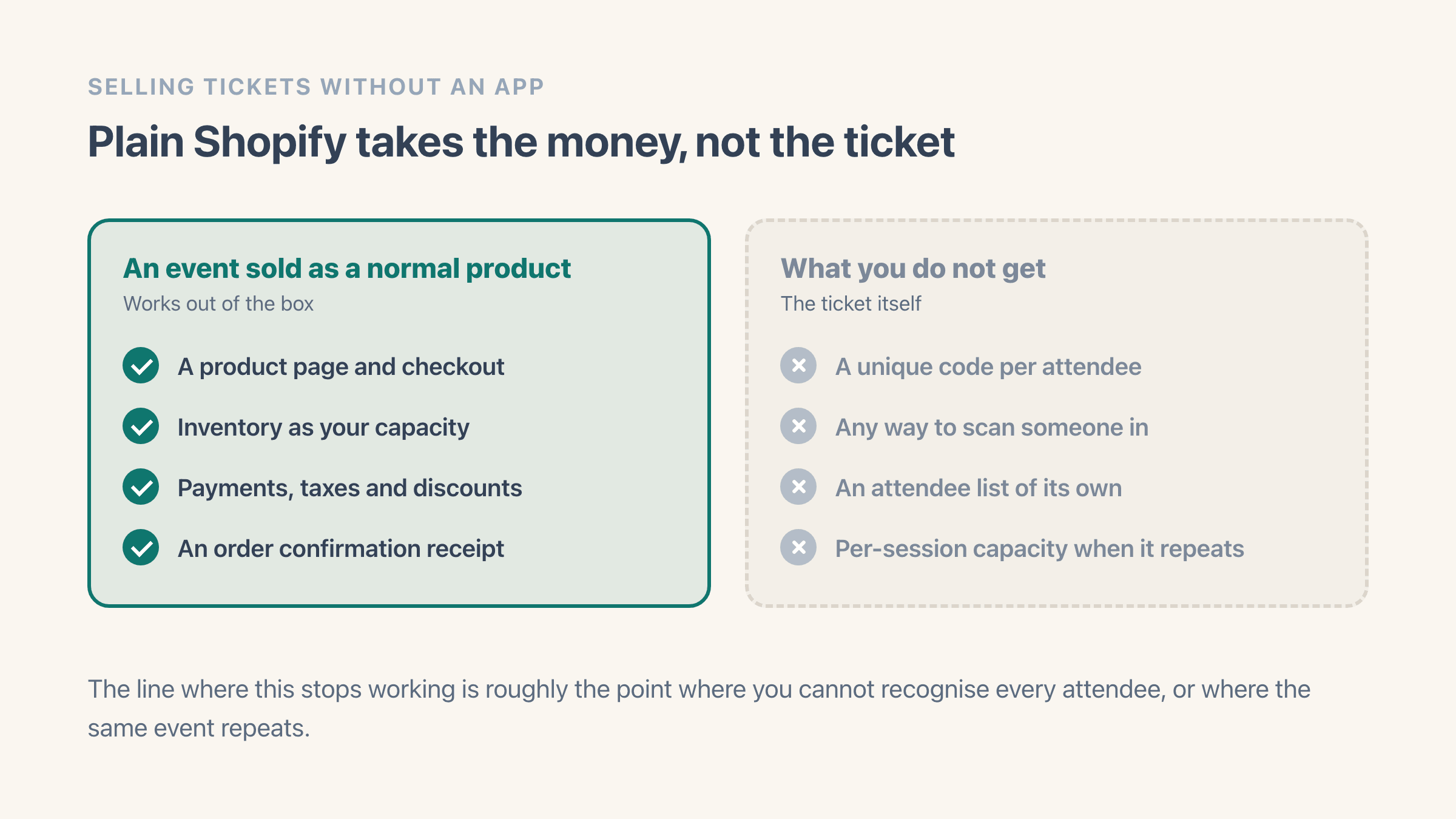
Shopify sells the ticket happily and cannot check anybody in. A plain product gives you a product page, a checkout, inventory behaving as capacity, taxes and an order confirmation. What it leaves out is a unique code per attendee, anything that scans one, and an attendee list separate from your order list.
A ticketing app fills that gap by watching your orders. The moment an order is paid, Easy Tickets adds one attendee to the guest list for every ticket bought, makes each code and emails the tickets out. Buyers also see their tickets straight away on the thank-you page after checkout, without waiting for the email. What that email and the PDF actually look like is worth setting before you sell anything, and branded tickets and confirmation emails covers the editors behind both.
At the door there are two routes. The web scanner is a link that opens in any phone browser, so ten volunteers on their own phones need no installs and no accounts, just the link and the event PIN. We made it a plain link on purpose. When a phone dies at the door, the fallback should be another phone, not another install. The Shopify POS route puts a tile on your POS home screen instead, and scanning there can use the device camera or a barcode scanner plugged into or built into your POS hardware.
Easy Tickets is free for 20 tickets a month, then a flat plan from 29 USD, with every feature on every plan. There is no per-ticket cut, which is the usual difference from a hosted platform (see the Eventbrite alternative for Shopify).
Approach your plan's cap and the app emails you at 80%, so a busy month does not arrive as a surprise.
Example
A 300-capacity Friday show: 300 attendee rows, 300 codes, one scanner URL, two volunteers on their own phones. The first scan of a code admits and the second is refused with the count that refused it. A ticket moved through the transfer link scans for the new holder and stops for the old one.
Where it lives in your Shopify admin
Products > add product, because a ticket is sold as an ordinary Shopify product and its inventory is your capacity. Shopify itself has no attendee list and no check-in screen; a ticketing app adds those, and on Shopify POS the door screen appears as a tile on the POS home screen.
Commonly confused with
- The Barcode field on a Shopify variant
- The Barcode box on a product variant holds a stock-keeping number for your own shelves and does nothing at a door. A QR ticket is issued per attendee after the order is paid.
- The order confirmation email
- The confirmation is the receipt for the purchase, one per order. Tickets are one per attendee, so an order for four places produces four codes and four PDFs.
- Assigned seating
- A QR ticket decides who may come in, and assigned seating decides where they sit. On a seated event in Easy Tickets the seat is on the ticket and the scanner shows it, but the scan itself only admits.
See also