Short answer
How do you connect Zoom and sell a webinar?
Connect Zoom once
Open Settings, Integrations. Zoom asks you to set up an app on its own marketplace and hands you three codes for it - an Account ID, a Client ID and a Client Secret - and the Zoom panel in the app tells you where to find each one.
Paste them in with the email of the Zoom user who hosts your meetings, press Test connection, then Connect. You are done for the whole store rather than for one event.
If it does not work
Test connection comes back with an error rather than a tick. The usual cause is dull: a trailing space picked up when you copied one of the three codes, or the secret from a different Zoom app than the one you meant. Copy each code again before you go hunting for anything cleverer.
How to undo it
Paste a fresh set of codes over the old ones, or clear them to disconnect Zoom entirely. Meetings that were already created sit in your Zoom account and stay there either way.
Create the event as Online
Set Location type to Online and leave the Online link box empty, and the app creates the Zoom meeting when you save. Ticket tiers still work, so you can price early bird and standard differently.
If it does not work
You left the event set to a physical location, so no meeting was ever created and the confirmation went out with a venue address where the join link should have been. Buyers notice this on the day, which is the worst possible time.
How to undo it
Change the location type back on the event. If confirmations have already gone out, fix the setting and then resend those tickets, because the email sitting in someone's inbox is the one they will open.
The link goes out with the ticket
Easy Tickets creates the Zoom meeting, then embeds the join URL and passcode in the confirmation email and on the online ticket page for that attendee.
If it does not work
Someone emails an hour before the session saying they cannot find the link. It is nearly always in a spam folder or below the fold of the confirmation. Point them at their online ticket page, which carries the same join URL and passcode, and resend the confirmation while you are there.
Why not just email the Zoom link yourself?
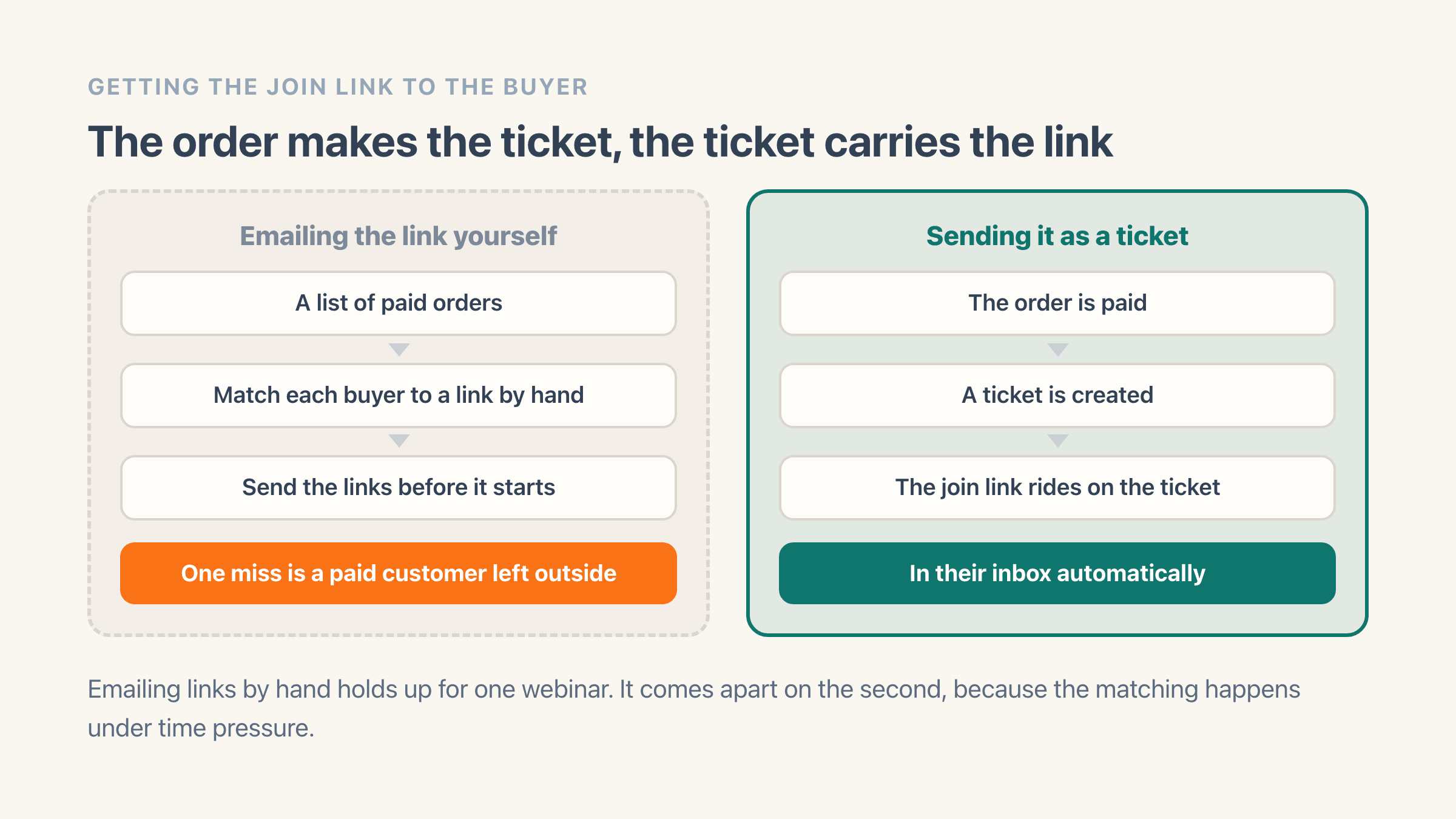
Plenty of people start here, and for one webinar it works. It stops working on the second one, because now you are matching a list of paid orders against a list of people who need a link, by hand, under time pressure, and the failure mode is a paying customer who never got in.
Handling it through the ticket removes the matching step. The order creates the ticket, the ticket carries the link, and the person who paid has it in their inbox before you have thought about it. Which makes the confirmation email the whole product for an online event, so it is worth designing the email and the ticket properly rather than shipping the default.
Does a recurring webinar reuse the same Zoom link?
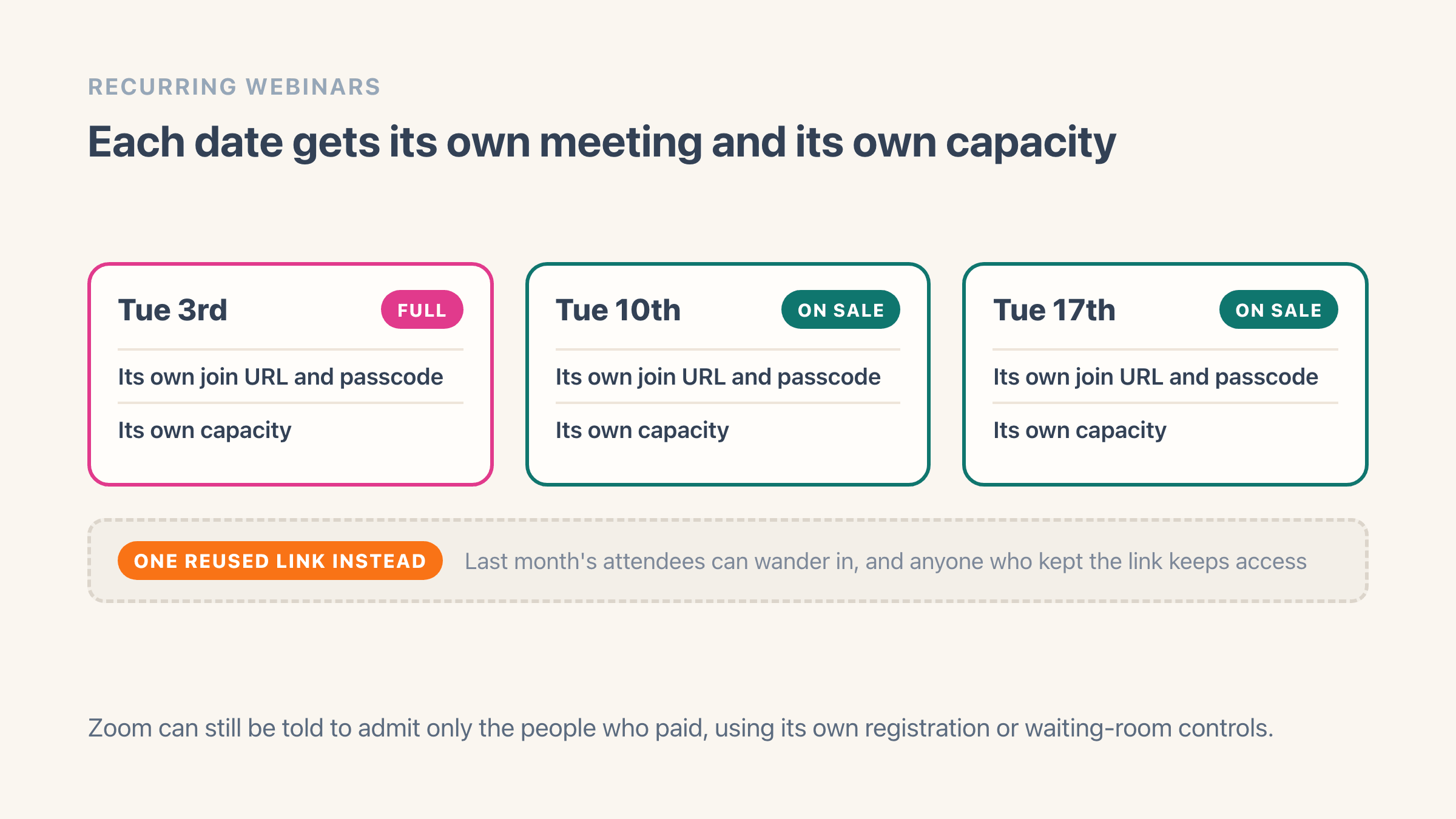
If the same session runs every Tuesday, each occurrence creates its own Zoom meeting with its own URL. That matters more than it sounds: a single reused link means last month's attendees can wander into this month's session, and anyone who kept the link keeps access indefinitely.
Each occurrence also carries its own capacity, so a full session on the 3rd has no effect on the 10th.
What stops someone forwarding the Zoom link?
A Zoom link can be forwarded. No ticketing tool changes that, and any tool claiming it stops sharing outright is overselling. What ticketing gives you is a per-occurrence link rather than an evergreen one, a list of who actually paid, and a check-in record you can compare against Zoom's attendee report afterwards.
If a webinar is valuable enough that sharing genuinely costs you, pair it with Zoom's own registration or waiting-room controls, which let you admit against the paid list. The ticket tells you who belongs in the room; Zoom enforces the door.
How do you send reminders and follow up afterwards?
Ticket buyers who accept marketing at checkout go into your Klaviyo list or Mailchimp audience, and one setting leaves any event out. The reminder sequence and the follow-up can then run in the tool you already use. Reminder and follow-up emails also come from the app itself if you would rather keep it in one place.
Five Shopify Flow triggers cover a ticket purchase, a check-in, a ticket moving date, an event selling out and a waitlist signup. That is enough to tag the customer, push them to a CRM, or start a nurture sequence without writing anything custom.
Can you run the same session in a room and online?
Running the same session in a room and online is two events: one with a venue capacity you scan at the door, and one online that gets the Zoom link. The link belongs to the whole event, so it never reaches the room tickets. Both sell through the same checkout.
For the physical side of that, see how to sell event tickets on Shopify.