Definition
Why are duplicate product images a problem?
They add weight to a page without adding anything a shopper can use. Every extra copy is one more picture the phone has to download before the product page settles, and how fast that page loads does feed into where Google puts you.
Shoppers feel it too. Two products carrying the same hero photo read as the same product, and a whole collection page of one supplier shot makes the catalogue look smaller than it is. In an image search result, several near-identical pictures from your store end up competing with each other instead of one good one competing with other stores.
The last cost is your own time. When one file is attached to fourteen products, nothing in the admin tells you which product it really belongs to, so every future decision about that photo takes longer than it should.
How duplicates get into a Shopify store
Almost never on purpose, which is why nobody notices until the media library is a mess. Five routes account for most of them.
- Supplier feeds and dropship imports, where the same stock photo arrives attached to twelve products
- CSV imports run more than once, which re-uploads the same files rather than matching them
- Apps that copy images between products when duplicating or bundling
- Someone re-uploading a photo because they could not find the one already there
- Variant images, where the same shot gets attached to every size of one colourway
Exact matches versus near-duplicates
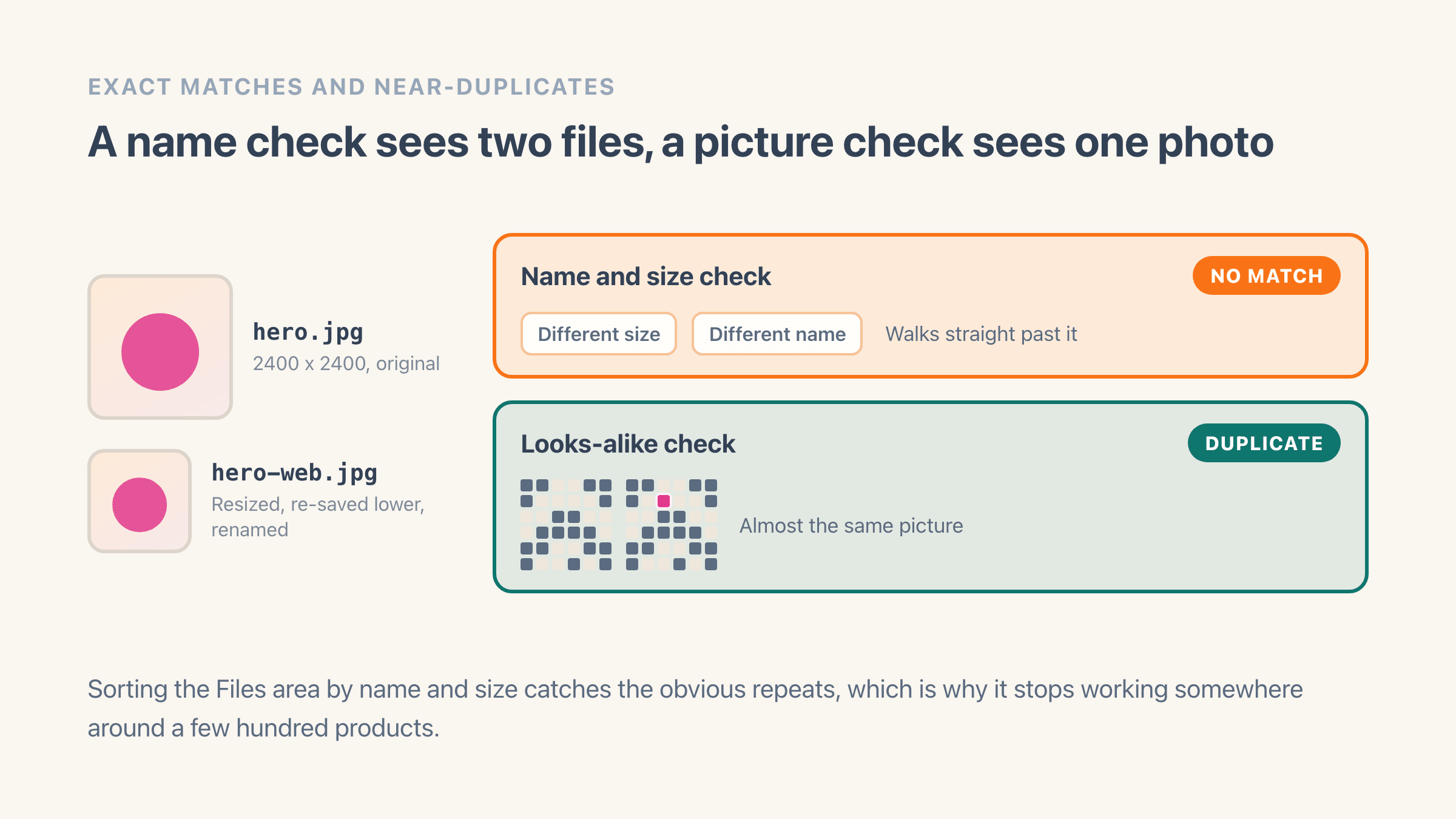
Some duplicates are identical copies of one file, and those you can spot yourself: same name, same size, same picture. The harder ones are near-duplicates. The same photo resized for a banner, saved again at a lower quality, renamed on the way in, or run through a slightly different colour setting. Sorted by name or by file size, those sit far apart in the list and look like completely different images.
Catching them takes a scan that compares what the picture looks like rather than the file it arrived in. It turns every image into a small visual fingerprint, so two versions of one photo come out nearly the same even at different sizes or quality settings. You will see this called a perceptual hash, and nothing about using one asks you to care how it works. The practical effect is that resized and renamed copies stop hiding.
Be clear about the limit as well. A crop, a heavy edit or a different angle of the same product changes what the picture looks like, so it reads as a new image and no scan will pair it with the original. Those you find by eye, on the products you already suspect.
Do duplicate images hurt SEO?
Less directly than most articles claim, and it is worth being straight about that. There is no duplicate-image penalty in the way people imagine a duplicate-content penalty. Google does not demote a store for reusing a photo.
The real costs are quieter. Extra copies add weight to any page that loads several of them, and page speed on a phone is something Google measures and uses. In image search, several near-identical pictures from one store compete with each other rather than one strong picture competing with other stores. A catalogue built on the same supplier stock photo also leaves search engines with nothing that separates your listing from the thirty other stores selling the identical item.
So duplicates are a page-speed and sameness problem rather than a penalty problem. They are still worth clearing, for those reasons rather than the one you usually read.
Deleting copies only fixes half of the sameness. The other half is having pictures nobody else has, and on a clothing catalogue AI product photography is the cheap way to get them without booking a studio day.
When the same image on several products is fine
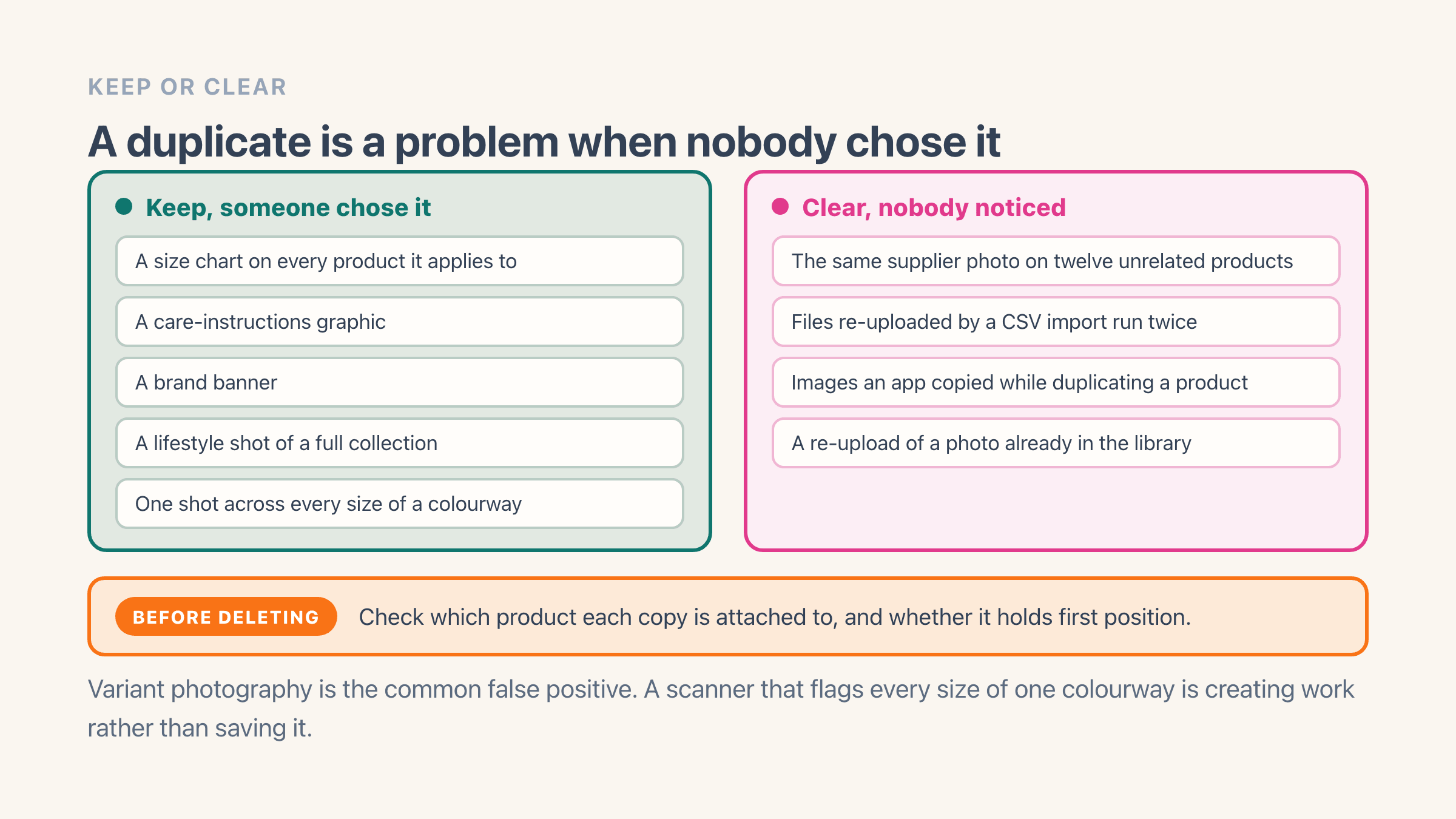
Plenty of duplication is deliberate and should stay. A size chart belongs on every product it applies to. So does a care-instructions graphic, a brand banner, or a lifestyle shot showing a full collection.
Variant photography is the common false positive. The same shot across every size of one colourway is correct, because the sizes genuinely look the same. A scanner that flags those as problems is creating work rather than saving it.
One rule sorts almost every group. A duplicate is a problem when it exists because nobody noticed, and fine when somebody chose it. Before deleting anything, check which product each copy is attached to and whether it is the first image on that product.
How do you find duplicate images in your store?
On a small catalogue, open Content > Files in your admin, sort by name and then by size, and the obvious repeats surface in a few minutes. Nothing in Shopify tells you that one picture is sitting on fourteen products, so this is a manual read of the list. It holds up to somewhere around a few hundred products and it never finds the resized copies.
Past that, the free duplicate image scanner reads the product images on your public storefront, covers up to 500 products and emails you the groups it found. No install, so it works as a first look before you decide whether the problem is worth an app at all. The longer walkthrough, including what to do once you have the list, is in how to find duplicate product images on Shopify.
Inside Easy Image Organizer the same scan runs across the whole catalogue and splits the result into two piles, because they need different decisions. One picture repeated on a single product is nearly always an upload slip, and you keep one copy. One picture spread across several products is the supplier photo or the placeholder that leaked, and that group needs a look at each product before anything goes.
What breaks if you delete the wrong image?
The one that bites is the first image on a product. It is the picture shoppers see on collection pages, in your store search, and in the product feeds you send to Google and Meta. Delete the copy sitting in first position and whatever was second is promoted in its place, which is often a back-of-pack shot or a size chart, and nothing warns you.
Variant photos are the second trap. When a photo is assigned to a colour or a size, removing it can leave that variant showing the generic product shot instead of its own. Check what each copy is attached to before you clear a group where one picture covers several variants.
It is also worth knowing the difference between taking an image off a product and deleting the file. In Easy Image Organizer, removing a copy takes it off that product and leaves the original in your Content > Files library, so the other products using it carry on unchanged. Removals stage as unsaved and can be undone row by row, and once you save, the change is live in your store. Putting an image back after that means attaching it again.
How do you stop duplicate images coming back?
Every route on the list above is a repeating source, so a one-off clear-out buys you about a quarter. Four habits do more than any scan.
- Scan after each supplier import rather than once a year, while you still remember which products the import touched
- Name files by product and SKU as they go in, so the next person searching Files finds the photo instead of uploading it again
- Check what a new app does to your media before you run it across the catalogue, because the ones that duplicate or bundle products often copy images with them
- Replace the placeholder. One "photo coming soon" image sitting on forty new products is both the easiest duplicate group to clear and the only one shoppers actually see
Where it lives in your Shopify admin
Content > Files, sorted by name and then by size, which is where every image in the store lives. What each copy is actually attached to only shows at Products > open a product > the Media card, so the Files list will not tell you that one picture is sitting on fourteen products.
Commonly confused with
- Variant images
- The same shot across every size of one colourway is correct, because the sizes genuinely do look the same. A scanner that flags those is making work rather than saving it.
- Near-duplicates
- An exact duplicate is the same file twice. A near-duplicate has been resized, re-saved at lower quality or renamed on the way in, which is why sorting Files by name and size walks straight past it.
- Duplicate content
- There is no duplicate-image penalty of the kind people imagine for duplicate text. The costs here are page weight on a phone and your own photos competing with each other in image search.