Definition
Where the vendor field lives in the Shopify admin
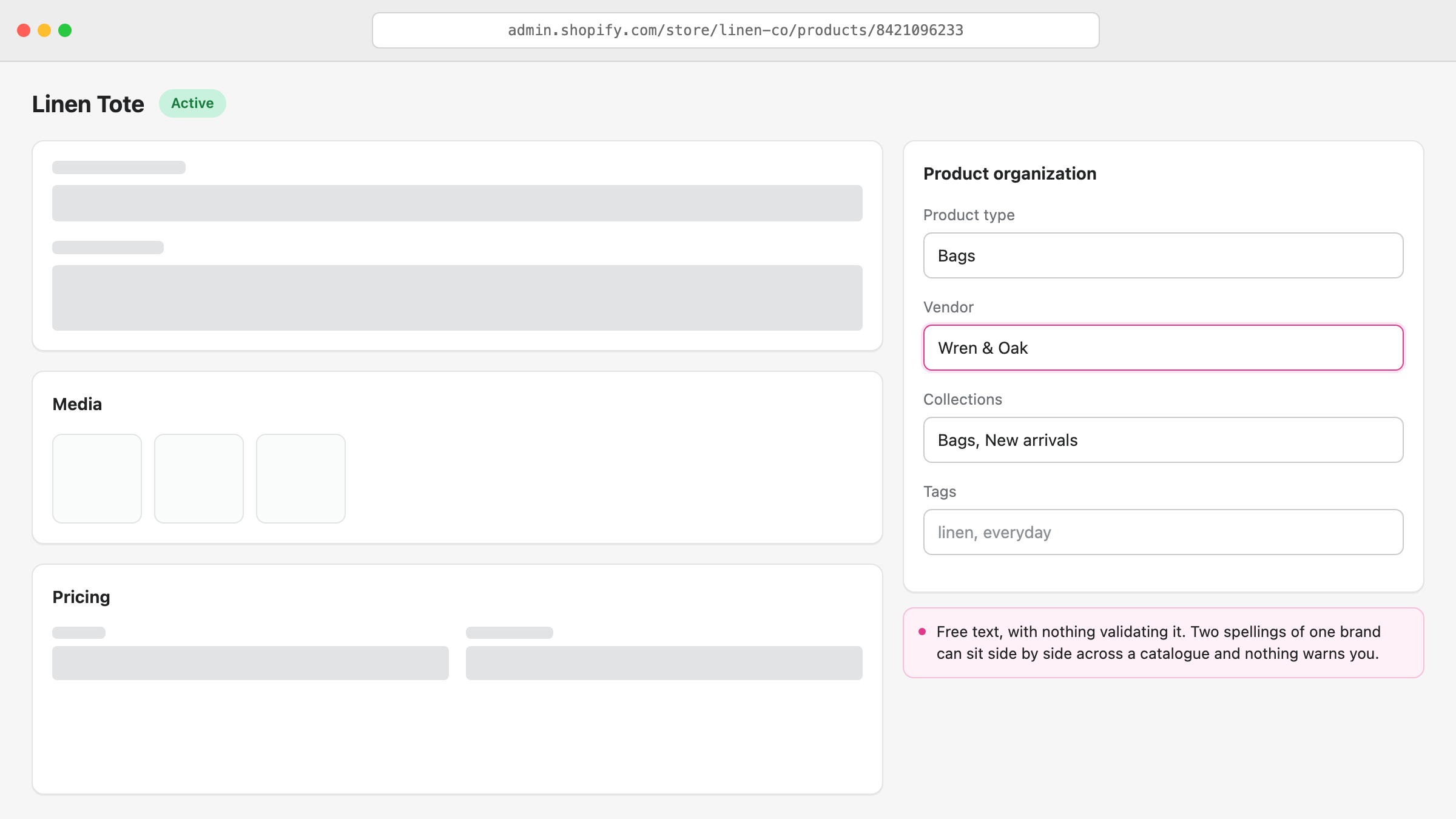
Open any product in Products, scroll to the Product organization card in the right column, and Vendor sits under Product type. It is a free-text field, so Shopify accepts whatever you type, including three different spellings of the same brand.
That is worth knowing before you start using it seriously. Nothing validates the value, nothing autocompletes reliably across a large catalogue, and nothing warns you when a new product introduces a fourth spelling. The field is a label you maintain, not a managed list.
Is vendor the same as brand?
Usually, but not always, and the difference causes real problems. Shopify names the field Vendor, which reads as supplier, while most stores use it to hold the brand a shopper would recognise. Those are the same thing for a store selling Nike and Adidas, and completely different for a store buying its own-brand goods through a distributor.
Pick one meaning and hold it across the catalogue. If you fill some products with the supplier name and others with the brand name, every automatic collection, filter and report built on the field returns a mix of the two, and no tool can untangle it afterwards.
If you need both, keep the customer-facing brand in Vendor, because that is the value that reaches the storefront, and keep the supplier in a product tag or one of the product's own custom fields.
What Shopify actually does with the vendor field
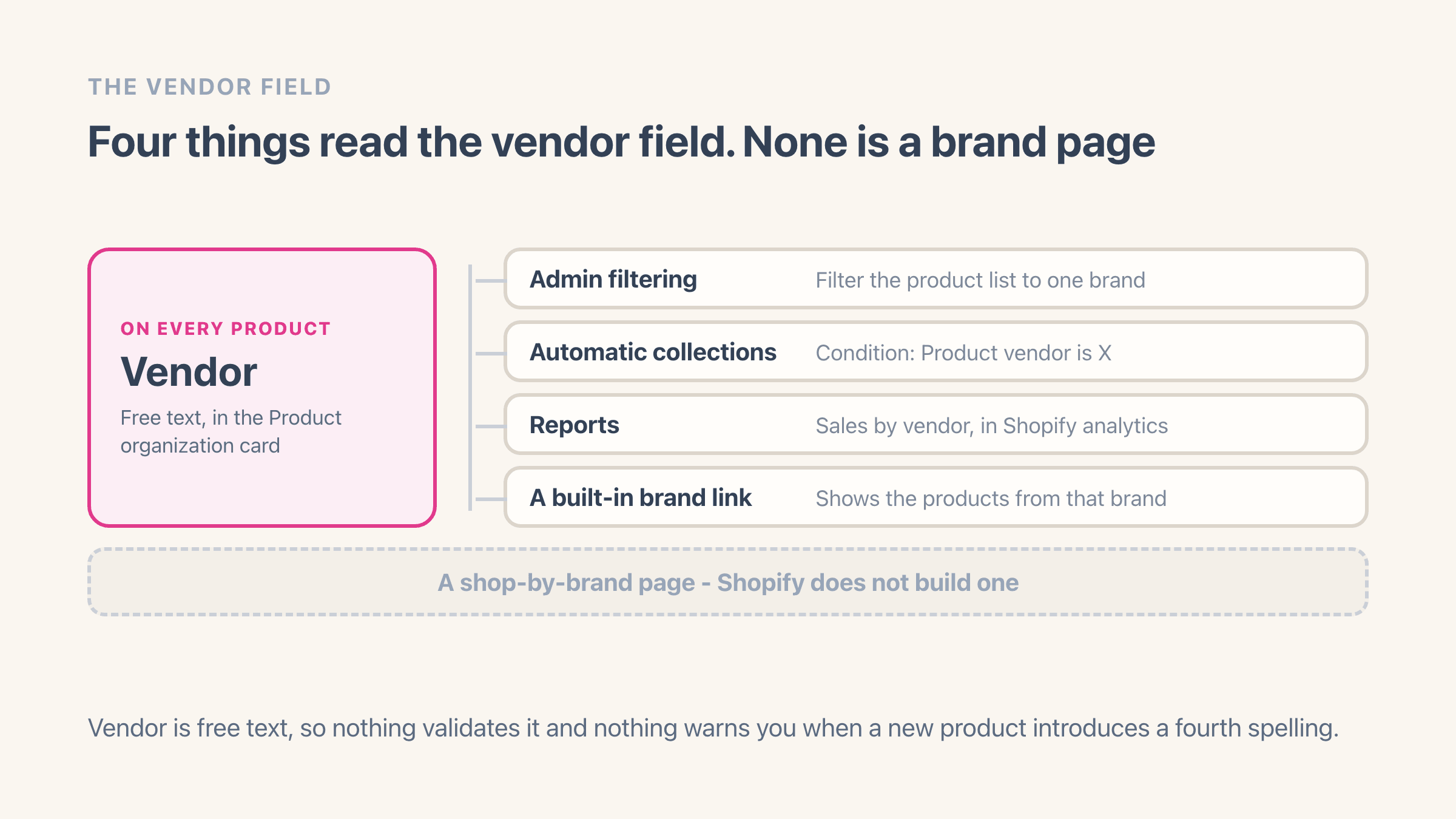
Four things, all of them useful and none of them a brand page.
- Admin filtering - filter the product list by vendor to see everything from one brand.
- Automatic collections - a collection condition of "Product vendor is X" keeps itself populated as you add products.
- Reports - sales by vendor appears in Shopify's analytics, which is the quickest read on which brands actually earn.
- A ready-made listing - put /collections/vendors?q=Brand Name on the end of your store address and Shopify shows that brand's products without you creating anything.
How to see every vendor in your store
There is no vendor list page in the Shopify admin, which surprises most people looking for one. The closest built-in route is the product list filter, which shows vendors one at a time rather than as a list you can read.
Two workarounds. Export your products to CSV and pull the unique values from the Vendor column, which is exact and takes a minute. Or have your theme print the list on the storefront, covered below.
The reason this matters more than it sounds: you cannot clean up vendor spellings you cannot see. Most catalogues that have been running for a couple of years carry a handful of near-duplicate vendors nobody has noticed.
How to bulk edit or rename vendors
Select products in the admin product list and use the bulk editor, adding Vendor as a column. That handles a screen of products at a time and is the fastest route for a small cleanup.
For a large catalogue, export to CSV, fix the Vendor column in a spreadsheet, and re-import with the same handles. Shopify matches on handle, so existing products update rather than duplicate.
Before either, decide the one spelling you want for each brand and write the list down. Bulk edits are quick to make and tedious to reverse. The step-by-step version, including what to do with the near-duplicate spellings you find, is in how to rename or merge product vendors.
What happens when you rename a vendor
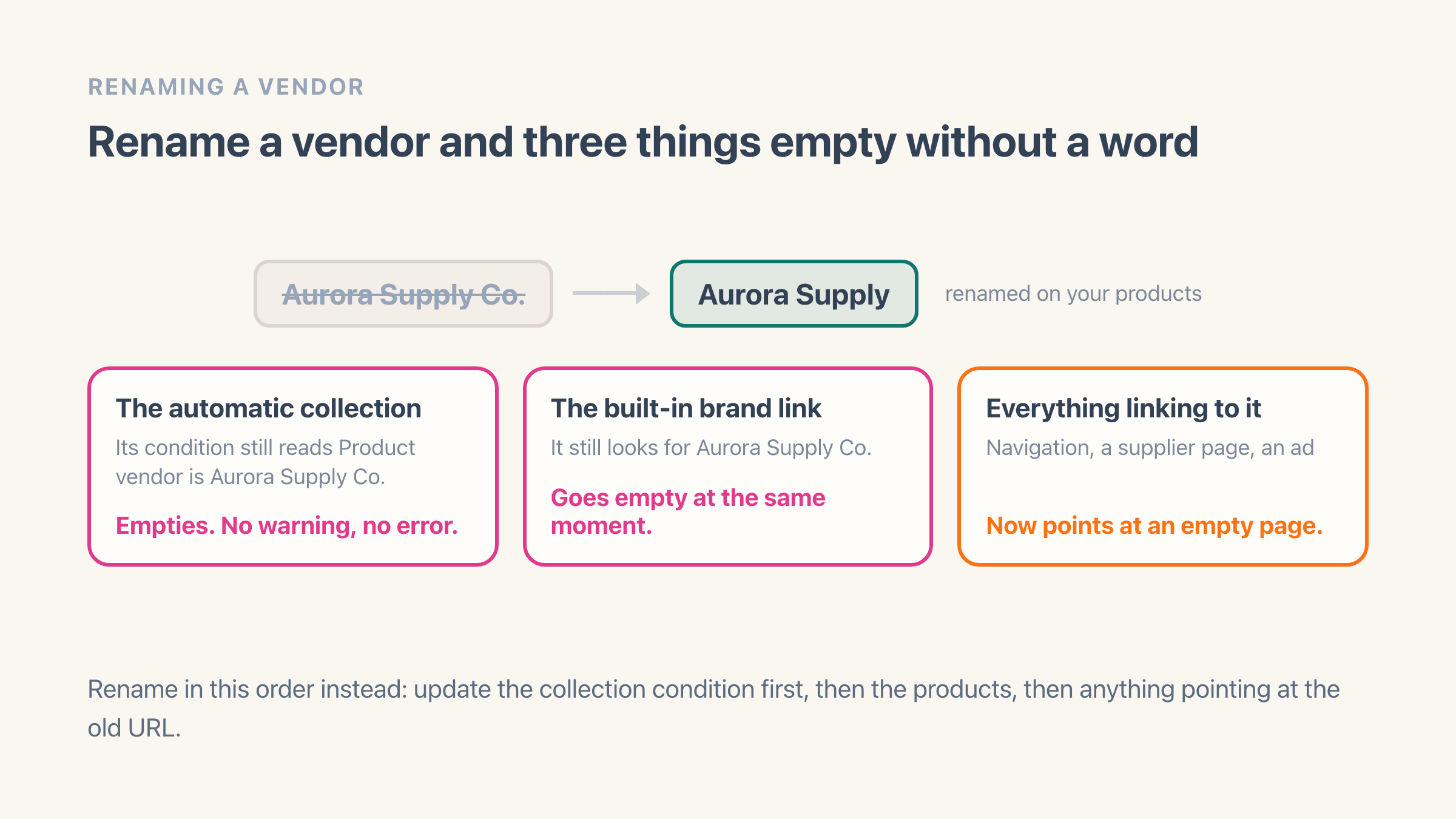
Any automatic collection with a "Product vendor is X" condition matches on the exact old name, so renaming the vendor on your products empties that collection silently. No warning, no error, just a collection with nothing in it.
The ready-made /collections/vendors?q= address for the old name goes empty at the same time, which matters if you linked to it from your navigation, a supplier page or an ad.
Rename in the right order: update the collection condition first, then the products, then anything linking to the old URL.
Can you show a list of all your brands on your storefront?
Yes, and your theme already has what it needs. Shopify hands every theme the full list of vendors used across your products, the shorter list of vendors sitting inside any one collection, and a way to turn each name into a link to that brand's ready-made listing. Whoever edits your theme can build the list from those without touching a single product.
One limit catches people out, and it is why so many hand-built brand lists look half finished. A theme stops after running through 50 items in a row unless whoever built it deliberately handled the overflow. A store with 60 brands gets a list that ends at 50 with no error and no warning, just an alphabet that stops somewhere in the middle. If your brand list cuts off and nobody can see why, that is almost always it.
The listings Shopify generates for each brand do know which brand they are showing, so a theme can put the brand name in the page heading rather than something generic.
Does the vendor field help SEO?
Indirectly, and less than people hope. Google does see the field. When your product pages hand their details over to search engines, the vendor name is what goes in as the product's brand, so the brand you type is the brand Google reads. That is a label on a product page though, so a shopper googling the brand still has nowhere of yours to land.
What the field enables is where the gain actually sits. A real page per brand, with its own title, description and internal links, is something a search engine can index and rank for "brand name + your category" searches.
The ready-made /collections/vendors?q= listing is a search result rather than a page you own. There is no title, description or copy on it you can edit, so it works well as a shortcut inside your own store and badly as somewhere Google sends a stranger. If brand searches matter to you, the brand pages you build and control are the ones worth having in the index. What Google is actually told about that vendor listing is the part most stores have never checked.
How to turn vendors into a shop-by-brand page
By hand: create one automatic collection per vendor, set the "Product vendor is X" condition, then build a page linking to all of them. It works, and the upkeep is the catch, because every new brand means a new collection and another link to add. Creating a collection for each vendor covers how to do that in bulk rather than one at a time.
Automatically: an app reads the vendors already on your products and renders a searchable A-Z directory that updates itself. Easy Brand Page does this, groups case and accent variants of the same name for display without ever editing the vendor value on your products, and covers up to 30 brands on the free plan.
Either way the data is already sitting in your catalogue. See how to add a shop-by-brand page to Shopify for both routes in full, and what a shop-by-brand page is for the shopper-facing version.
Where it lives in your Shopify admin
Products > open a product > the Product organization card in the right column, where Vendor sits under Product type. There is no vendor list screen anywhere in the admin, so to read every value at once use Products > Export and pull the unique values out of the Vendor column.
Commonly confused with
- Supplier
- The field name reads as supplier and most stores fill it with the brand a shopper would recognise. Mix the two across a catalogue and every collection, filter and report built on the field returns a blend of both.
- Product type
- Product type is what the thing is. Vendor is who makes it, and the two sit next to each other in the same Product organization card.
- Shop-by-brand page
- Vendor is the field holding one brand on one product. A shop-by-brand page is the storefront directory built out of all of them, and Shopify builds only the first.
See also