Short answer
How do you create a collection per vendor?
Open Brand pages and let it list your vendors
Install Easy Brand Page and open the Brand pages screen. It reads the vendor on your products and lists the brands that do not have a collection yet, so you choose from a real list instead of typing names.
If it does not work
The list holds things that are not brands: "Default", a supplier code from an old import, your own store name on own-label products. They are there because they are genuinely sitting in the vendor field on real products, not because the scan went wrong.
How to undo it
Remove brand takes any of those off your list and off the storefront in one step, and it is reversible from the Removed brands filter if you take out the wrong one.
Pick the brands to create collections for
Select which brands should get a collection. Nothing is preselected, and you confirm the exact count before anything is created, so a bulk run is always a deliberate choice.
If it does not work
Selecting everything gives you a page for a brand you carry two products from, and a shopper who clicks it lands somewhere that looks abandoned. The product count next to each brand is the fastest read on which ones have enough behind them.
How to undo it
Nothing exists until you confirm the count, so changing your mind at this point costs nothing at all.
It creates one collection per brand, and links matches
For each brand it creates an automated collection - products where the vendor matches the brand - and publishes it to your Online Store.
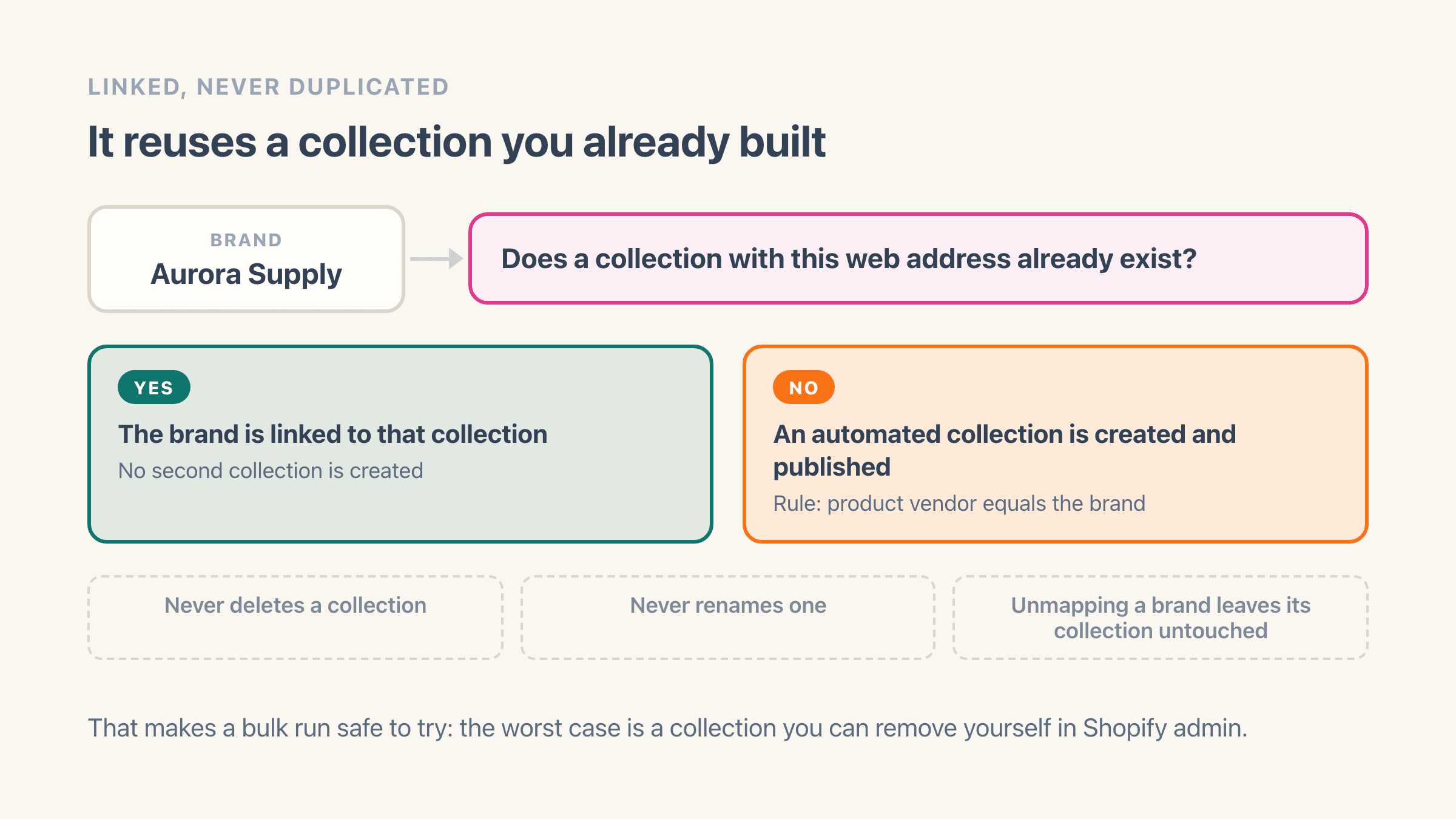
If a collection with that brand's web address already exists, it links the brand to that one instead of making a duplicate.
You can add an optional in-stock-only rule so out-of-stock products drop off.
If it does not work
You end up with a second collection sitting next to one you built years ago, because the match is made on the web address and yours uses a different one - /collections/acme-inc against a brand called Acme. Map that brand to the existing collection by hand instead.
How to undo it
The app never deletes or renames a collection, so a collection you did not want is one you remove yourself in Shopify admin. Unmapping a brand later leaves its collection exactly where it is.
Add content and publish per brand
Open a brand to write its description, upload a banner, and fill the native SEO title and description. Saving publishes that content to the collection, and the brand page template renders it on the storefront.
If it does not work
You write the description and the banner and the storefront still shows a plain collection. The content is saved on the collection, but something in your theme has to display it - the Brand header and Brand footer blocks are what put the banner and description on the page.
How to undo it
Edit the text and save again, or clear it. The SEO title and description are Shopify's own fields, so you can also change them straight on the collection in your admin.
What you get
- One collection created per selected vendor, in bulk
- Automated collections (rule: product vendor equals the brand) that keep themselves current
- Existing matching collections are linked, never duplicated
- It never deletes or renames a collection in your store
- An optional in-stock-only rule on newly created collections
- A description, banner and native SEO title and description per brand, published to the collection
Why does Shopify not create a collection per vendor?
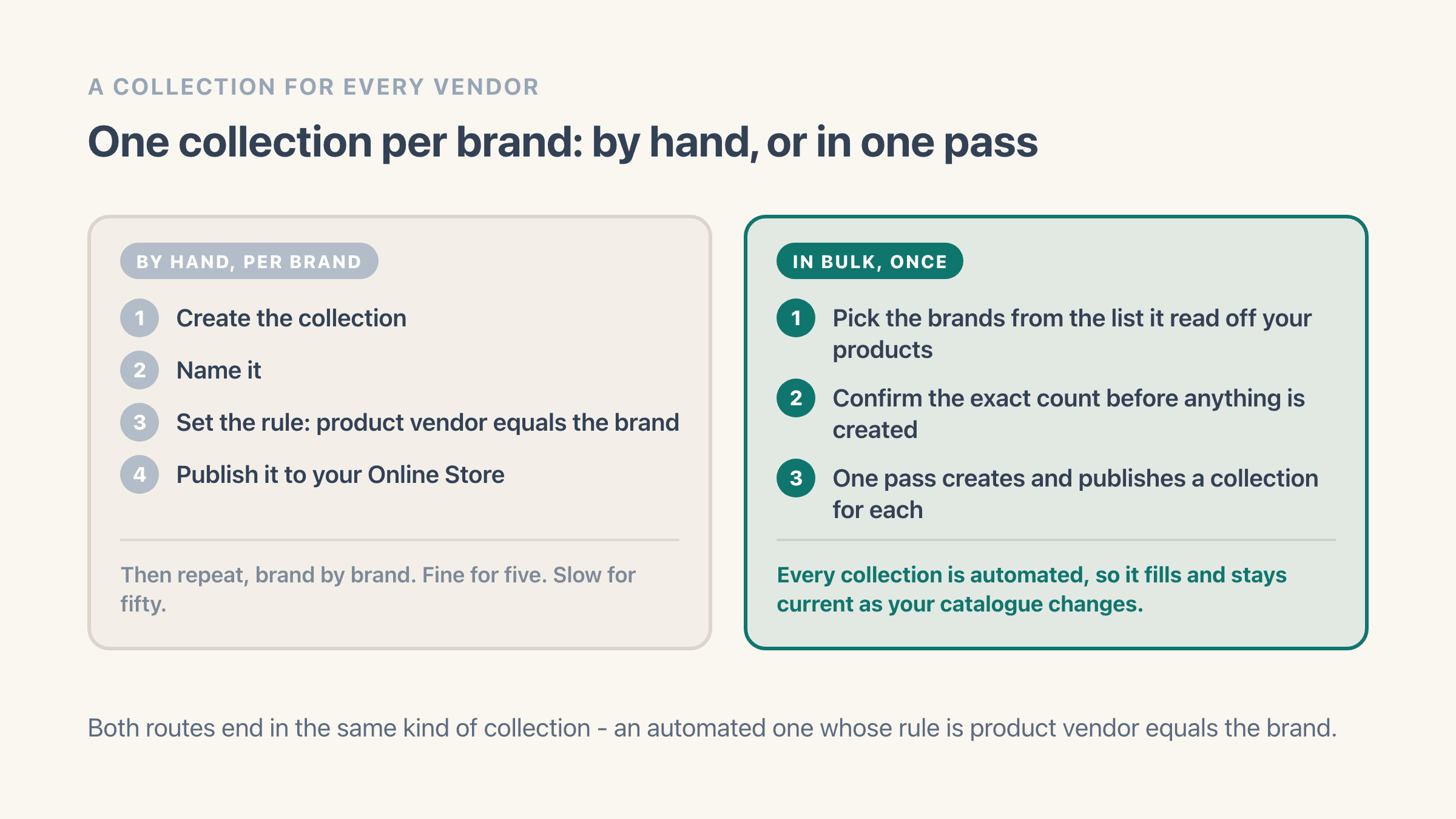
Shopify stores a vendor on every product, but it does not turn those vendors into collections. To get a collection per brand the manual way, you create and name one collection for each vendor, set its rule, and publish it - fine for five brands, slow for fifty.
Easy Brand Page does that pass in bulk. You pick the brands, and it creates an automated collection for each one with the rule set to product vendor equals the brand, so the collection fills and updates itself as your catalogue changes. To point a brand at a collection you already built instead, see how brands map to collections.
What happens to the collections you already built?
They get reused. Easy Brand Page checks each brand's web address before it creates anything, and when a collection with that address already exists it links the brand to that one instead of adding a second copy. Your own rules, sort order and template on that collection are left alone - the app only records that this brand points there.
It also never deletes or renames a collection - there is no delete step anywhere in the app, and unmapping a brand later leaves its collection untouched in Shopify. That makes a bulk run safe to try: the worst case is a collection you can remove yourself in Shopify admin.
Should every vendor get its own collection?
No. A vendor earns a collection when a shopper might type that name into your search box and you carry enough from it to fill a page. Nothing is preselected on the Brand pages screen for exactly that reason, so you are picking brands rather than accepting a list someone else drew up.
Two kinds of vendor are worth leaving out. Placeholder values that crept in through an import - "Default", a supplier code, a one-off name nobody recognises - are not brands, and the Brands page has a Remove brand action that takes them out of your list and off your storefront in one step. It is reversible, and the next scan will not put them back. The other is your own store name, which own-label products often carry in the vendor field; a collection built on it would just list your whole catalogue back to you.
The product count beside each brand is the fastest read on which ones deserve a page. A brand with two products is usually better served by a brand link on the product page than by a collection of its own that a shopper opens and finds nearly empty.
What happens when you add a new brand later?
The brand shows up in your list on its own. Its collection does not - Easy Brand Page never creates a collection in the background, so that step is always something you trigger. Auto-sync re-reads your vendors within a few minutes of a product change, which means a supplier you added this morning is in the app by lunchtime, sitting in the list of brands with no collection yet.
So the routine after the first bulk run is short. Open Brand pages every few weeks, look at what is still unmapped, and create collections for the ones you want. Each new collection is automated, sorted by best selling, and published to your Online Store as it is made, so the only thing left to do is write its description and banner.