Short answer
Where does Shopify use a product's first image?
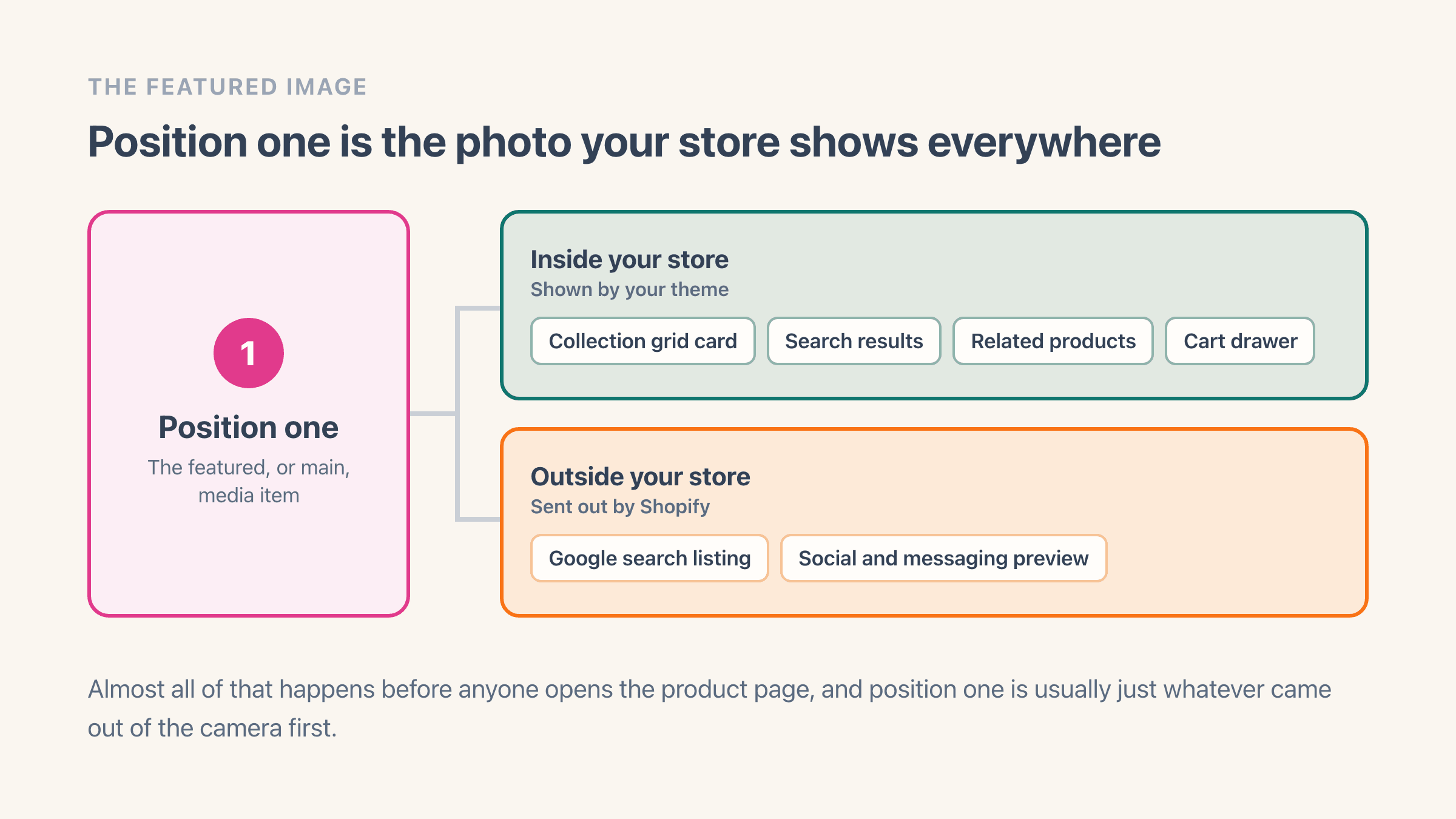
The first media item on a product is its featured image, and Shopify is blunt about it: "The first media item for each product is known as the featured, or main, media item" (Shopify Help Center). Position one is doing a job across the whole storefront, and most of that job happens before anyone opens the product page.
Your theme reaches for that first image every time it shows the product as a card rather than as a full page. Collection grids. The results of a search on your own store. Related-product rows, and the little thumbnail in the cart drawer. Every one of those is showing position one, and a shopper has usually seen it three or four times before they ever land on the product page.
It also leaves your store. Shopify picks one image per page to hand to search engines and to the preview that appears when someone shares a link, and on a product or a collection page it uses the featured image. A theme can set its own picture for that instead. When it does not, Shopify fills the slot from position one.
So the photo at position one is the thumbnail in a shared WhatsApp link, the picture in a Google listing and the card a shopper judges in a grid of 24 products. It is usually whatever came out of the camera first.
Why do product images end up in the wrong order?
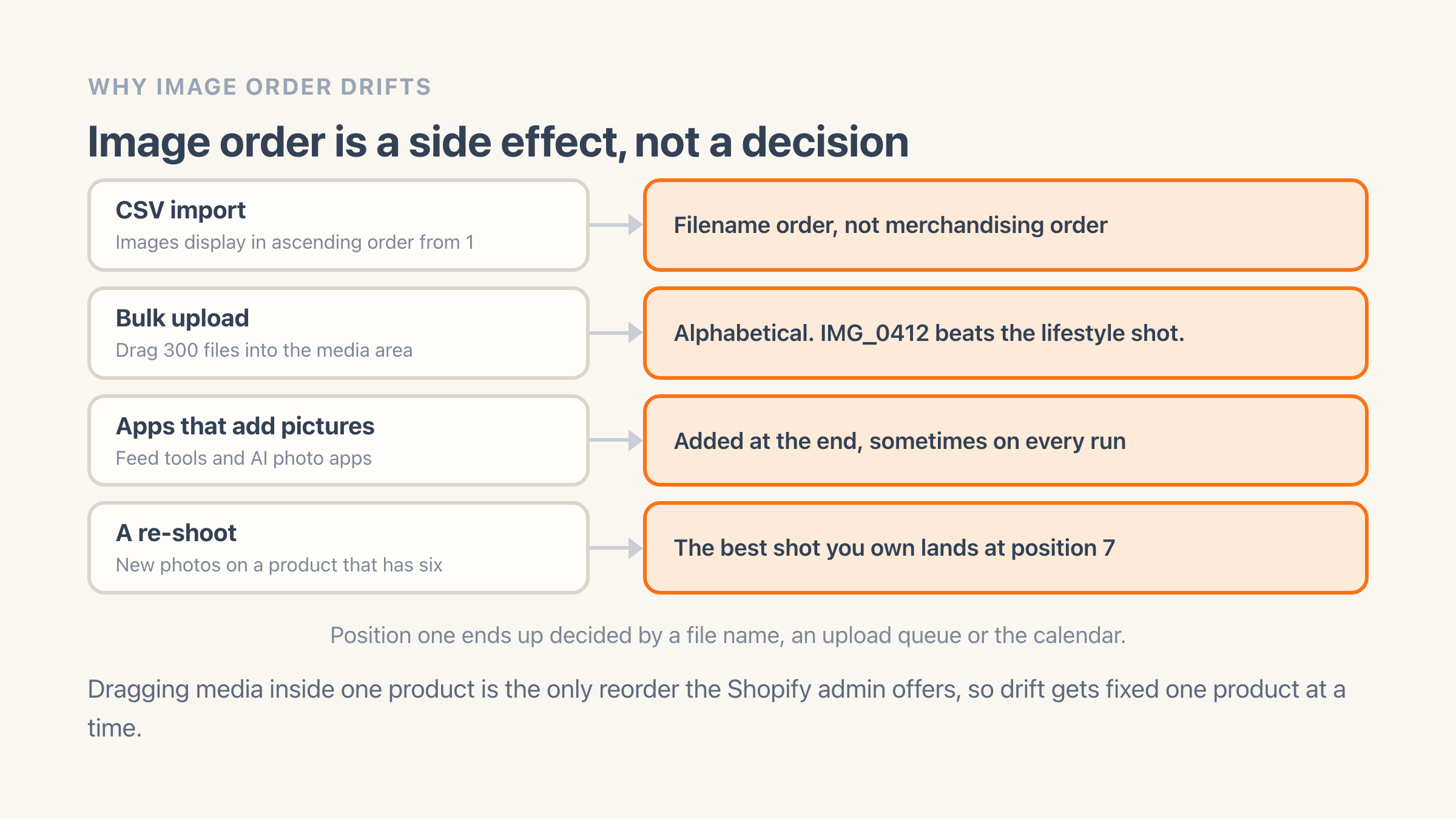
Because almost nothing that puts images onto a Shopify product is making a merchandising decision. Order comes out as a side effect of whatever produced the files.
- CSV imports. The product CSV has an Image Position column and images "display in ascending order, starting from an image position value of 1". A supplier export that numbered by filename hands you filename order.
- Bulk uploads. Drag 300 files into the media area and they land in the order the browser hands them over, which is usually alphabetical. IMG_0412 beats the hero shot saved as "lifestyle".
- Apps that add pictures for you. Feed tools, product-data tools and AI photo apps drop new images at the end of the list, and some re-add the whole set every time they run, which is where duplicate product images come from as well as bad order.
- Re-shoots. New photography goes onto a product that already has six images, so the best shot you have ever paid for arrives at position seven.
What order should product photos go in?
There is no universal answer, but one convention survives contact with a collection grid: position one answers "what is this?" at 300 pixels wide, and position two answers "what does it look like in use?".
For apparel that means an on-model front shot first. Flat-lays earn their place further down and they read like a returns catalogue in a grid. Then the back, then a fabric or detail close-up, and the size chart or care card last, because nobody clicks a thumbnail of a table.
Hard goods invert it. Lead with the product square-on against a plain background, because collection cards crop hard and a styled room shot loses the actual item at thumbnail size. Put a scale reference second, a hand holding it or the thing sitting on a desk, and push packaging towards the end unless the packaging is the gift.
On our own stores the thing that mattered more than the perfect order was the same order everywhere. Shoppers read a collection page as a row, and one lifestyle shot sitting among nine white-background shots looks like a mistake in the catalogue rather than a choice. Pick a rule you can apply to a whole vendor or product type, then apply it to the whole vendor or product type.
Can you bulk reorder product images in the Shopify admin?
No. Reordering is per product. On desktop you open the product, drag media in the media area and the item you drop into first place becomes the featured image. On mobile you select an image and tap Set as default (Shopify Help Center).
The bulk editor does not cover it either. Shopify describes that tool as a way to "apply certain changes to many products at the same time, such as adjusting prices or changing sales channel visibility", and media order is edited on the product itself.
No app gets around it either. Shopify only accepts a new image order for one product at a time, so an app fixing 400 products is working through them one by one on your behalf, and Shopify takes a moment to finish each one rather than doing it the instant it is asked. What an app saves you is describing the same move 400 times.
The one native route that scales is the CSV. Export your products, renumber the Image Position column, re-import. It works, it is slow, and the file you send back carries every other column with it, so an export you took last week puts last week's prices and titles back on your products.
How do you move an image to position one across many products?
Filter, select, describe the move once, save. Easy Image Organizer puts every product on one screen with its images laid out in a row, so you are reading order across the catalogue instead of clicking into products to check it.
- Filter to the products you are fixing: vendor, product type, tags, collection, status, plus image filters like number of images, image width and height, or missing alt text.
- Select the products on the page. A floating bar shows how many are selected.
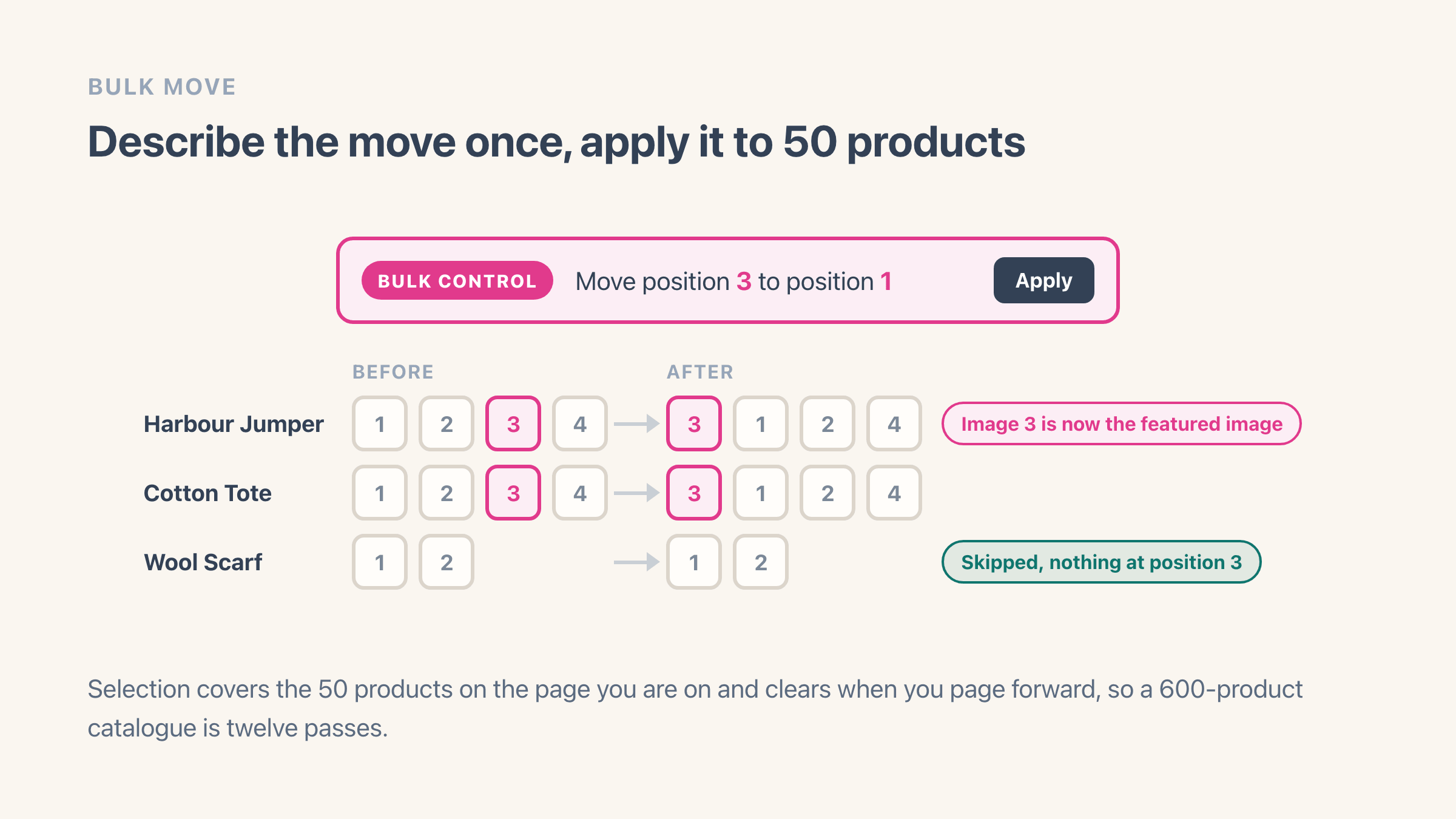
- Fill in the bulk control - "Move position 3 to position 1" - and press Apply. Products with no image at that position are skipped, so a two-image product survives a "move position 3" rule untouched.
- Drag images inside a single product where one product needs a different order to the rest.
- Press Save all changes. Until you do, every row keeps its own Undo and Discard all clears the lot.
Do variant images follow the product image order?
No. A variant image is a link, not a second copy of the picture. The product holds one list of images in order, and assigning an image to the Blue variant points that variant at one picture inside the list without duplicating the file.
Two things follow from that. Reordering changes positions and leaves your variant assignments alone, because a variant points at the picture and not at the slot the picture happens to sit in. Deleting an image a variant points at is the one that bites. A variant with no image of its own falls back to the product's featured image, so the blue t-shirt quietly shows the grey photo in the cart.
Shopify adds one limit of its own here. "3D models and videos can't be used for your product variant media", so a video you promote to position one will never be the image a variant shows.
Our app has a limit worth saying out loud too. Easy Image Organizer changes the order of a product's images and never touches which image belongs to which variant. If your colourways depend on variant images, set those on the product page in your Shopify admin and use the app for the order.
How many products can you reorder in one pass?
Fifty. That is the page size in the Organizer, and the selection clears when you page forward, so a 600-product catalogue is twelve passes of filter, select, move, save.
Two other numbers matter before you start. The screen loads the first 20 images on each product, so a product carrying 30 of them can only be reordered within those first 20 from here. And saves go out ten products at a time, which is why a full page takes a few seconds rather than landing instantly.
Each product you save counts as one edit against the free plan's 100 a month, however many images you moved inside it, and the counter resets on the 1st. Two full pages is your month. Alt text edits, filename edits and duplicate scans do not count against it at all.
For a one-time cleanup of a few hundred products, plan the passes by filter rather than by page. Do all of one vendor, save, then start the next vendor. The moves stay consistent and an interruption costs you one vendor instead of half a catalogue.
Why is the new order not showing on my storefront?
Give it a few seconds first. Shopify does not finish a reorder the moment it accepts one. It queues the work, and the new positions then land everywhere you sell. Refresh the product page ten seconds on before you decide the save failed.
If the product page is right and the collection page disagrees, that can be Shopify working exactly as it is meant to. In a search, and in a collection a shopper has filtered, Shopify shows the image of whichever variant best matches what they typed or ticked. Filter a collection down to Blue and you get the blue variant's photo even though position one is the grey one. Search for "navy hoodie" and you get the navy image.
Past those two, it is usually your browser holding on to an old copy of the page, and a hard refresh on the collection page settles it. If one product is still wrong, open it in your admin and look at what is actually sitting in first place - a video or a 3D model promoted to the front is the usual culprit.