Short answer
How they compare
| Feature | This appPackSceneFree, then from $9/mo | BotikaFrom ~$33/mo |
|---|---|---|
| Packshot to AI on-model photos | Yes | Yes |
| Publishes to your Shopify product | Yes | Yes |
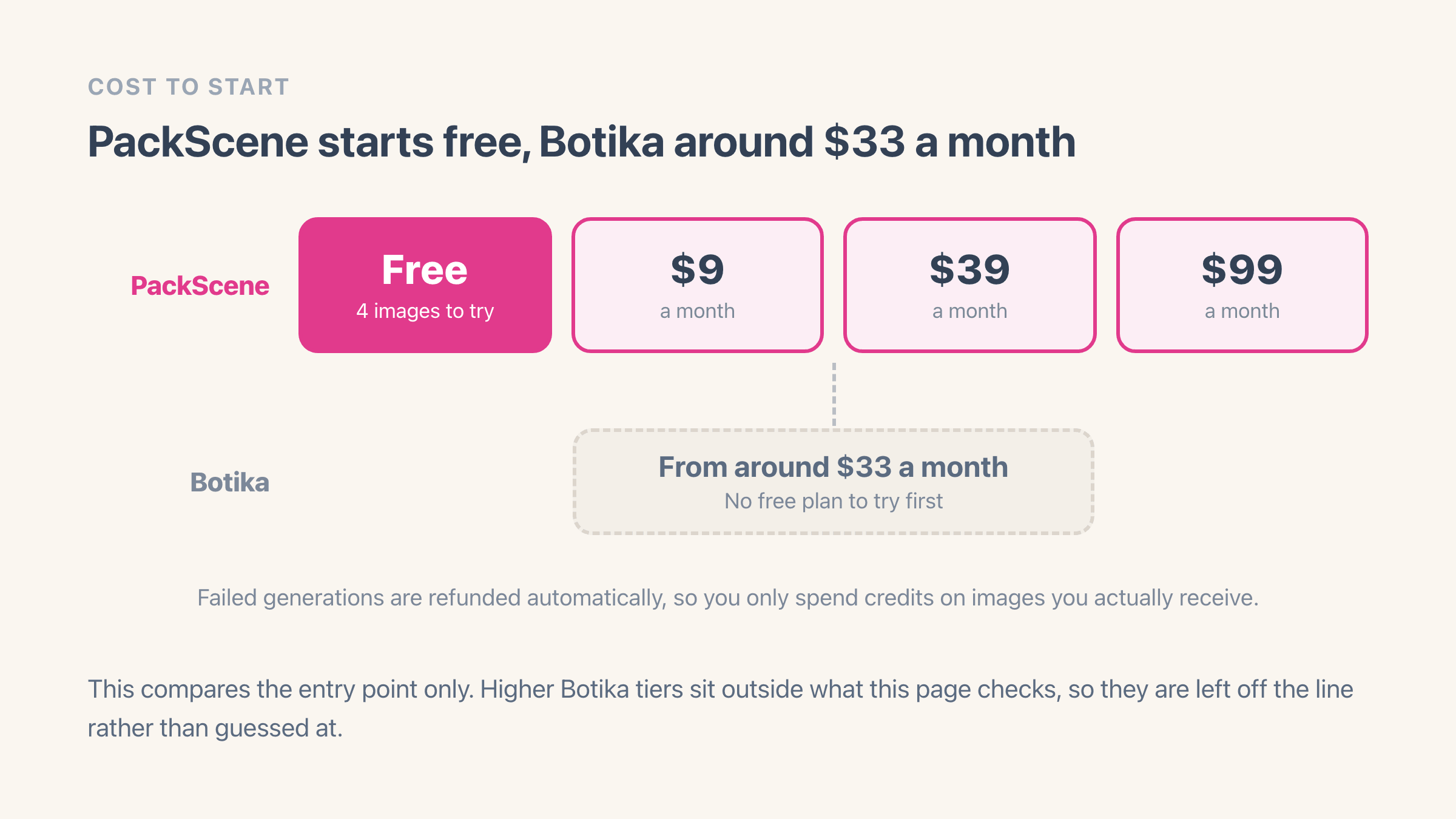
| Free plan to try | Yes - 4 images | No |
| Starting paid price | $9/mo | $33/mo |
| AI video generation | No | Yes |
| App Store rating | New | 2.7 (48 reviews) |
Why merchants look for a Botika alternative
Botika is the best-known app for turning packshots into AI on-model photos, with the largest review base in the category. It is also rated 2.7 from 48 reviews, and in those reviews some users report distorted hands or bodies, slow support, and billing or credit issues. On price, it starts around $33 a month.
Those are the usual reasons merchants look for an alternative: cost, a free way to test the output first, and mixed results on quality. AI photo results vary a lot by product, so seeing your own items rendered matters more than any single review score.
What PackScene does differently
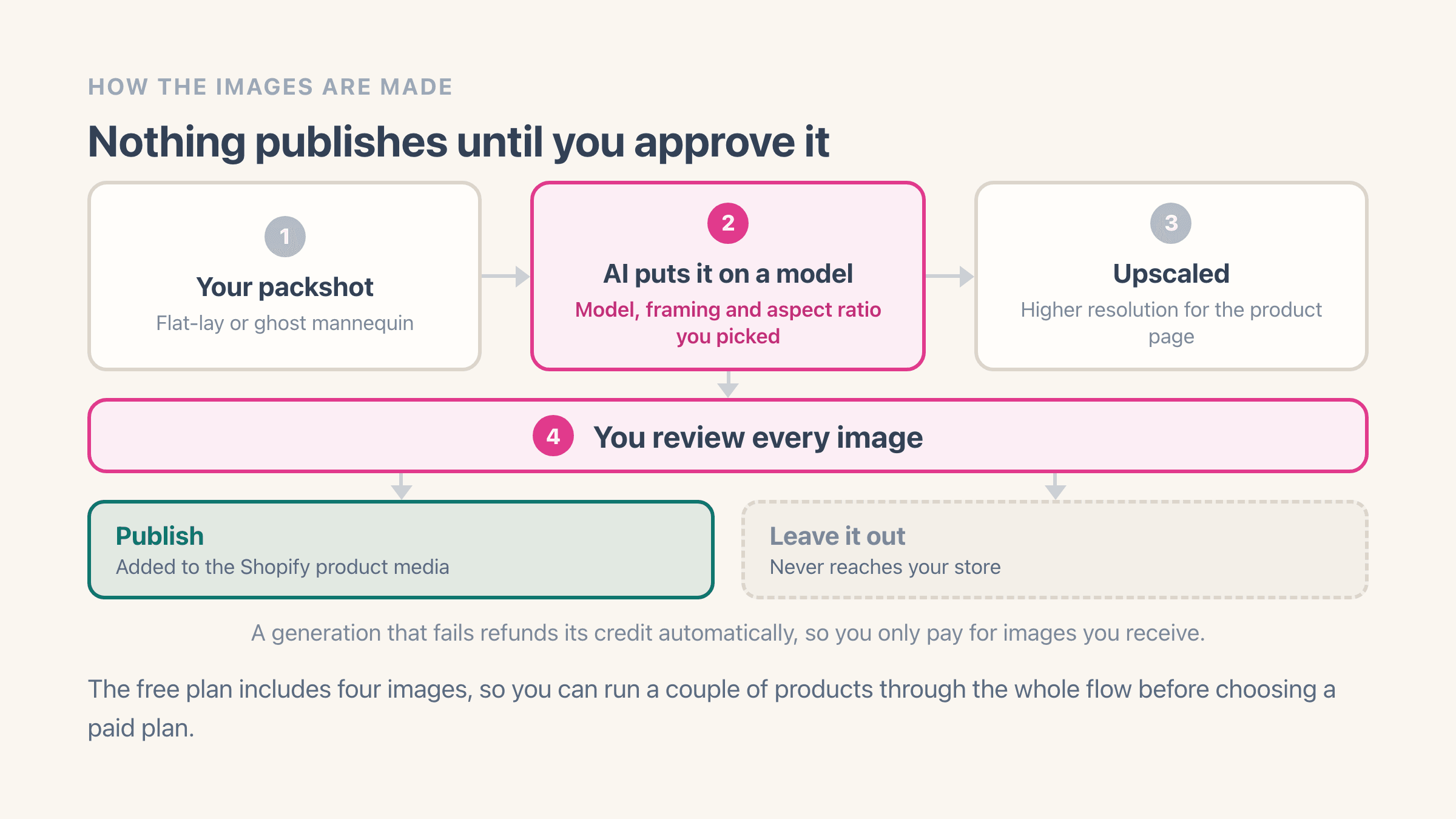
PackScene turns your flat-lay or ghost-mannequin packshots into on-model images, with a choice of model and framing, and a matching back view. It runs the result through an upscaler and publishes approved images straight to the Shopify product, tagged so you can find them later.
It starts free with four images, then runs $9 to $99 a month, and failed generations are refunded automatically, so you only spend credits on images you actually receive. See how it works.
The credit maths is on the plan page rather than buried. The $9 plan includes 45 generated images a month, the $39 plan 250 and the $99 plan 700, which comes out at roughly 20, 16 and 14 cents an image as you go up. Each paid plan also carries a smaller pool of edit credits, 5 on the cheapest and 100 on the top one, for small corrections that do not justify generating the whole image again.
Which products work with AI model photos?
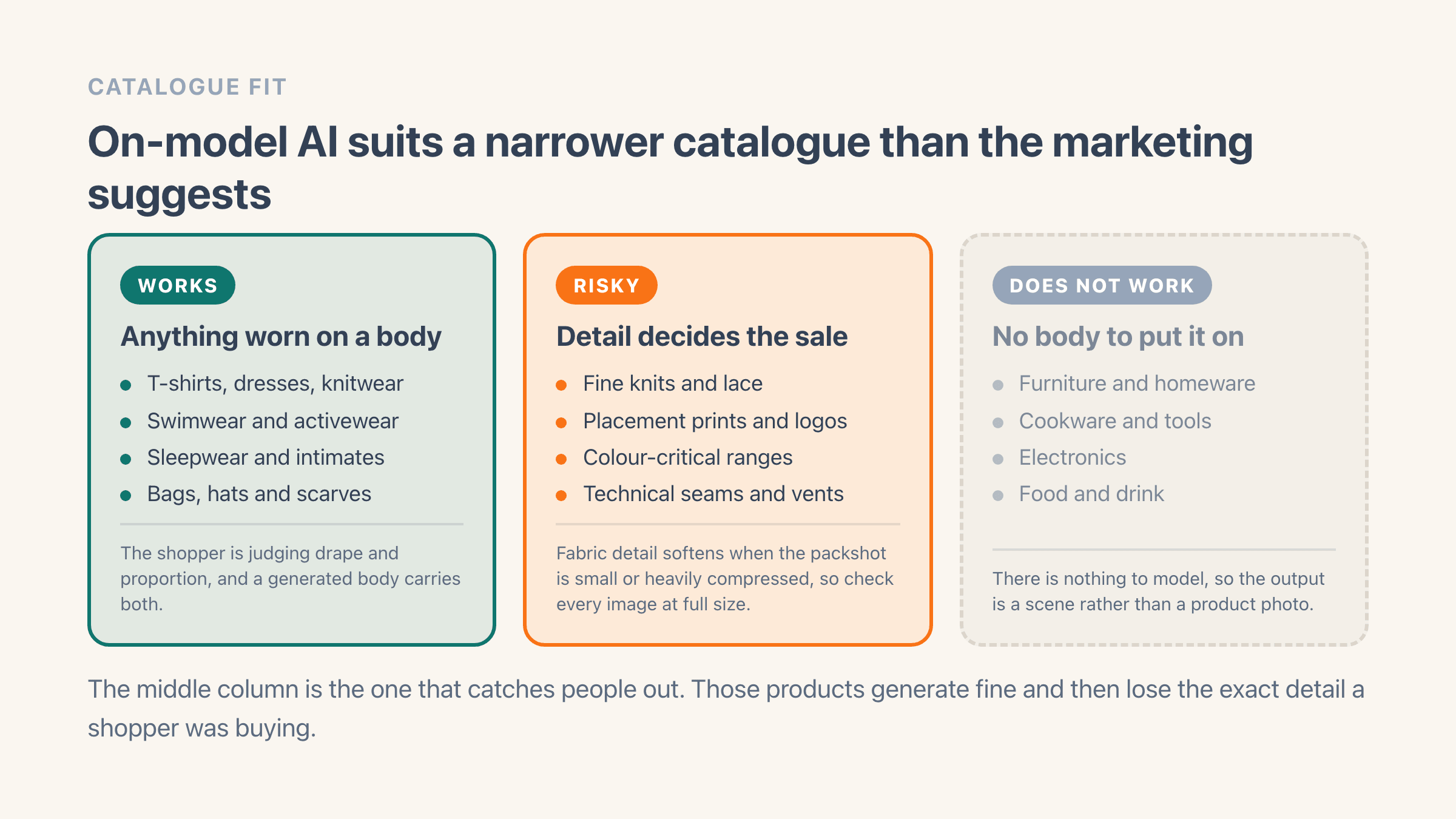
Anything worn on a body. Clothing, swimwear, activewear, sleepwear and worn accessories are what on-model generation is built for, because there is a body to place the product on and fit is most of what the shopper is trying to judge. There is a longer walkthrough for clothing specifically in AI product photos for apparel.
Some products generate cleanly and still let you down. Fine knits, placement prints and colour-critical ranges are the awkward middle: the image looks right at a glance, and the exact detail the customer was buying is the part that drifts.
A stitch pattern softens. A chest print moves two inches. A very specific green comes back as a slightly different green.
Check those against the real garment on your screen before you publish, and if you sell a lot of them, budget for a higher reject rate.
Furniture, cookware, electronics and food have no body to go on, so on-model photos are the wrong tool entirely, whichever app you pick. What AI product photography is goes through the boundary in more detail.
What makes a packshot generate well?
The photo you put in decides most of the result, and this is true of every app in the category. Use a packshot of at least 1000 by 1000 pixels, on a clean background, lit evenly with no hard shadows or glare, and with the whole product inside the frame rather than cropped at the edges.
Clothing has a few extra rules that are worth the five minutes. Steam the garment first, because folds get read as part of its shape. Keep sleeves, hems, collars and hoods in frame. A flat lay works and so does a ghost mannequin, as long as the proportions are honest. If you have a photo of the back, use it, because seams, vents and back prints come out far more accurate when the app has actually seen them.
Then match the framing to the garment: upper body for tops, lower body for trousers, full body for dresses and coats. Keep the same model and the same framing across a collection so the product pages read as one shoot rather than six. And run your best sellers first, so you find out whether the look works before you have spent a month of credits on the long tail.
One side effect of that consistency is worth knowing in advance. A collection shot on one model against one background produces images that are near-identical across products by design, so anything you later run over your catalogue to find repeated photos will group them. That is the shoot working, not a mistake to clean up.
How do you compare two AI photo apps on your own products?
Pick three products rather than one, and pick them on purpose: something plain, something patterned or printed, and something fine or colour-critical. Run all three through each app with the same model, the same framing and the same background, then look at the results at the size they will appear on a product page, on a phone, which is where your customers will see them.
Judge the things a customer notices: does the print sit where it sits on the real garment? Are the hands and the neckline intact? Is the colour the colour you would ship?
Then count what you actually got. If six images out of ten are usable, your real cost is the plan price divided by six, and that number tells you far more than the headline price does.
PackScene's free plan gives you four images, which is enough for one product front and back plus a retry, so the comparison costs you nothing on this side. Do it before you commit a catalogue, because that is the decision that is expensive to reverse.
Where Botika might be the better fit
Botika has been in this niche longer and has the biggest brand in it, so it is a known quantity. It also generates AI video, not just photos, which PackScene does not do.
If AI video is part of what you need, or you specifically want the most established app in the category, Botika is worth a look. If you mainly want on-model photos, published to Shopify, at a lower price with a free plan to test, PackScene fits.
There is one more reason to stay put that has nothing to do with features. If you have already generated a catalogue somewhere and those models are now what your product pages look like, moving means regenerating everything or living with two different looks inside the same collection. Consistency across a collection is worth more to a shopper than a few dollars a month is to you. Which is the argument for comparing on a handful of products early, while switching is still cheap.
Choose PackScene if
you want to start free, keep costs to $9 to $99 a month, and generate on-model photos that publish straight to your Shopify products, paying only for the images you keep.
Choose Botika if
you also want AI video, or you want the longest-established app in the category, and you are comfortable starting around $33 a month.