Easy Tickets & Events sells a class pack as an ordinary Shopify product, by default 10 credits valid for 90 days. Every pack bought becomes a numbered class pass. The student signs in, books a class with one credit instead of paying, and cancels before your cutoff to get it back.
On this page
- How do you sell a class pack on Shopify?
- What does a customer get when they buy a pack?
- Where do customers see their class pass?
- How does a customer book a class with a credit?
- Can a customer cancel and get the credit back?
- What can you change after a pass is sold?
- What this does not do
- How do you set it up?
- Who uses this?
- What should you read next?
- Common questions
How do you sell a class pack on Shopify?
You create the pack in the app, and the app creates the Shopify product that sells it.
Open Class packs and select Create class pack. The first three settings below start at the app’s defaults, so a first pack needs a name and a price, plus its classes.
A class pack is what you sell, a bundle of credits paid for up front. A class pass is what one customer owns after buying it, with its own number, balance and expiry. One credit books one place in one class.
- Number of credits starts at 10 and takes anything from 1 to 1,000.
- Valid for (days) starts at 90, counted from the order, and runs up to 3,650. A class has to start before the pass expires.
- Cancellation cutoff (hours before class) starts at 24. At 0, customers can cancel right up to the start.
- The pack price has to be above zero, so there is no free pack.
- Number of packs for sale left blank puts no limit on how many you sell.
Eligible classes decide what a credit can book
Under Eligible classes, search for a class and untick any ticket type a credit should not book. A recurring class brings every date in its series, and each date keeps its own places.
One pack covers up to 100 ticket types. Bundles, group tickets and classes with a required add-on cannot be booked with a pack.
The app builds the Shopify product for you
On save, the app creates a product with your price and no shipping, makes it active and publishes it to your Online Store. It is an ordinary product page, so the pack goes through your own cart and checkout.
Already sell a pass as a product? Switch on Use an existing Shopify product instead and pick it. It has to cost more than zero, need no shipping and belong to no event.
Edits reach new buyers only
Change the credits, the expiry or the classes later, and only new purchases get the new terms.
Every pass already sold keeps what it was bought with. After the first save, price, pictures and stock live on the Shopify product, so you change those in Shopify.
What does a customer get when they buy a pack?
A class pass for every pack in the order, each with its own pass number.
The pass is made when Shopify marks the order paid. Pass numbers run from #1001 in each shop, so a customer who buys two packs holds two passes with two numbers.
An email with the pass and a button to the wallet
Each new pass gets its own email, sent to the address on the customer’s Shopify account.
- The pack name and the pass number, such as “Pass #1042”.
- The credits included and the date the pass expires.
- Your cancellation rule and the line “One credit books one individual ticket.”
- A “My class passes” button that opens the customer’s wallet.
The expiry clock starts at the order
A 90-day pass expires 90 days after the order was placed, to the minute. An order paid days later by bank transfer has already used those days.
Buying a pack uses none of your monthly tickets, and each class booked with a credit uses one.
Where do customers see their class pass?
On a “My class passes” page in your own store, where a signed-in customer sees their passes.
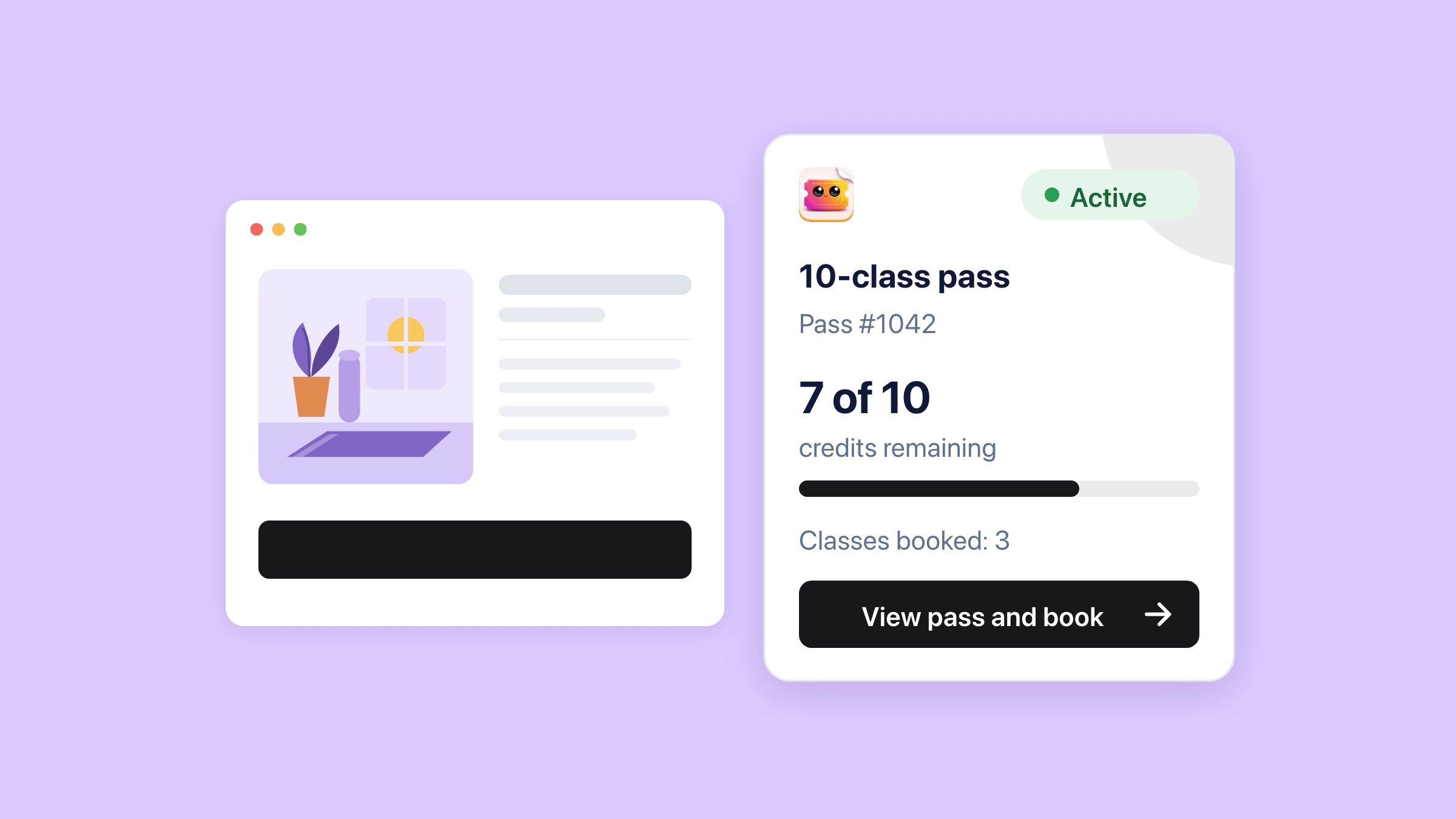
The card shows the balance, such as “7 of 10 credits remaining”, above a bar. “View pass and book” opens the pass with its class list and its credit activity.
A ready-made page, or the Class passes block in your theme
The app already serves the page on your store’s domain. The setup guide on the Class packs page gives you its link to copy into your menu.
To keep customers inside your theme instead, add the Class passes block to a page. It frames the same wallet and takes its settings from the theme editor.
- Heading, Sign-in message and Sign-in button label, for your own words.
- Brand colour for the buttons, the links and the credits bar, plus four more colours.
- Minimum height, 420 px by default, so switching tabs does not make the page jump.
- Corner style, three text sizes and Use the theme’s font.
Customers sign in with the account they bought with
A pass belongs to the Shopify customer account on the order, so your store needs customer accounts. Signed-out visitors see a sign-in button instead of their passes.
An email address alone never opens a pass.
How does a customer book a class with a credit?
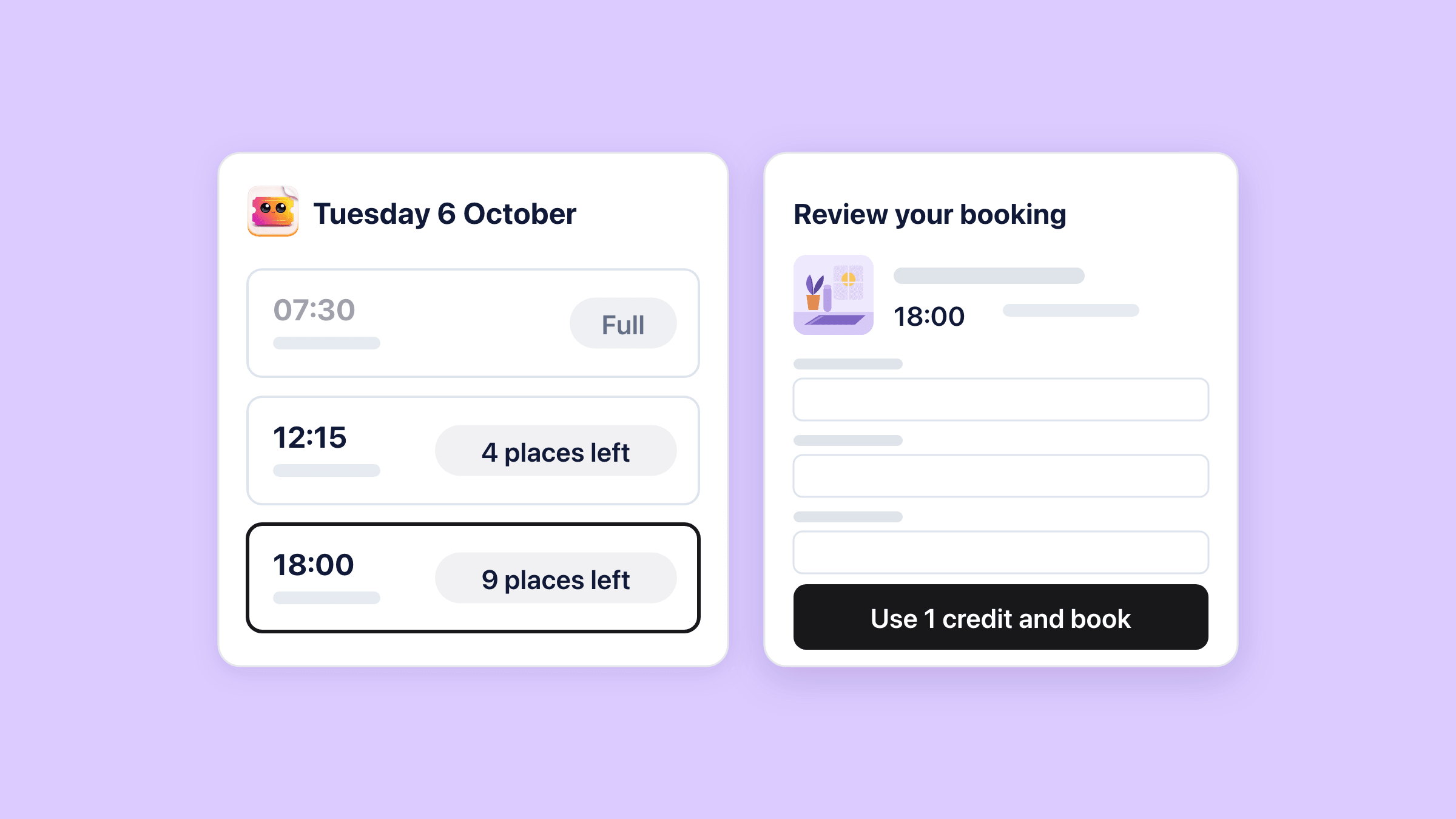
From the pass, they pick a class, fill in the attendee details and select “Use 1 credit and book”.
There is no cart and no payment. The app issues a normal ticket with its own QR code, sends the class’s ticket email and takes one credit off the pass.
The calendar offers only days this pass can book
Under “Choose a class date”, a calendar covers the next 12 months. A day can be picked only when an eligible class on it still has room.
A class must also start before the pass expires, so a class after that date never shows up.
Each class date and time is a row with “4 places left”, “Places available” or “Full”. When a credit can book several ticket types, the row adds a Ticket type menu.
Places come from the class itself
A credit takes a place from the same count a paid ticket does, per ticket type or from a shared pool. On a class with a seat map, the customer picks exactly one seat, held while they confirm.
A class that runs several time slots a day lists each sitting as its own row, with its own places.
One booking per class and ticket type for each customer
A customer can hold one active booking per class date and ticket type, across all their passes. They may type a friend’s name and email instead of their own, and the ticket goes to the friend.
At the door the ticket scans like any other, by phone or at the till.
Can a customer cancel and get the credit back?
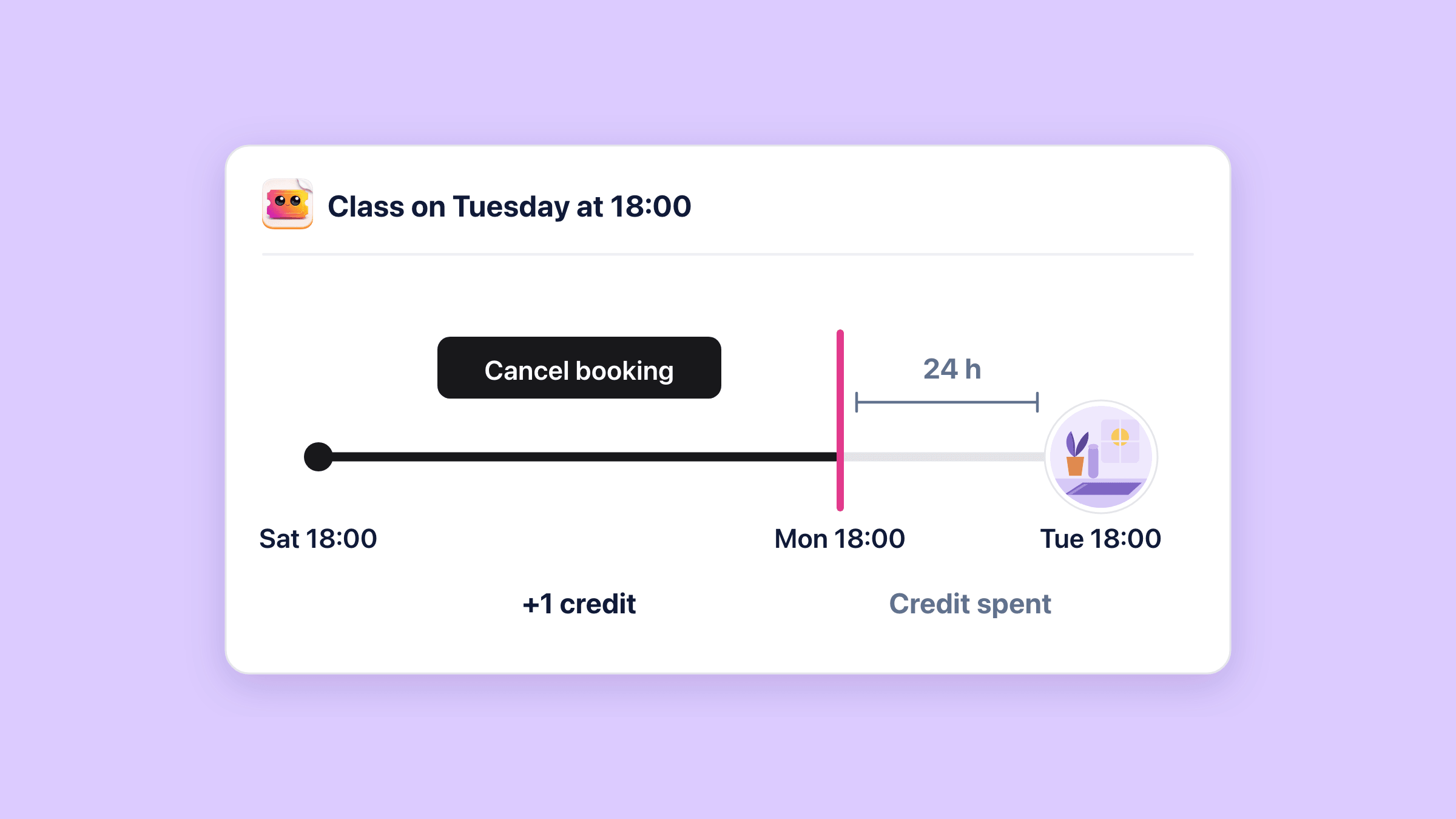
Yes, until the cutoff on their pack, which is 24 hours before the class unless you set another number.
“Cancel booking” asks them to confirm, then cancels the ticket and puts one credit back on the pass. The place goes back on sale and the class waitlist hears about it.
A credit that comes back keeps the pass’s original expiry. Cancel on day 89 of a 90-day pass, and that credit has one day left for a class that starts inside it.
After the cutoff the credit stays spent
Past the cutoff, “Cancel booking” is no longer on the row, and a ticket that has been scanned cannot be cancelled at all.
The app charges no late fee and no no-show fee. The credit is simply not returned.
Cancelling a class date leaves the credits to the customer
When you cancel a class date, its credit bookings stay in place. Each customer cancels their own in the wallet, which is allowed at any time for a cancelled date.
You cannot delete a date that still has pass bookings on it.
What can you change after a pass is sold?
Its credits and its expiry date, one pass at a time, from Purchased passes on the Class packs page.
Each pass sold is a row there, with its credits left shown as “7 / 10”.
Edit pass corrects credits and moves the expiry
Edit pass sets the remaining credits anywhere from 0 up to the pack size. The customer’s credit activity then shows “Credits adjusted by the store”, so the change is visible on their side too.
A new expiry date runs to 23:59 that day in your shop’s time zone, and it can bring back a pass that has already expired.
Refunds put a pass on hold until you verify it
Refund the pack in Shopify and its passes go On hold. The credits freeze rather than disappear, and classes already booked stay booked.
Verify purchase reads the order again and releases the pass if the pack is still paid for. So a pass held over a postage refund comes back with one click.
- Cancel the whole order in Shopify and its passes go on hold, and every class booked with them is cancelled too.
- An edited pack order puts its passes on hold until you verify it.
- The app never refunds money and never works out a part refund for unused credits.
Credit bookings sit on your normal guest list
Every class booked with a credit appears on that class’s Attendees list and scans at the door like any ticket.
Its row menu points you to the customer’s class pass, because only the customer cancels or rebooks a credit booking.
What this does not do
- No memberships or subscriptions. A pack is a one-time Shopify product with no auto-renew.
- No unlimited passes, and no class that costs two credits. Every booking costs exactly one credit.
- No booking with a credit from the product page. Customers book on the “My class passes” page or in the Class passes block.
- No group bookings. One credit books one ticket, or one seat on a seated class.
- You cannot book, cancel or move a credit booking for a customer from the app.
- No automatic credit back when you cancel a class date. The customer cancels in the wallet, which stays allowed for a cancelled date.
- No pass transfers, no passes shared between accounts and no gifting a pass from the admin.
- Packs are sold on the Online Store only, and credits are spent from the pass wallet, not at the POS till.
- No add-ons in a credit booking. Optional add-ons are bought at the class.
- No expiry reminders, low-balance emails or cancellation emails to the customer.
- On a class without a seat map, a credit booking and a paid checkout can both reach for the last place at the same moment. Seated classes are protected.
How do you set it up?
Create the pack
Open Class packs in the app and select Create class pack. Give the pack a Name and a price, then check Number of credits, Valid for (days) and Cancellation cutoff (hours before class).
The Customer summary at the foot of the popup previews what the buyer gets.
Found under Easy Tickets & Events > Class packs > Create class pack.
Choose the classes a credit can book
Under Eligible classes, search in Add a class and pick the class. Untick any ticket type a credit should not book, then select Create class pack.
The app creates the Shopify product, makes it active and publishes it to the Online Store. If it cannot confirm the publishing, a banner says so, with Open product in Shopify to finish it there.
Found under Easy Tickets & Events > Class packs > Create class pack > Eligible classes.
Give customers their wallet
The quickest route is the ready-made page, whose link you copy from the setup guide on the Class packs page into your store menu.
For the wallet inside your theme, create a page template named “class-passes” in the theme editor, then Add section, Apps, Class passes. Assign that template to a page and put the page in your menu.
Found under Shopify admin > Online Store > Themes > Customize > Pages.
Watch the first pass arrive
Let’s follow the first sale. When Shopify marks the order paid, the pass appears under Purchased passes, and the customer gets its email with a “My class passes” button.
Pass confirmation email on the Class packs page rewrites that email’s words and button colour for the whole shop. The class packs guide covers every setting and message.
Found under Easy Tickets & Events > Class packs > Purchased passes.
Who uses this?
Yoga and pilates studios
A 10-class pass valid for 90 days, spent on whichever evening class the student can make that week.
Read the guidePottery and craft studios
A five-session pass for wheel nights, each booking taking one wheel from that night’s own count.
Dance and fitness schools
One pack for beginner and improver classes alike, with a 12-hour cutoff so a late cancel keeps the credit spent.
Small theatres and comedy nights
A flex pass of five shows. On a night with a seat map, each credit books one chosen seat.
What should you read next?
Time slots and timed entry
How one class runs at several times a day, each sitting with its own places, which is exactly what a credit books.
Reserved seating from a seat map
A seated class books one chosen seat per credit, held while the customer confirms.
Run recurring classes on Shopify
The whole timetable as a business, from the repeat rule to the waitlist, and where a pack fits in it.
Recurring events and time slots in the manual
Every schedule setting, so the classes a pack can book exist on the dates you want.
See every Easy Tickets featureRead the setup guide in the manual